



 More Products
 Compare














我的荣耀 开启荣耀之旅
打开
App 内打开



 Disagree Terms
 Log out




[Tips and Tricks] Slide to Customize | Text and Display Size
[Tips and Tricks] Slide to Customize | Text and Display Size


Add to Favorites
Create
Confirm

 Last reply :
Hello HONOR Fans'
I hope you all doing well and good ;)
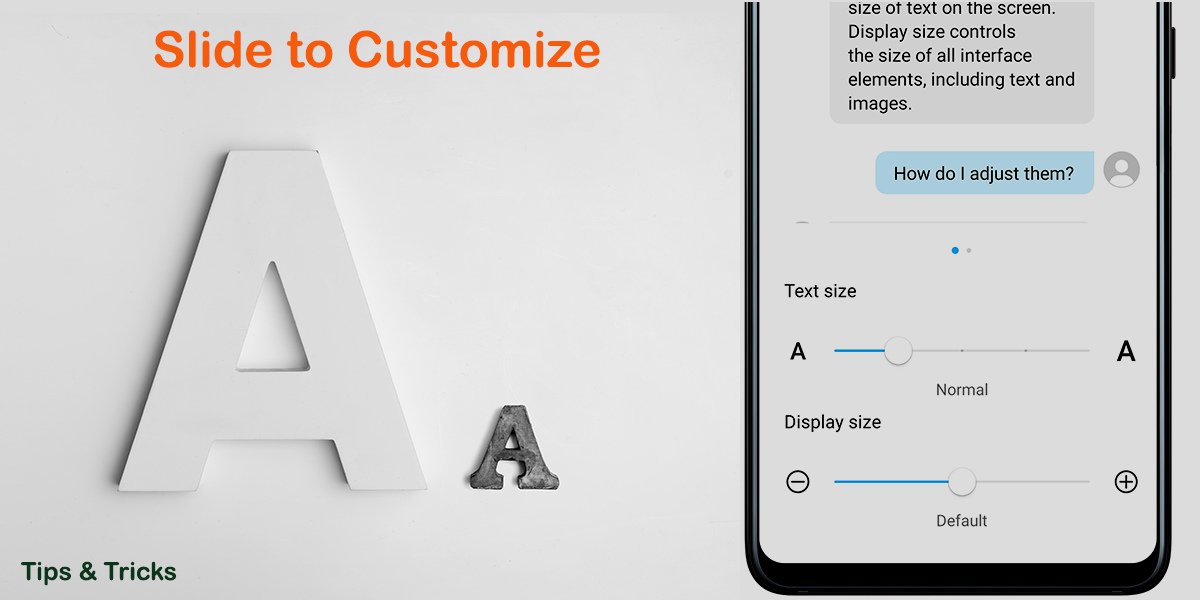
In this article - I'm going to share Tips and Tricks on "Slide to Customize | Text and Display Size" on your HONOR Smartphones
Let's check out;
Step:1
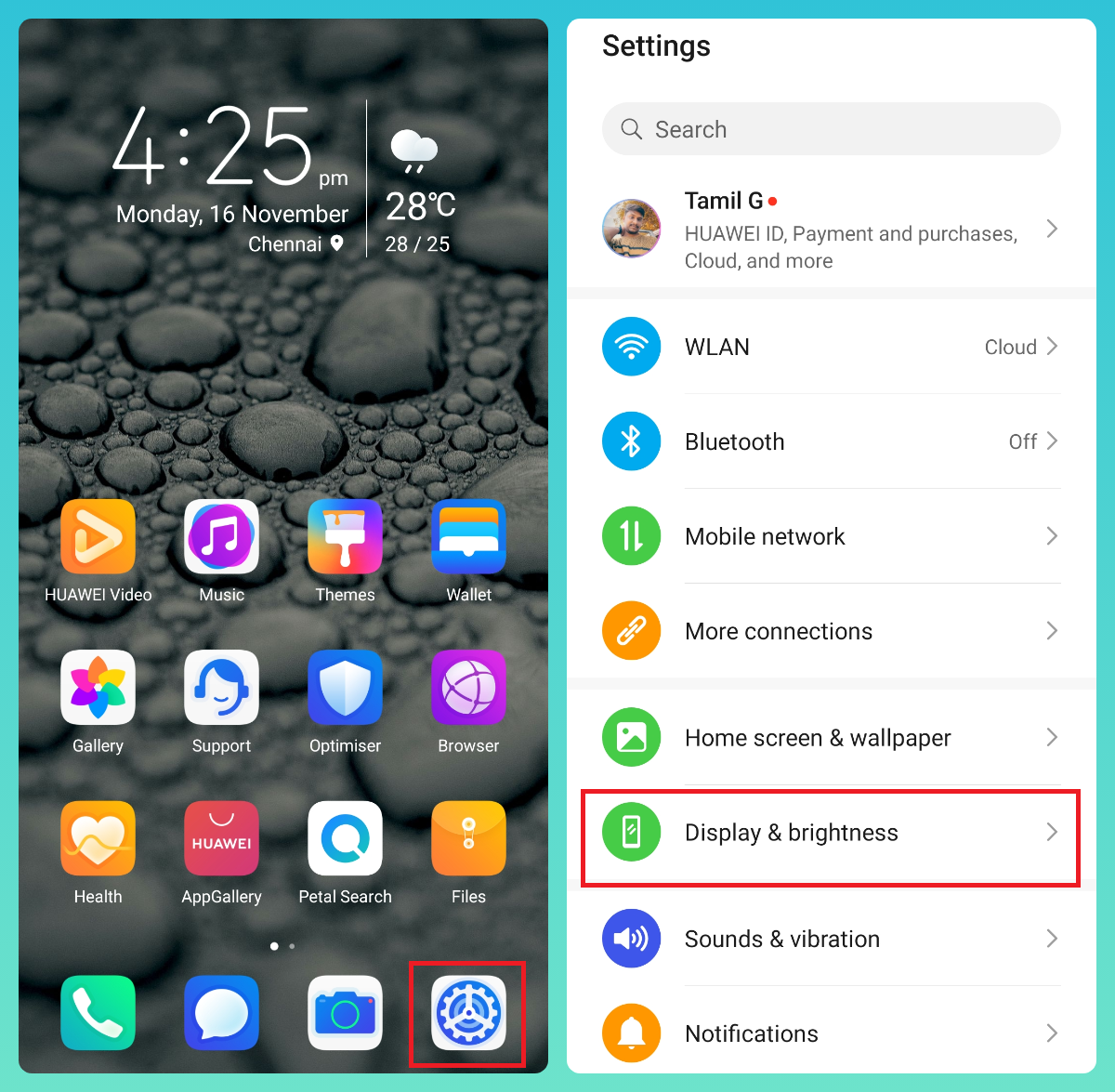
Go to Settings > navigate to "Display and brightness" option
Step:2
Under Display and brightness options
Navigate to "Text and display size" and drag the "Sliders" to adjust as per your need!
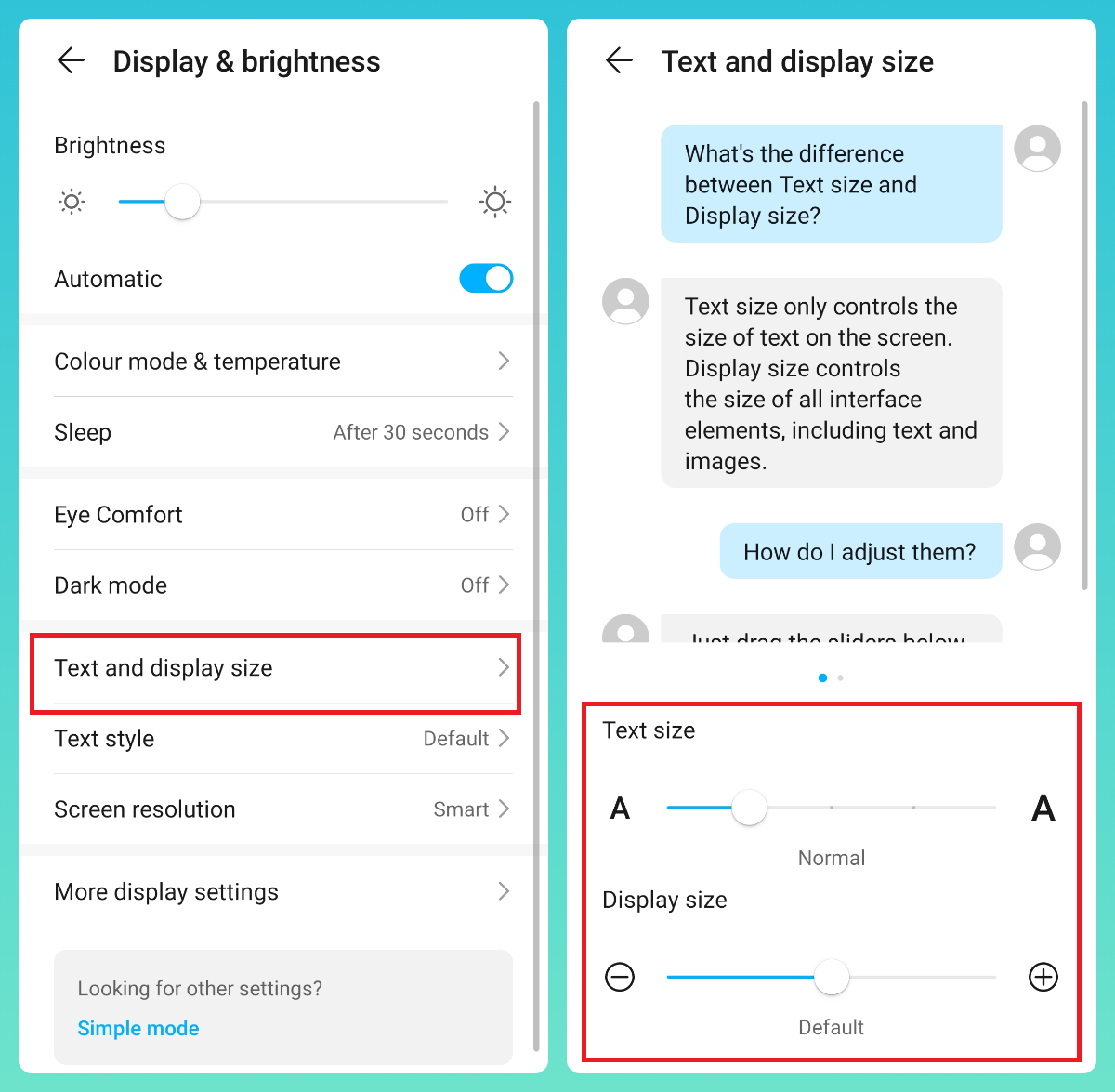
Text size: Only controls the size of text on the screen
Display size: Controls the size of all the interface elements, inlcuding text and images

That's it for today - I hope you all find this post useful | Thank you for reading ;)


Energy
- Posts
- Following
- Followers
- Energy
Last visit time
Registered day
-
 Tamil G
Moderator Intern
Tamil G
Moderator Intern
-
+ Follow

-
- 542 Posts
- 49 Following
- 881 Followers
- 39795 Energy

-
 New Comer
-
 Followers reach 50
-
 Followers reach 100
-
 Followers reach 200
-
 7 Days Check-in
-
 30 Days Check-in
-
 100 Days Check-in
-
 Moderator
-
 Halloween 2020
-
 HONOR STAR 2020
-
 New Year 2021
-
 Animal Photography
-
 Plant Photography
-
 Red Photography
-
 Survey Medal!
-
 Water Photography
-
 World Cycling & Running Day
-
 Product Photography
-
 Sky Photography
-
 Activity Photography Medal
-
 Autumn Photography
-
 Rain Photography
-
 HONOR 50: Best Shot!
-
 Monthly Photo Sharing #1 Landscape
-
 HONOR Magic4 Pro
-
 Monthly Photo Sharing #2 People
-
 Monthly Photo Sharing #3 Spring
-
 Monthly Photo Sharing #4 Animal



- Posts
- photo
- video

Hello HONOR Fans'
I hope you all doing well and good ;)
In this article - I'm going to share Tips and Tricks on "Slide to Customize | Text and Display Size" on your HONOR Smartphones
Let's check out;
Step:1
Go to Settings > navigate to "Display and brightness" option
Step:2
Under Display and brightness options
Navigate to "Text and display size" and drag the "Sliders" to adjust as per your need!
Text size: Only controls the size of text on the screen
Display size: Controls the size of all the interface elements, inlcuding text and images
That's it for today - I hope you all find this post useful | Thank you for reading ;)