



 More Products
 Compare














我的荣耀 开启荣耀之旅



 Disagree Terms
 Log out




[Tips And Tricks] Share Your Wi-Fi Not Password


 Last reply :
Hello Honor Fans,
When you have people over at your place, use the Wi-Fi bridge to help them connect your home Wi-Fi network without sharing the password. You can share your Wi-Fi connection with nearby devices for extended Wi-Fi coverage.
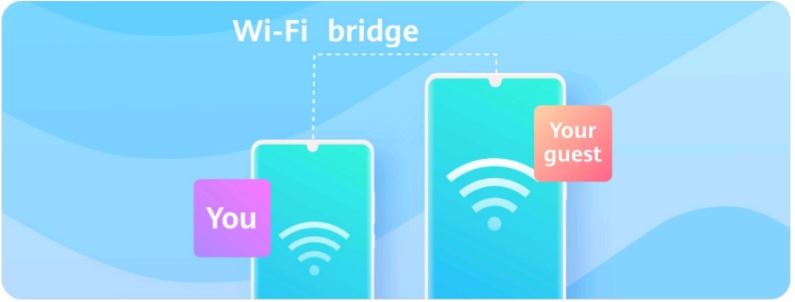
Please follow the below steps to be able to share your Wi-Fi without password:
1. connect your Honor device to a Wi-Fi connection to extend your connection and then Open System Settings
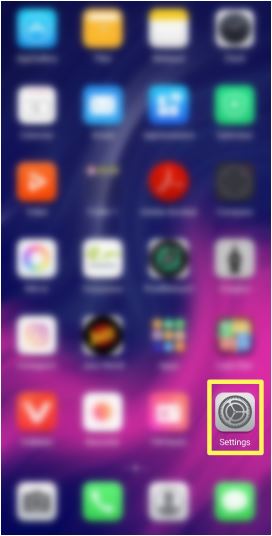
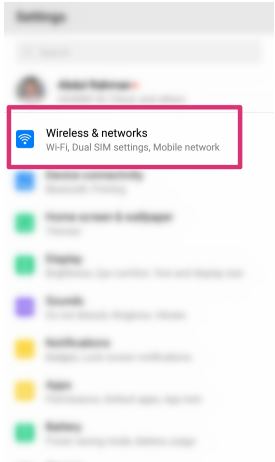
2. Go to Wireless & networks > Personal hotspot and enable the Wi-Fi bridge.
3. Tap on Set Wi-Fi bridge to set up the name and password for your Wi-Fi bridge.
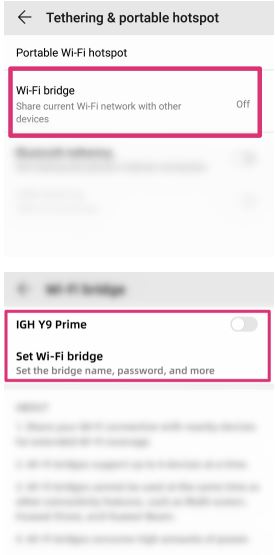
4. Finally, Give your friends the Wi-Fi bridge name and password info, and they'll be able to connect until your turn this feature off.
Note: Wi-Fi bridge supports up to 4 devices at a time
Points To Remember:
Wi-Fi bridges cannot be used at the same time as other connectivity features, such as Multi-screen, Huawei Share, etc.
Wi-Fi Bridges Results High Power Consumption.
This feature is only supported on selected models.
It’s your time to share your thoughts in the comment section below! Tell us what you think… Enjoy!
Cheers!!!


- Posts
- Following
- Followers
- Energy
-

Sebastian
-
+ Follow

-
- 139 Posts
- 390 Following
- 424 Followers
- 10125 Energy



- Posts
- photo
- video

Hello Honor Fans,
When you have people over at your place, use the Wi-Fi bridge to help them connect your home Wi-Fi network without sharing the password. You can share your Wi-Fi connection with nearby devices for extended Wi-Fi coverage.
Please follow the below steps to be able to share your Wi-Fi without password:
1. connect your Honor device to a Wi-Fi connection to extend your connection and then Open System Settings
2. Go to Wireless & networks > Personal hotspot and enable the Wi-Fi bridge.
3. Tap on Set Wi-Fi bridge to set up the name and password for your Wi-Fi bridge.
4. Finally, Give your friends the Wi-Fi bridge name and password info, and they'll be able to connect until your turn this feature off.
Note: Wi-Fi bridge supports up to 4 devices at a time
Points To Remember:
Wi-Fi bridges cannot be used at the same time as other connectivity features, such as Multi-screen, Huawei Share, etc.
Wi-Fi Bridges Results High Power Consumption.
This feature is only supported on selected models.
It’s your time to share your thoughts in the comment section below! Tell us what you think… Enjoy!
Cheers!!!