



 More Products
 Compare














我的荣耀 开启荣耀之旅



 Disagree Terms
 Log out




[Tips and Tricks] How we can save our mobile data?


 Last reply :
Hello Fans,
Today I will show you how we can save our mobile data in very simple steps.
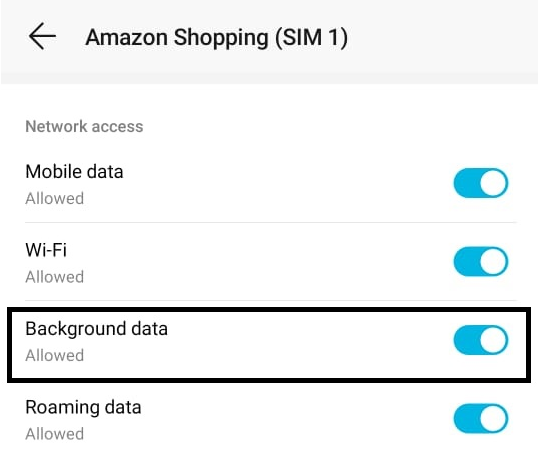
1. Restrict Background Data:
It means there is no data uses in the background by any apps. This is one of the best ways to save your mobile data.
To enable Restricted Background Data in the phone just simply go to Settings > Apps > Data and disable Background Data.
2.Data Saving Mode:
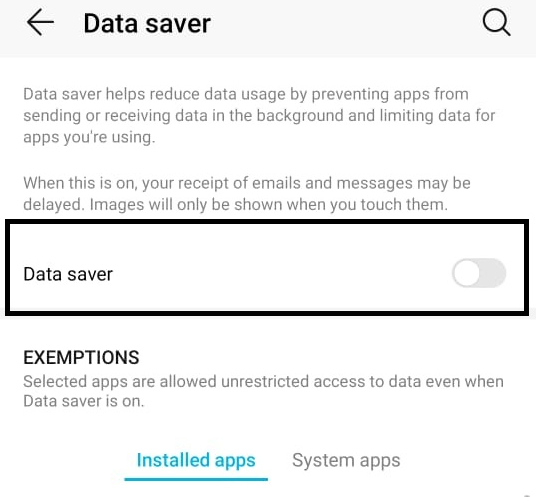
By enabling data saving mode in your phone you can save your mobile data. To enable data saving just go to Settings > Wireless & Network > Data Usage > Data Saver.
3.Use Apps Offline:
To use apps offline just simply go to: Settings >Wireless & Network > Data usage > Network access.
Then select the app which you want to use offline.

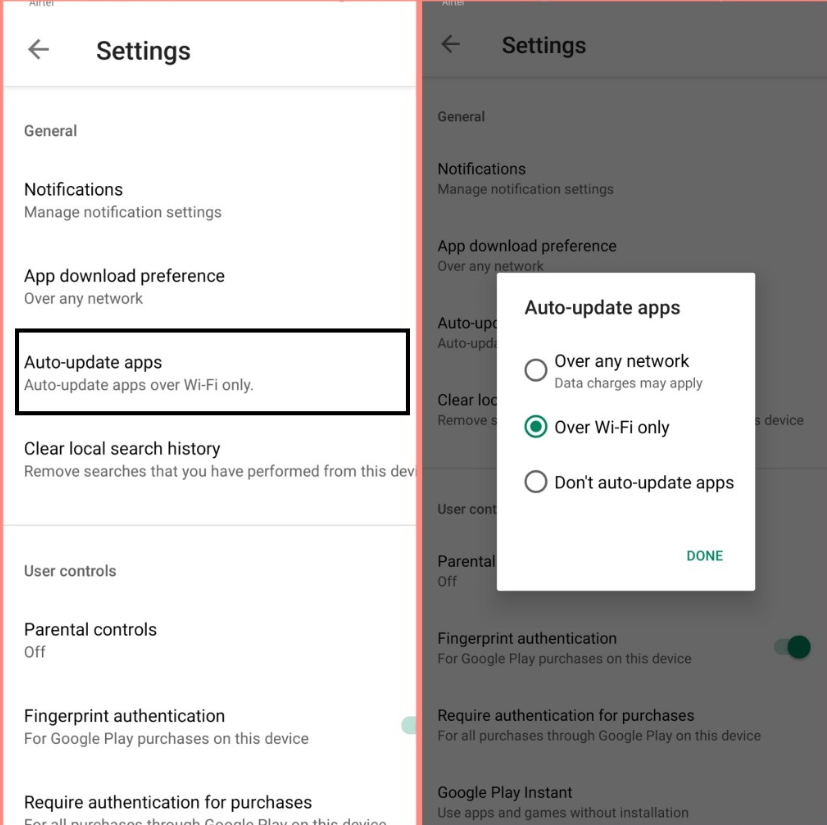
4.Update apps using WiFi:
First, need to turn off auto update apps by mobile data then to turn off auto update go to Playstore > Menu > Settings > Tap Auto-Updates Apps.
5.Disable media auto downloads in Whatsapp:
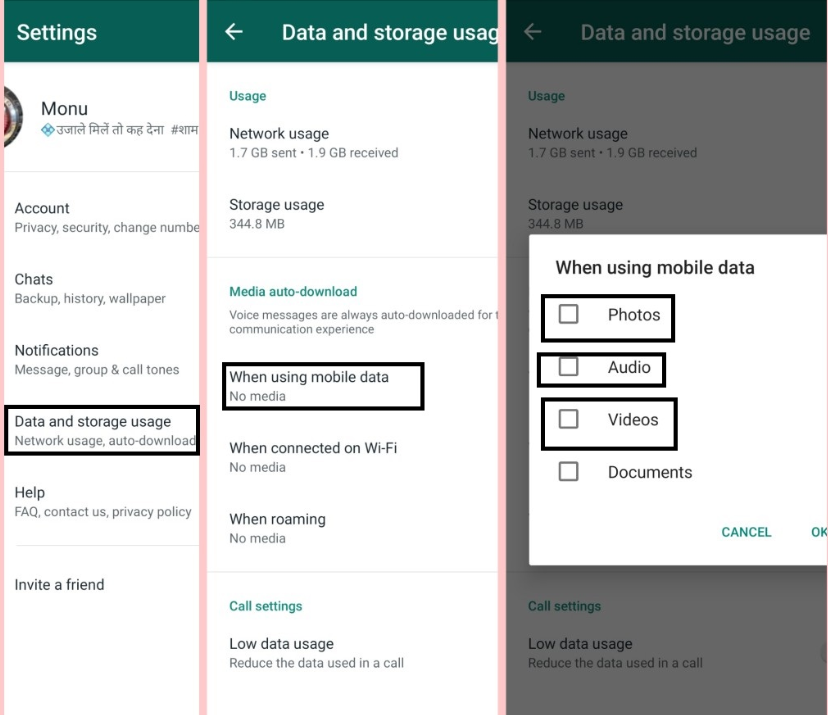
Whatsapp usually downloads unnecessary media like videos and pictures. To disable it open the:
Whatsapp App > Click on the three dots > storage Usage > Unclick
Thank you for reading my post! If you have more questions comment below and don’t forget to follow me.


- Posts
- Following
- Followers
- Energy
-

Sebastian
-
+ Follow

-
- 139 Posts
- 390 Following
- 424 Followers
- 10125 Energy



- Posts
- photo
- video

Hello Fans,
Today I will show you how we can save our mobile data in very simple steps.
1. Restrict Background Data:
It means there is no data uses in the background by any apps. This is one of the best ways to save your mobile data.
To enable Restricted Background Data in the phone just simply go to Settings > Apps > Data and disable Background Data.
2.Data Saving Mode:
By enabling data saving mode in your phone you can save your mobile data. To enable data saving just go to Settings > Wireless & Network > Data Usage > Data Saver.
3.Use Apps Offline:
To use apps offline just simply go to: Settings >Wireless & Network > Data usage > Network access.
Then select the app which you want to use offline.
4.Update apps using WiFi:
First, need to turn off auto update apps by mobile data then to turn off auto update go to Playstore > Menu > Settings > Tap Auto-Updates Apps.
5.Disable media auto downloads in Whatsapp:
Whatsapp usually downloads unnecessary media like videos and pictures. To disable it open the:
Whatsapp App > Click on the three dots > storage Usage > Unclick
Thank you for reading my post! If you have more questions comment below and don’t forget to follow me.