



 More Products
 Compare














我的荣耀 开启荣耀之旅



 Disagree Terms
 Log out




[Tips and Tricks] How to enable/disable Mistouch Prevention on any Huawei and Honor device


 Last reply :
In this guide, I am going to share a simple tutorial to enable or disable Mistouch Prevention on any Huawei and Honor smart phone running on EMUI ROM.
Sometimes device automatically gets its screen unlocked when it is pocket and performs different operations when the screen is touched with other things in the pocket.This is really frustrating for most of the Android smart phone users.Sometimes calls are placed to random numbers due to Mistouch which is so annoying.
In order to save the users from such situations EMUI has built in feature in all the Huawei and Honor Devices . Which saves the task of downloading third party Android App from the Google Play Store.
Just follow the below for the guide to the Mistouch Prevention feature.
How to enable/disable Mistouch Prevention on Huawei smart phones
1. Firstly, power-on your Huawei mobile.
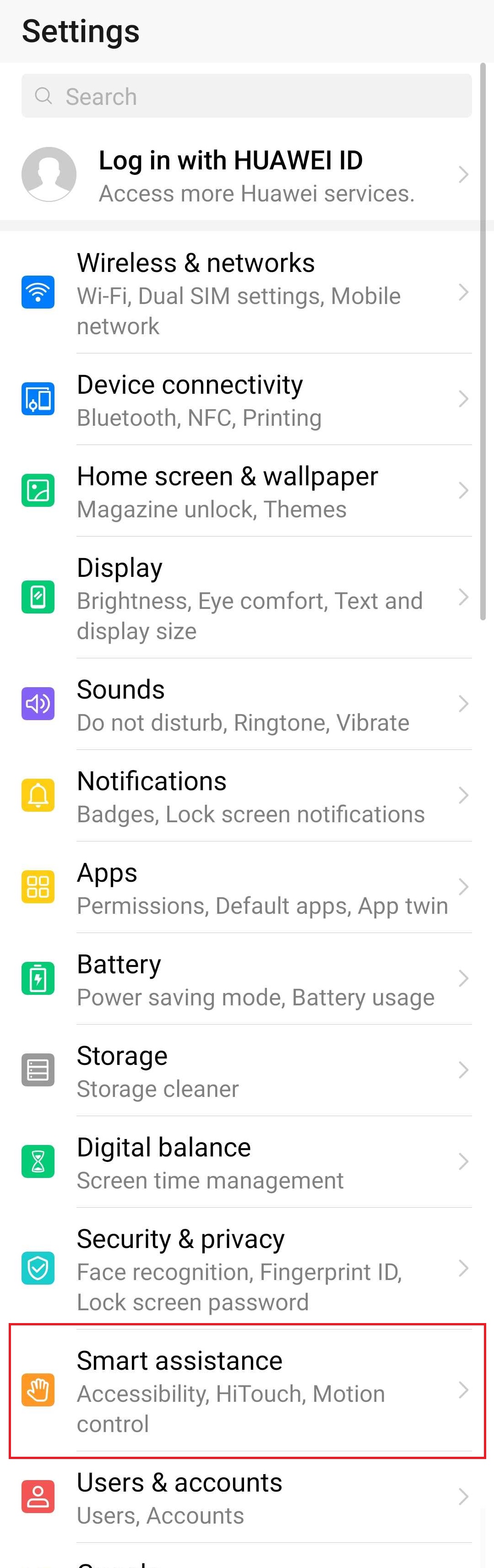
2. Go to App Drawer and launch the Settings app.
3. Select "Smart Assistance".
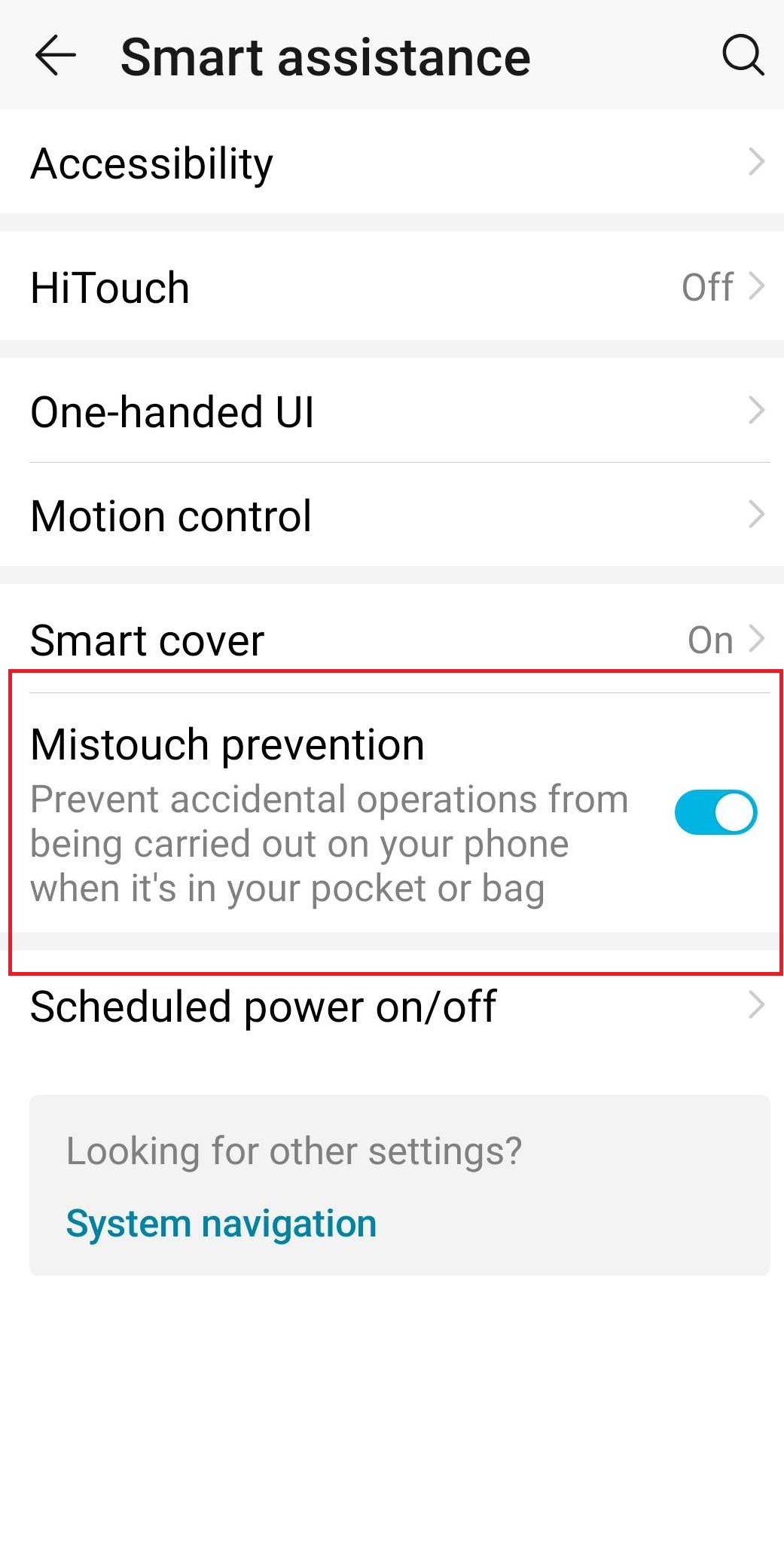
4. Now, enable or disable Mistouch Prevention from here.
5. Enjoy!


- Posts
- Following
- Followers
- Energy
-

miststudent2011
-
+ Follow

-
- 19 Posts
- 5 Following
- 31 Followers
- 834 Energy



- Posts
- photo
- video

In this guide, I am going to share a simple tutorial to enable or disable Mistouch Prevention on any Huawei and Honor smart phone running on EMUI ROM.
Sometimes device automatically gets its screen unlocked when it is pocket and performs different operations when the screen is touched with other things in the pocket.This is really frustrating for most of the Android smart phone users.Sometimes calls are placed to random numbers due to Mistouch which is so annoying.
In order to save the users from such situations EMUI has built in feature in all the Huawei and Honor Devices . Which saves the task of downloading third party Android App from the Google Play Store.
Just follow the below for the guide to the Mistouch Prevention feature.
How to enable/disable Mistouch Prevention on Huawei smart phones
1. Firstly, power-on your Huawei mobile.
2. Go to App Drawer and launch the Settings app.
3. Select "Smart Assistance".
4. Now, enable or disable Mistouch Prevention from here.
5. Enjoy!