



 More Products
 Compare














我的荣耀 开启荣耀之旅



 Disagree Terms
 Log out




Solutions to a fast draining battery


 Last reply :
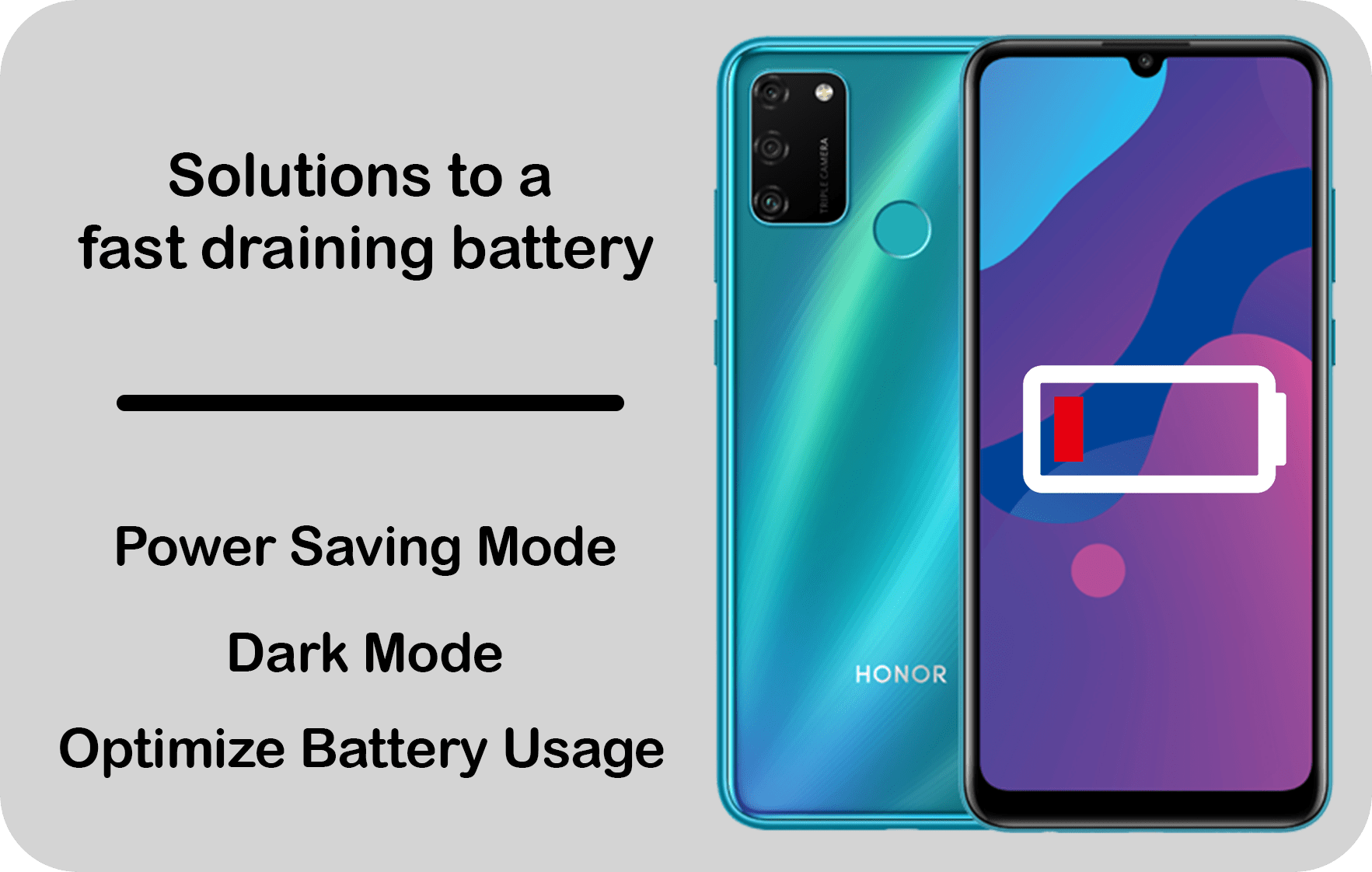
Find in this short article the features that can help
save some power and tips on how to make your battery
more durable.



Do you like this kind of content? Please let me know what you would like to see next :)
Solutions to a fast draining battery.
Find in this short article the features that can help
save some power and tips on how to make your battery
more durable. Three features that can effectively save powerSave Power
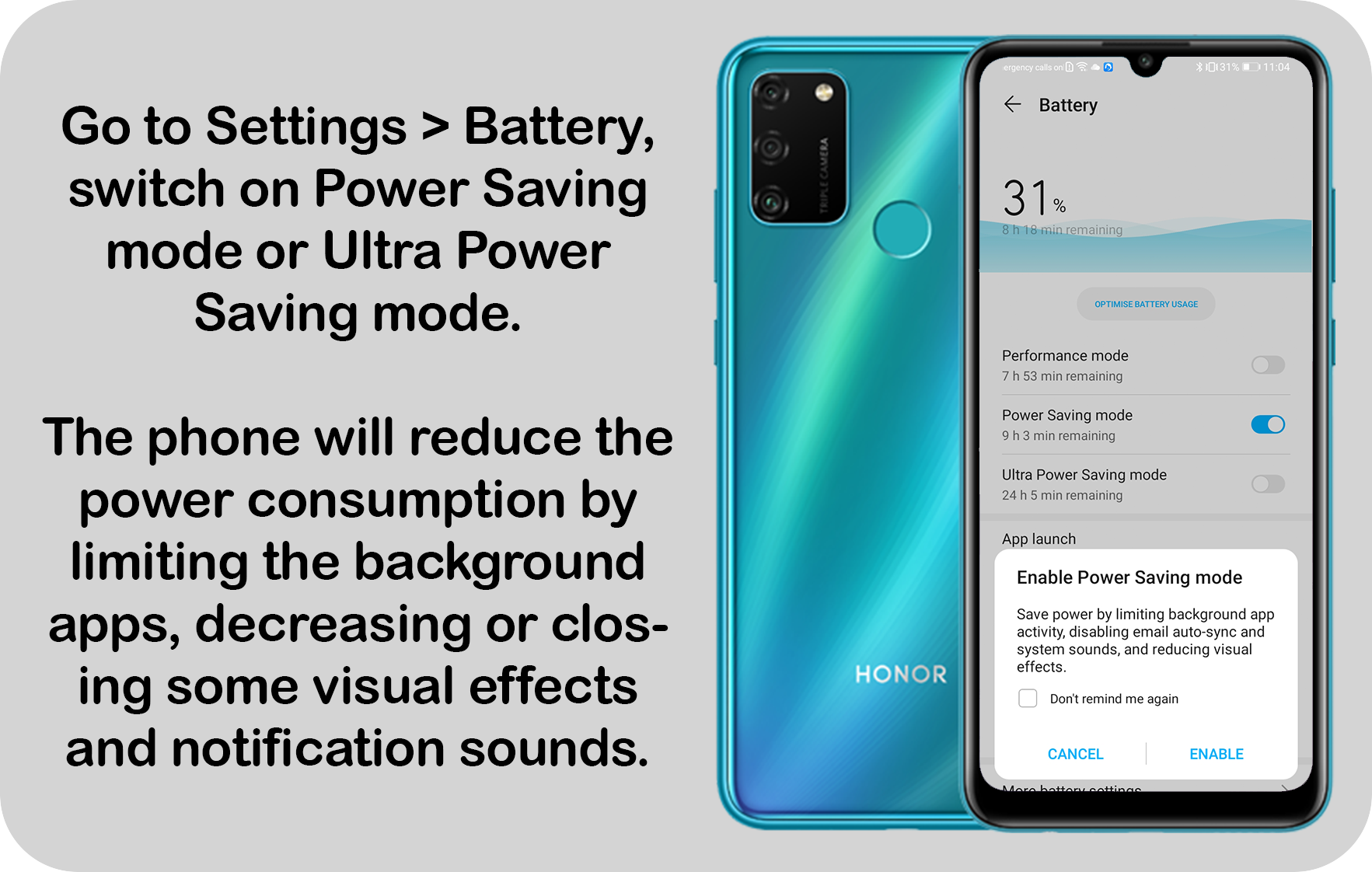
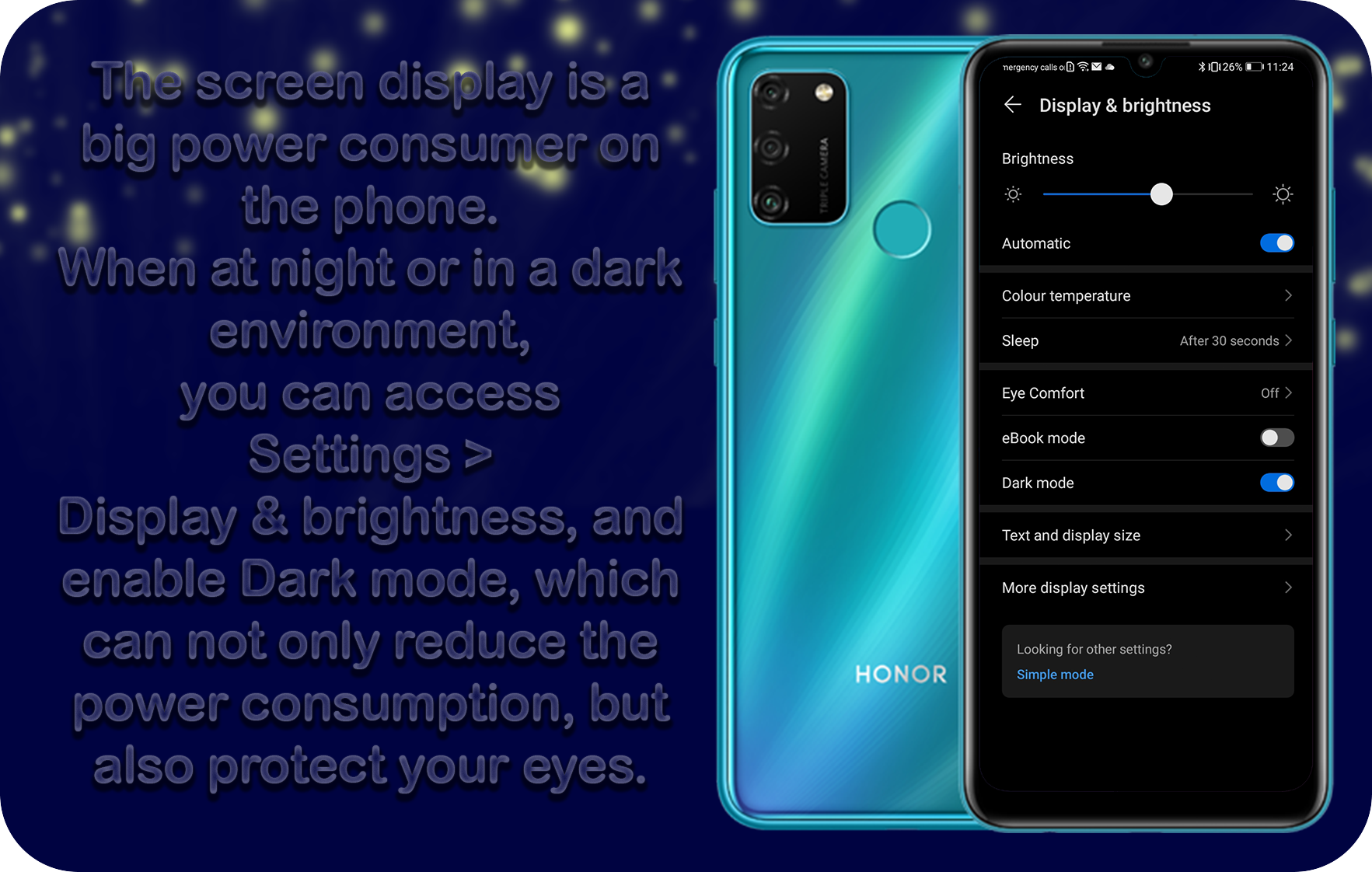
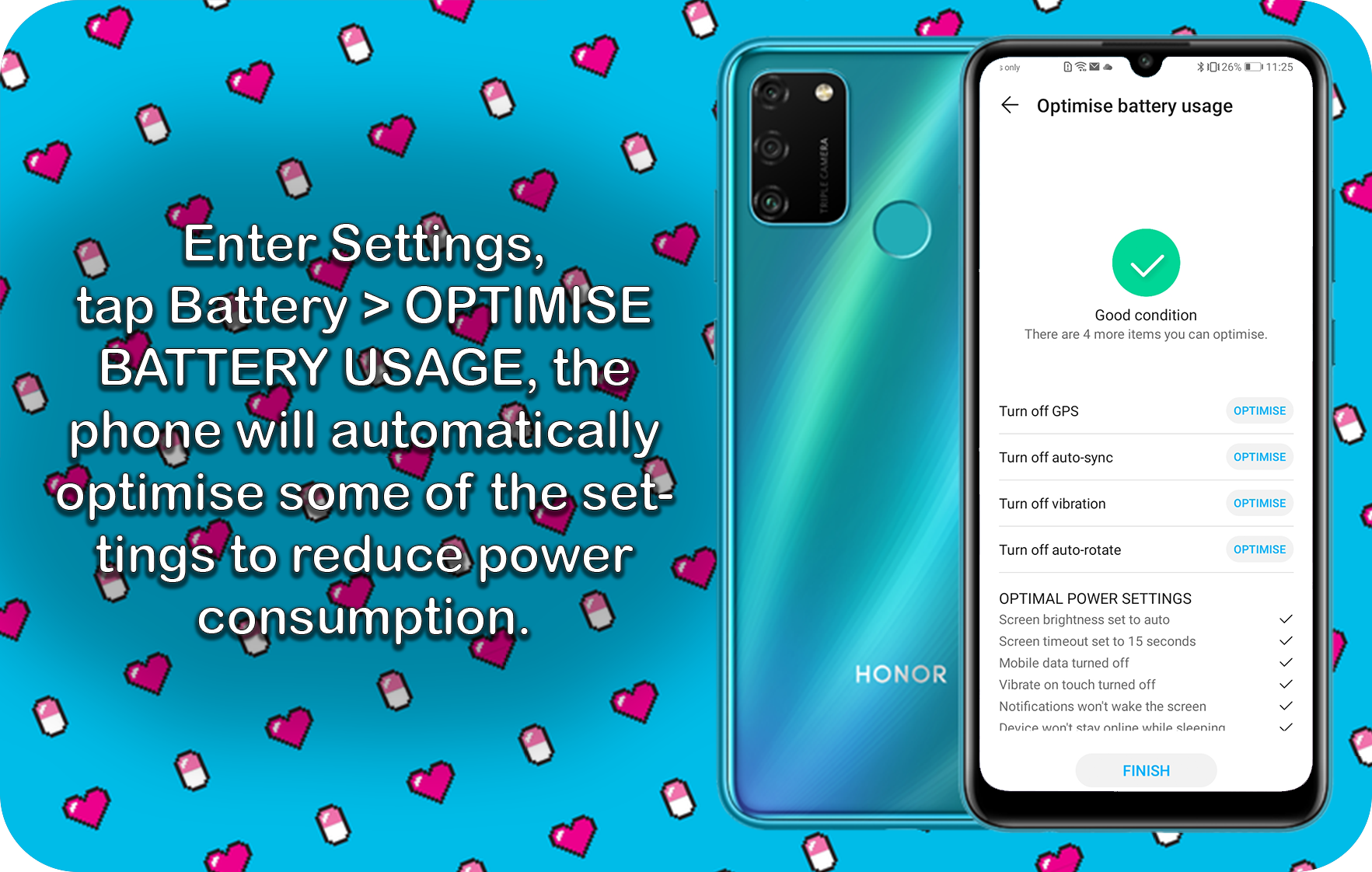
Power Saving Mode. Go to Settings > Battery, switch on Power Saving mode or Ultra Power Saving mode. The phone will reduce the power consumption by limiting the background apps, decreasing or closing some visual effects and notification sounds. Dark Mode. The screen display is a big power consumer on the phone. When at night or in a dark environment, you can access Settings > Display & brightness, and enable Dark mode, which can not only reduce the power consumption, but also protect your eyes. Optimise Battery Usage. Enter Settings, tap Battery > OPTIMISE BATTERY USAGE, the phone will automatically optimise some of the settings to reduce power consumption.


- Posts
- Following
- Followers
- Energy
-

Revolt
-
+ Follow

-
- 131 Posts
- 23 Following
- 252 Followers
- 8524 Energy






- Posts
- photo
- video

Find in this short article the features that can help
save some power and tips on how to make your battery
more durable.
Do you like this kind of content? Please let me know what you would like to see next :)
Solutions to a fast draining battery.
Find in this short article the features that can help
save some power and tips on how to make your battery
more durable. Three features that can effectively save powerSave Power
Power Saving Mode. Go to Settings > Battery, switch on Power Saving mode or Ultra Power Saving mode. The phone will reduce the power consumption by limiting the background apps, decreasing or closing some visual effects and notification sounds. Dark Mode. The screen display is a big power consumer on the phone. When at night or in a dark environment, you can access Settings > Display & brightness, and enable Dark mode, which can not only reduce the power consumption, but also protect your eyes. Optimise Battery Usage. Enter Settings, tap Battery > OPTIMISE BATTERY USAGE, the phone will automatically optimise some of the settings to reduce power consumption.