



 More Products
 Compare














我的荣耀 开启荣耀之旅



 Disagree Terms
 Log out




[Q&A] Why is my phone charging slowly?


 Last reply :
Hello Guys,
This week has been very busy for all since we had much news about the HONOR Band 5 & the PocketVision App. But one of the most recent questions I received from many fans is that they have been feeling that their devices are charging very slow after an update or just simple from one day to another.
So, in today's article, I would like to suggest some recommended points that you should follow.
So let’s start…
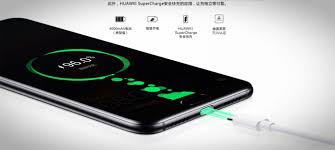
Do you feel that your phone is charging slowly?
If you have this problem, please take a look at the cause analysis and recommendations below.
If an application is running while charging, your phone may consume more current than the charger provides, which may slow down the charging. The Computer USB port only provides a small current, and the current may be unstable. When charging with the USB port, if the current output from the USB is less than the current consumed by the phone, the phone will not be charged.
So it is recommended to follow the points below:
- Avoid using your phone when it is charging. Check whether the phone can be charged normally when not in use.
- Use the original charger and cable. Do not use the computer USB port or a device with a small current output to charge the phone.
- If the phone does not charge when using the original charger and cable, power off the phone and try again. This may be caused by the power consumption of some apps. It is recommended to update your phone to the latest version, uninstall any unwanted power-intensive apps, and close the background apps before charging. If it still doesn't work, back up your data and restore your phone to factory settings.
- If the above methods are useless, maybe the charger or cable is broken, try it with another one.
Well, that is all for today. I hope these recommended points would help your smartphone charge faster. Please don’t forget that if you have more questions regarding this post, drop a comment on the section below or private message me. I will be more than happy to answer you right away!
Cheers!


- Posts
- Following
- Followers
- Energy
-

Sebastian
-
+ Follow

-
- 139 Posts
- 390 Following
- 424 Followers
- 10125 Energy



- Posts
- photo
- video

Hello Guys,
This week has been very busy for all since we had much news about the HONOR Band 5 & the PocketVision App. But one of the most recent questions I received from many fans is that they have been feeling that their devices are charging very slow after an update or just simple from one day to another.
So, in today's article, I would like to suggest some recommended points that you should follow.
So let’s start…
Do you feel that your phone is charging slowly?
If you have this problem, please take a look at the cause analysis and recommendations below.
If an application is running while charging, your phone may consume more current than the charger provides, which may slow down the charging. The Computer USB port only provides a small current, and the current may be unstable. When charging with the USB port, if the current output from the USB is less than the current consumed by the phone, the phone will not be charged.
So it is recommended to follow the points below:
- Avoid using your phone when it is charging. Check whether the phone can be charged normally when not in use.
- Use the original charger and cable. Do not use the computer USB port or a device with a small current output to charge the phone.
- If the phone does not charge when using the original charger and cable, power off the phone and try again. This may be caused by the power consumption of some apps. It is recommended to update your phone to the latest version, uninstall any unwanted power-intensive apps, and close the background apps before charging. If it still doesn't work, back up your data and restore your phone to factory settings.
- If the above methods are useless, maybe the charger or cable is broken, try it with another one.
Well, that is all for today. I hope these recommended points would help your smartphone charge faster. Please don’t forget that if you have more questions regarding this post, drop a comment on the section below or private message me. I will be more than happy to answer you right away!
Cheers!