



 More Products
 Compare














我的荣耀 开启荣耀之旅



 Disagree Terms
 Log out




[Magic UI 4 Tips] How to Set Dual Clocks on your HONOR Smartphones!


 Last reply :
Greetings, Friends'
I believe everything is fine with everyone;)
In this article - I'm going to share you all Magic UI 4.0 Tips on "How to Set Dual Clocks" on your HONOR devices running Magic UI 4.0
Display Dual Clocks on the Lock Screen
Use Dual clocks to show the time in both your home city and your present region on the lock screen when you're away from your home time zone.
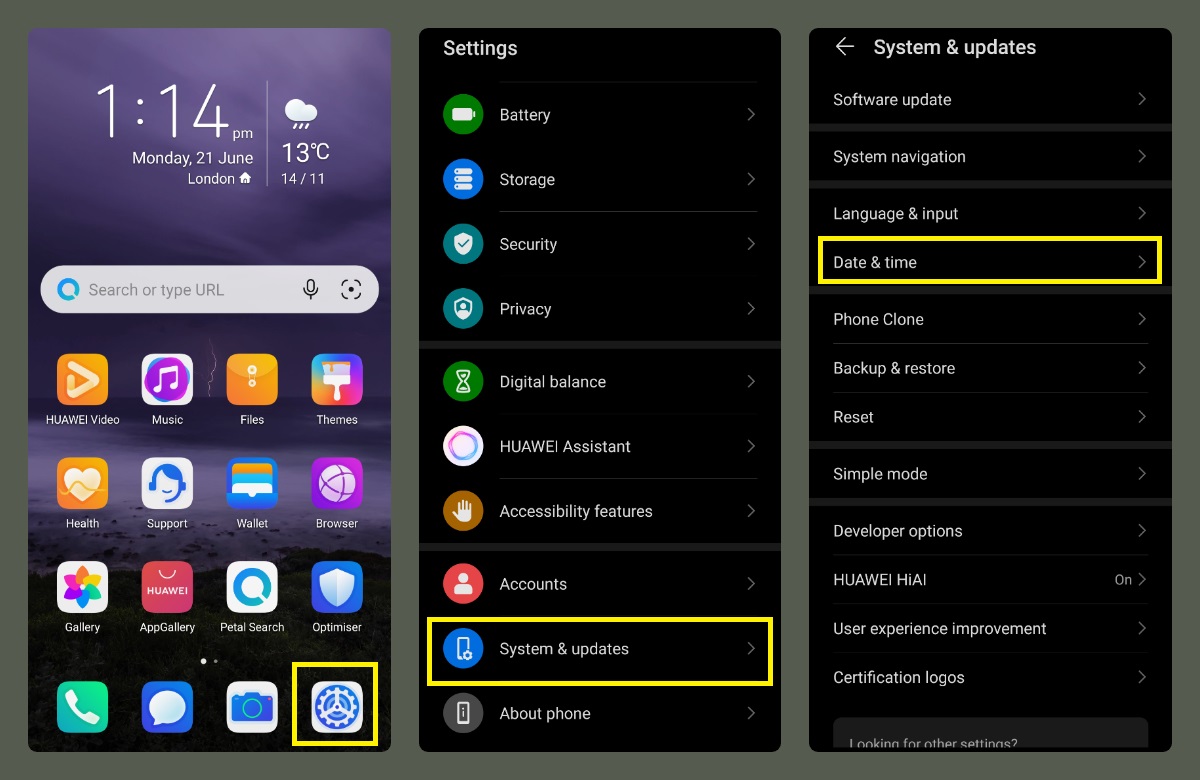
Step:1
Go to Settings > System & updates > Date & time
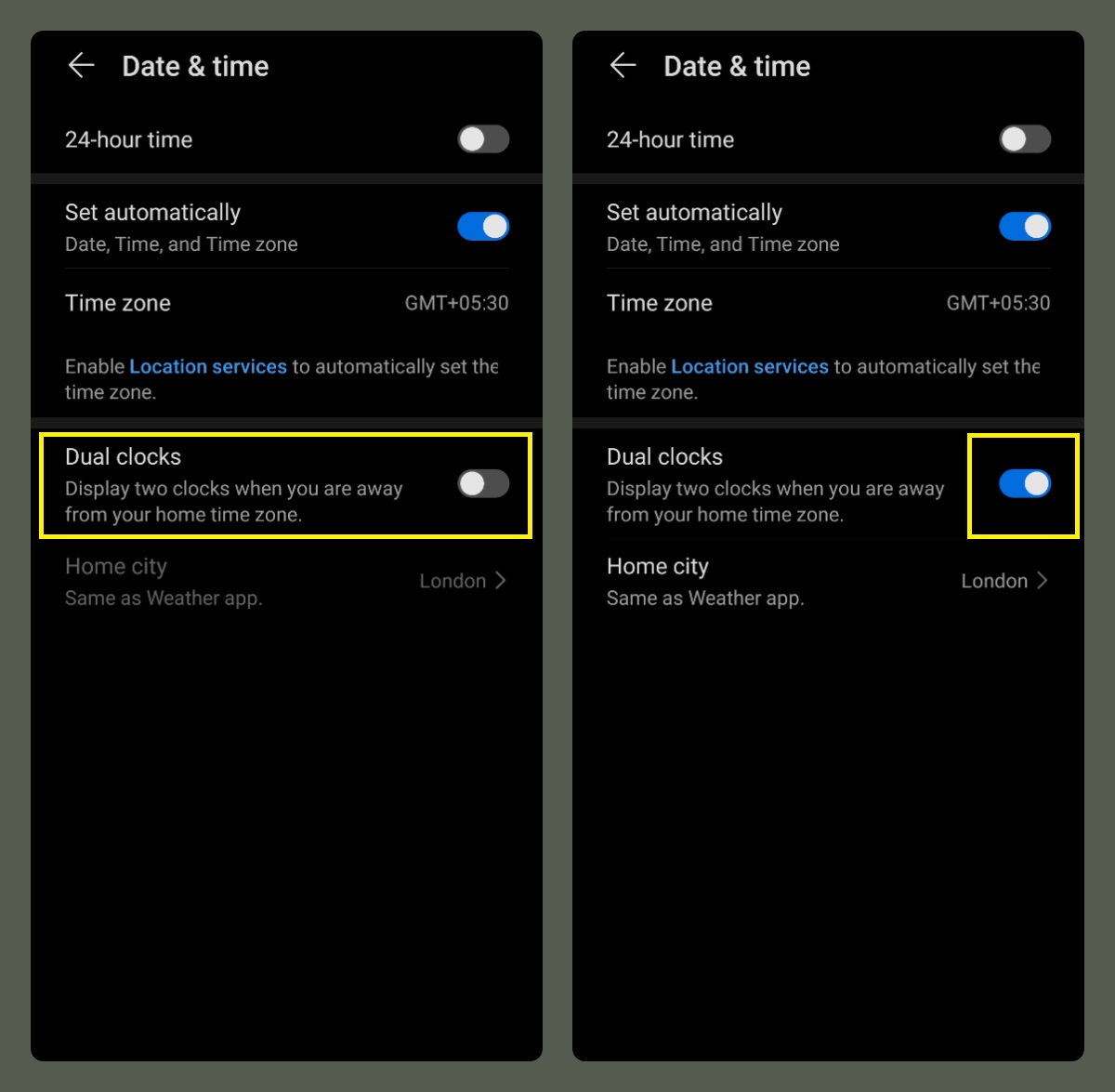
Step:2
Under Date & time option > Dual clocks > Turn On
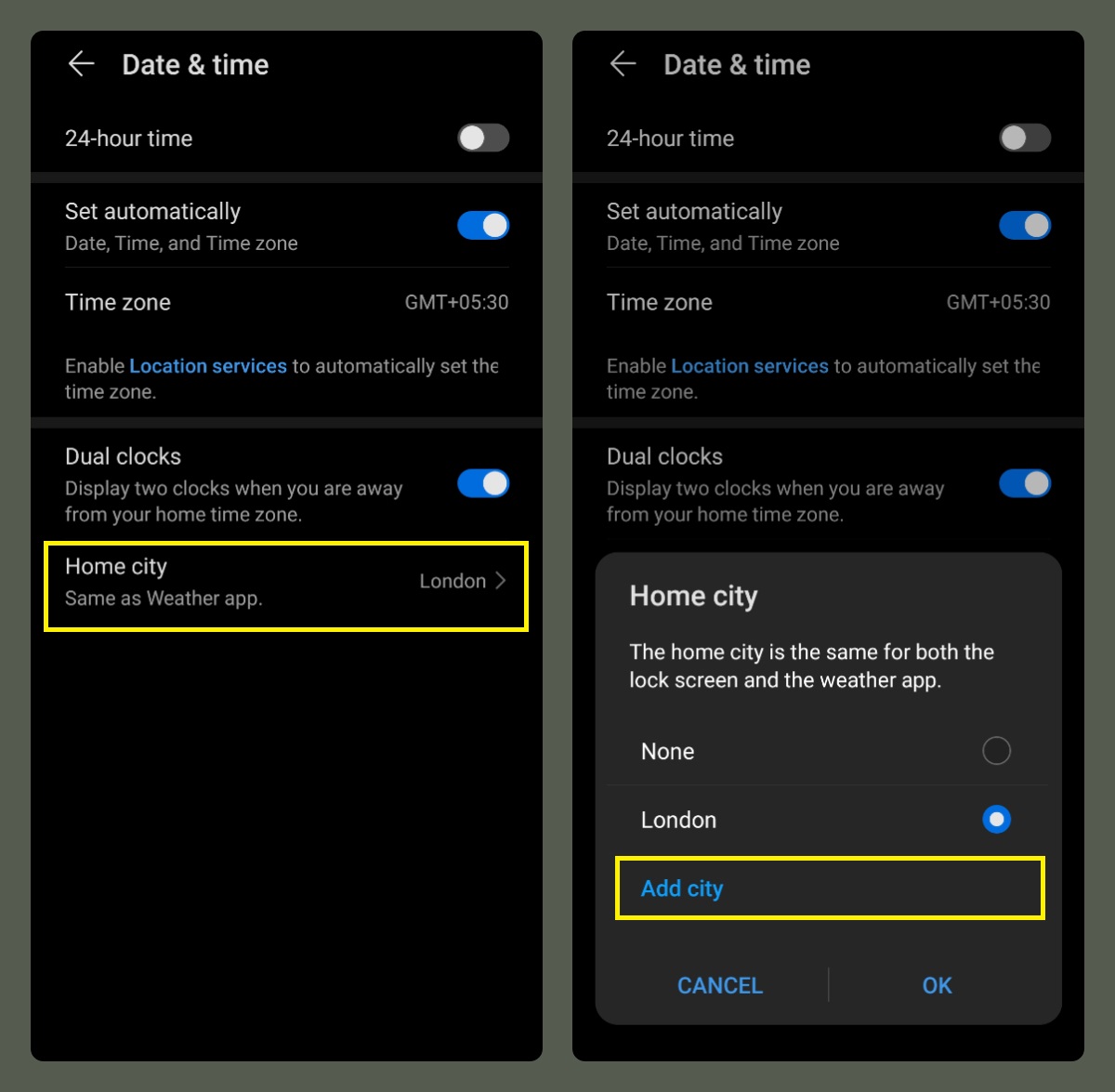
Step:3
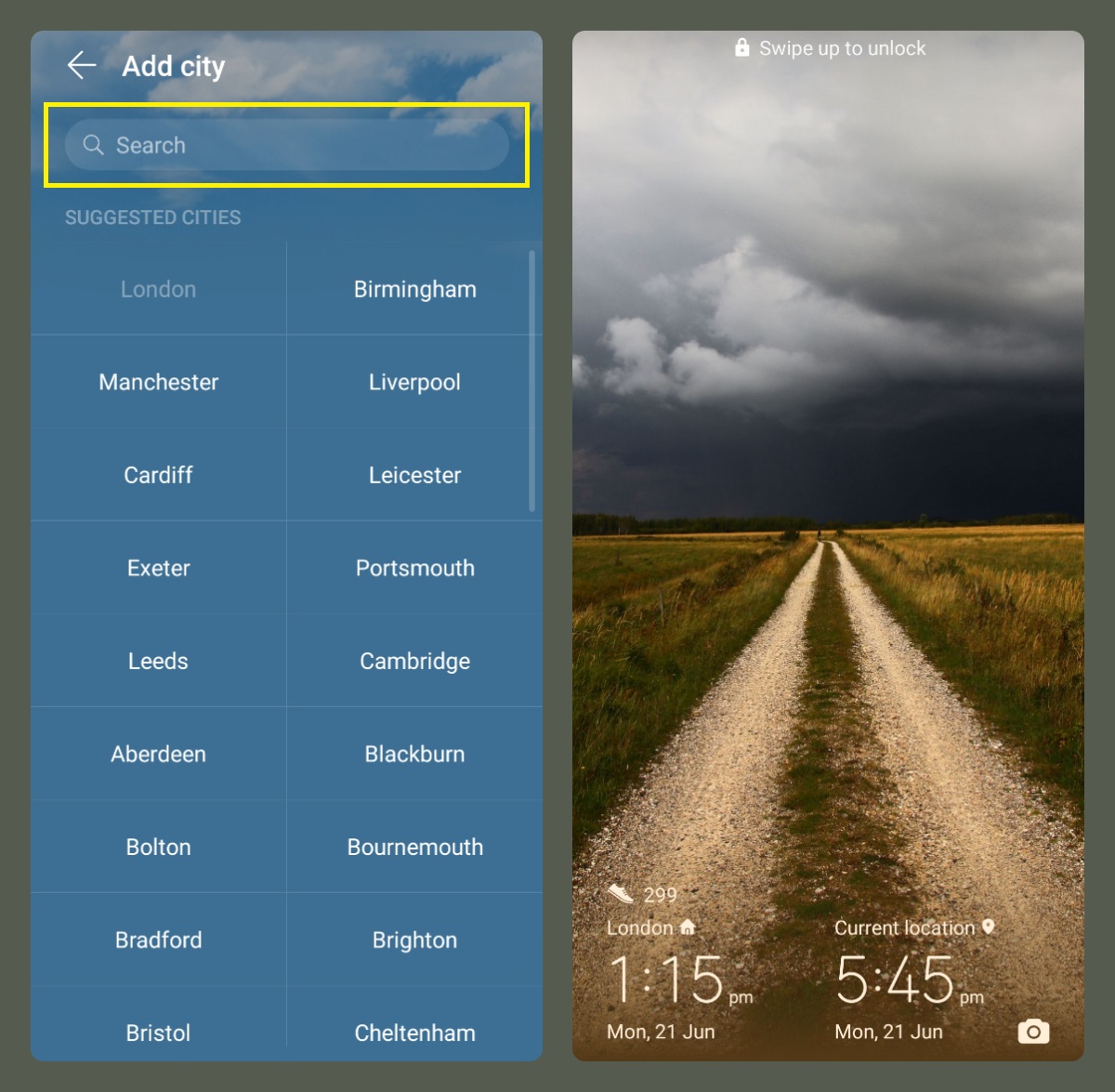
Select Home city > Add city > Search your current or preferred region
Note:
If you are in the same time zone as your home city, only one clock will display on the lock screen.
That's it - The lock screen now shows the time in your home city as well as your current location.
For your information:
The information in this article is focused on Magic UI 4.0

Thank you for taking the time to read my post; I believe you will find it informative;)


- Posts
- Following
- Followers
- Energy
-
 Tamil G
Moderator Intern
Tamil G
Moderator Intern
-
+ Follow

-
- 542 Posts
- 49 Following
- 881 Followers
- 39795 Energy

-
 New Comer
-
 Followers reach 50
-
 Followers reach 100
-
 Followers reach 200
-
 7 Days Check-in
-
 30 Days Check-in
-
 100 Days Check-in
-
 Moderator
-
 Halloween 2020
-
 HONOR STAR 2020
-
 New Year 2021
-
 Animal Photography
-
 Plant Photography
-
 Red Photography
-
 Survey Medal!
-
 Water Photography
-
 World Cycling & Running Day
-
 Product Photography
-
 Sky Photography
-
 Activity Photography Medal
-
 Autumn Photography
-
 Rain Photography
-
 HONOR 50: Best Shot!
-
 Monthly Photo Sharing #1 Landscape
-
 HONOR Magic4 Pro
-
 Monthly Photo Sharing #2 People
-
 Monthly Photo Sharing #3 Spring
-
 Monthly Photo Sharing #4 Animal



- Posts
- photo
- video

Greetings, Friends'
I believe everything is fine with everyone;)
In this article - I'm going to share you all Magic UI 4.0 Tips on "How to Set Dual Clocks" on your HONOR devices running Magic UI 4.0
Display Dual Clocks on the Lock Screen
Use Dual clocks to show the time in both your home city and your present region on the lock screen when you're away from your home time zone.
Step:1
Go to Settings > System & updates > Date & time
Step:2
Under Date & time option > Dual clocks > Turn On
Step:3
Select Home city > Add city > Search your current or preferred region
Note:
If you are in the same time zone as your home city, only one clock will display on the lock screen.
That's it - The lock screen now shows the time in your home city as well as your current location.
For your information:
The information in this article is focused on Magic UI 4.0
Thank you for taking the time to read my post; I believe you will find it informative;)