



 More Products
 Compare














我的荣耀 开启荣耀之旅



 Disagree Terms
 Log out




Is your router in the right place? Your Wi-Fi may suffer when your router isn't where you need it to


 Last reply :
Now that the situation with the new coronavirus doesn't seem to be getting much better, it's become clear that stay-at-home living is here to stay. With everyone at home all day, connected to the network, it can be hard to avoid addressing your home Wi-Fi, if it's been letting you down.
But there's no cause for despair, if you've been unhappy with it. There's a simple fix that just might work… relocating your router so that it's in the best possible position.
Take a quick look at how the indoor lights are laid out around the house. Wi-Fi is not all that different from a lighting scheme, and functions very much like a lightbulb – the router's placement directly impacts how much of the house/room will be "illuminated", or in this case, covered by the network. This analogy can provide a better sense of how the signal travels within the home.
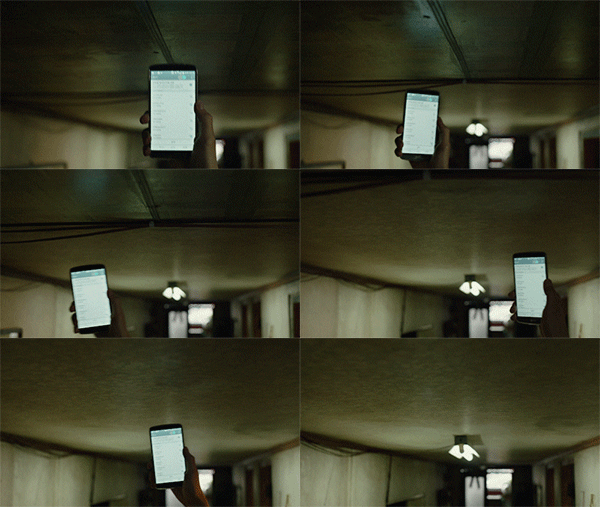
So what is the ideal spot for a home router?
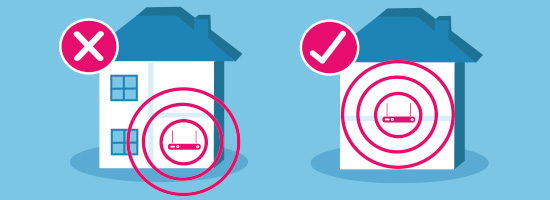
1. In or near the center of the home
A router radiates the signal, much as a lightbulb emits radiating rays. If the router is placed in some far-flung corner of the house, a large portion of its signal will travel outside of the walls!
2. Away from corners and walls
Walls will slow down your network (read more in ___[c(1] ), so unless you've got a particularly robust wall-busting router, like the HONOR Router 3 – in which case feel free to place it anywhere you like – avoid placing the router right next to the wall, or in any corner of any room. Choose an open area instead, as this will give the signal room to breathe.
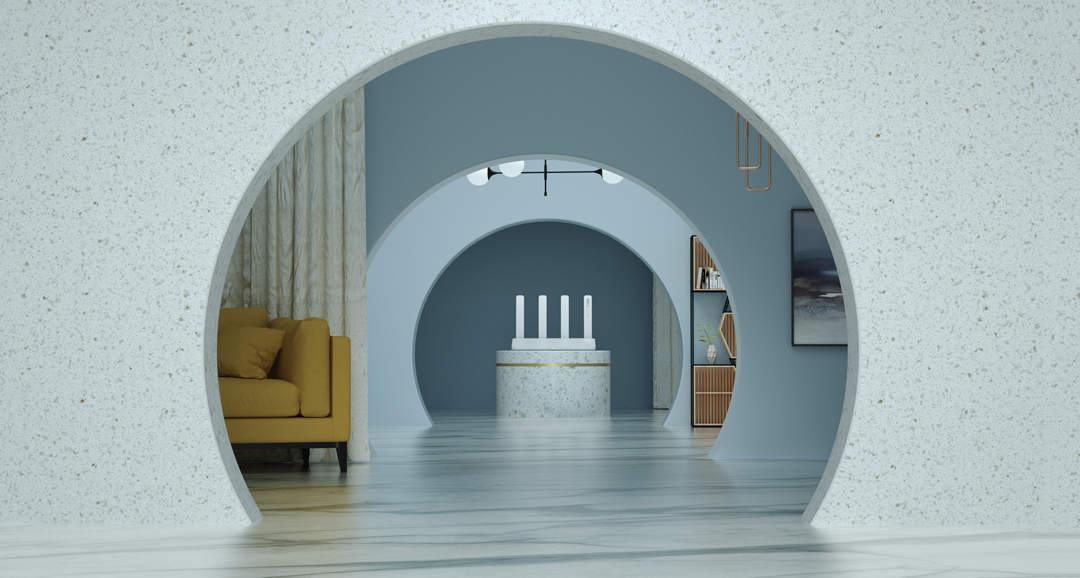
3. The higher, the better
Just as most indoor lighting is installed from above, a router beams the signal downwards and works better from a higher vantage point. Try a higher shelf, or even higher up on the wall (in an inconspicuous position). Of course, if you find a way to fix it safely in the ceiling, that would be most ideal.
4. Away from metal
Metal is a type of conductor, which means it absorbs electricity, and hinders Wi-Fi signal from spreading since Wi-Fi is essentially a series of electromagnetic waves. That's why it is preferable to keep your router removed from metal shelves, microwaves, fridges, etc., to give your network the best possible opportunity to succeed.
Any other advice you have related to router placement? If so, feel free to share below in the comments!
[From Section: Geek Lab]
More geek lab articles recommendation:
[
Geek Lab]What's the fuss about the "recessed camera" on HONOR MagicBook Series?
[Geek Lab] Why is your laptop overheating? Find the money-saving tips here!
[Geek Lab] Why do I still hear noise when wearing noise-canceling headphones?
[Geek Lab] Why can't TWS earbuds come with longer battery life?
[Geek Lab] NFC Vol. 1: What is NFC? Where can I find it on HONOR 9A?
[Geek Lab] NFC Vol. 2: Why don't most budget phones support NFC?


- Posts
- Following
- Followers
- Energy
-

ColarHill
-
+ Follow

-
- 66 Posts
- 25 Following
- 209 Followers
- 4075 Energy



- Posts
- photo
- video

Now that the situation with the new coronavirus doesn't seem to be getting much better, it's become clear that stay-at-home living is here to stay. With everyone at home all day, connected to the network, it can be hard to avoid addressing your home Wi-Fi, if it's been letting you down.
But there's no cause for despair, if you've been unhappy with it. There's a simple fix that just might work… relocating your router so that it's in the best possible position.
Take a quick look at how the indoor lights are laid out around the house. Wi-Fi is not all that different from a lighting scheme, and functions very much like a lightbulb – the router's placement directly impacts how much of the house/room will be "illuminated", or in this case, covered by the network. This analogy can provide a better sense of how the signal travels within the home.
So what is the ideal spot for a home router?
1. In or near the center of the home
A router radiates the signal, much as a lightbulb emits radiating rays. If the router is placed in some far-flung corner of the house, a large portion of its signal will travel outside of the walls!
2. Away from corners and walls
Walls will slow down your network (read more in ___[c(1] ), so unless you've got a particularly robust wall-busting router, like the HONOR Router 3 – in which case feel free to place it anywhere you like – avoid placing the router right next to the wall, or in any corner of any room. Choose an open area instead, as this will give the signal room to breathe.
3. The higher, the better
Just as most indoor lighting is installed from above, a router beams the signal downwards and works better from a higher vantage point. Try a higher shelf, or even higher up on the wall (in an inconspicuous position). Of course, if you find a way to fix it safely in the ceiling, that would be most ideal.
4. Away from metal
Metal is a type of conductor, which means it absorbs electricity, and hinders Wi-Fi signal from spreading since Wi-Fi is essentially a series of electromagnetic waves. That's why it is preferable to keep your router removed from metal shelves, microwaves, fridges, etc., to give your network the best possible opportunity to succeed.
Any other advice you have related to router placement? If so, feel free to share below in the comments!
[From Section: Geek Lab]
More geek lab articles recommendation:
[
Geek Lab]What's the fuss about the "recessed camera" on HONOR MagicBook Series?
[Geek Lab] Why is your laptop overheating? Find the money-saving tips here!
[Geek Lab] Why do I still hear noise when wearing noise-canceling headphones?
[Geek Lab] Why can't TWS earbuds come with longer battery life?
[Geek Lab] NFC Vol. 1: What is NFC? Where can I find it on HONOR 9A?
[Geek Lab] NFC Vol. 2: Why don't most budget phones support NFC?