



 More Products
 Compare














我的荣耀 开启荣耀之旅



 Disagree Terms
 Log out




How to use "Split Screen" Mode on HONOR 9A! EMUI 10 [Tips & Tricks]


 Last reply :
Hey Girls N' Guys!
Today, we're going to be taking a quick look at my Tips & Tricks guide on how to Access "Split Screen" mode on EMUI 10 Using my HONOR 9A!! ?
Split Screen mode comes in very handy when wanting to multitask on your phone, splitting the screen to enable the use of 2 apps at once! Great for Work and Play, you can open multiple files at once, browse and work, shop and play, text and shop... The possibilities are endless! ??
Take a look at my Quick Tips and Tricks Guide Right Here... ?
How to Enable Split Screen Mode! There are a few different ways
1️⃣ Open an App...
2️⃣ Enable Split Screen by using one of the following methods.
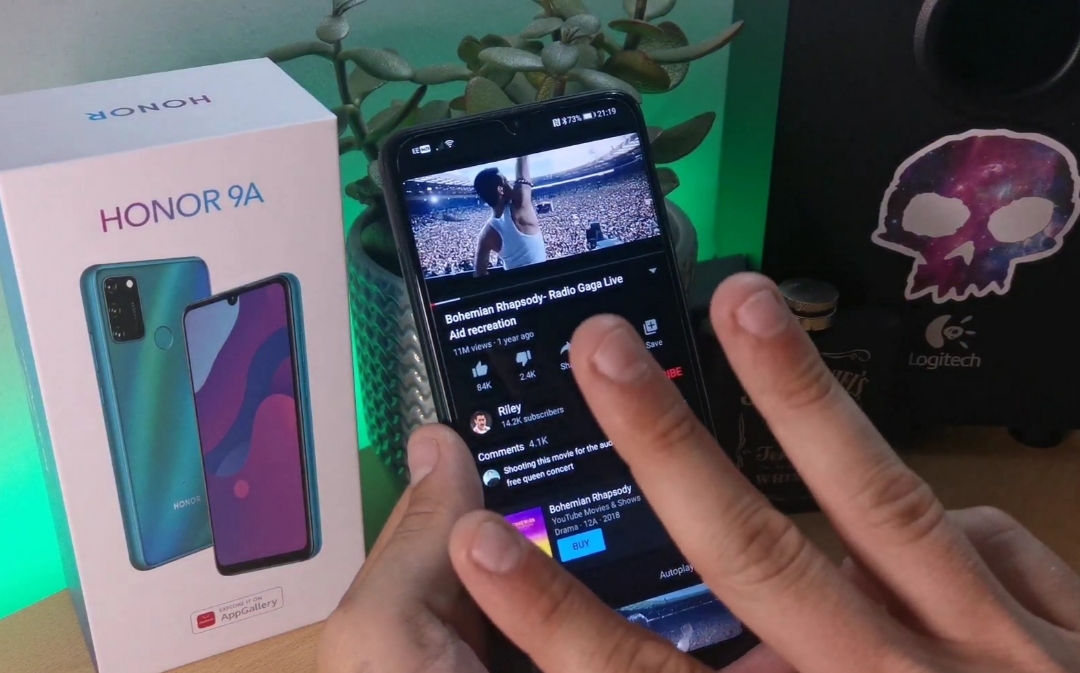
▪️ Swipe up from the middle of your Screen Using 3 fingers
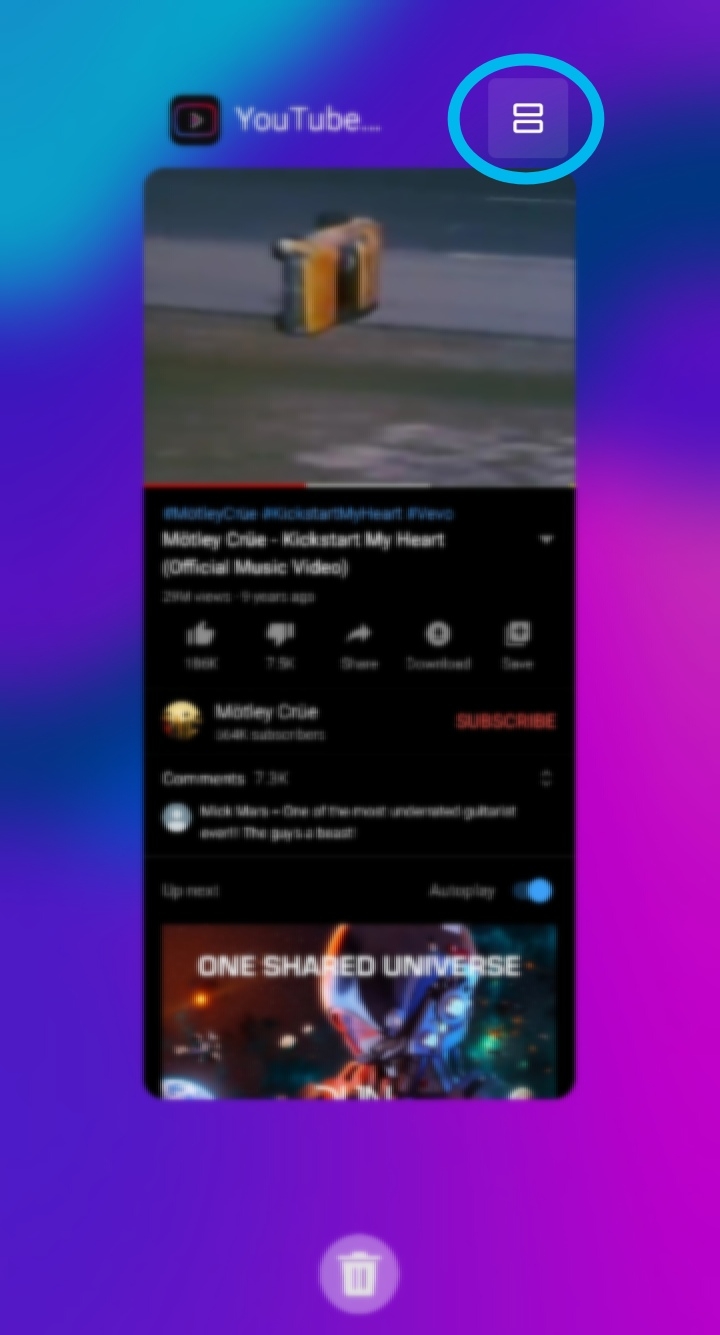
▪️ If you're using Gesture Navigation, swipe up from the bottom of the screen to access Recent Tasks... Then Tap the 2 Bricks icon on the top left.
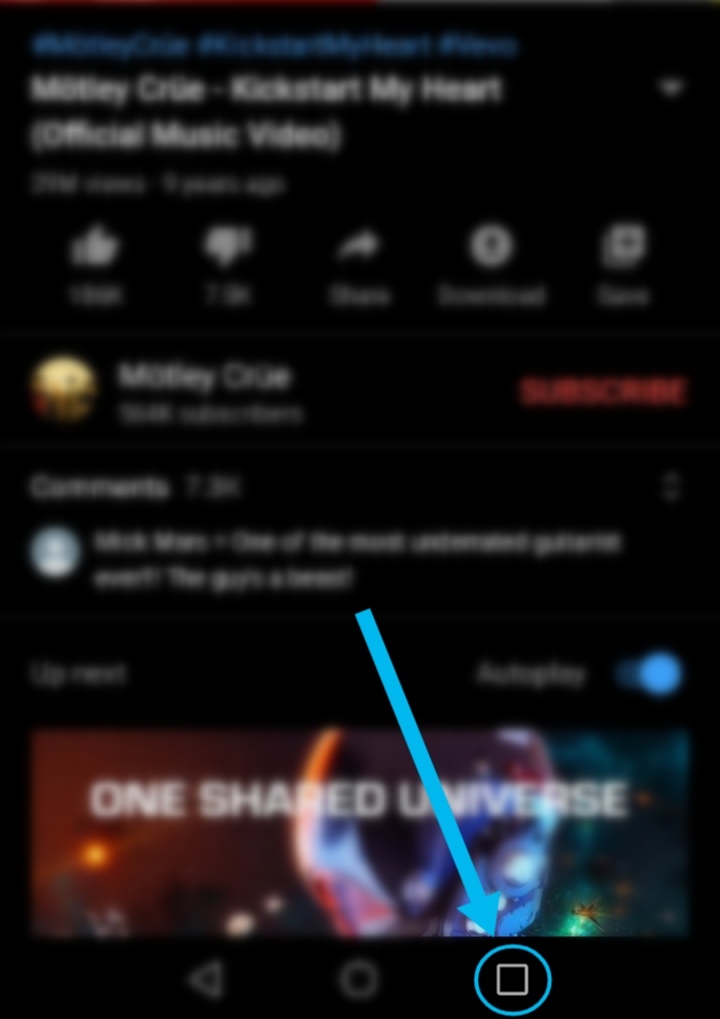
▪️If you're using 3 Key Navigation, Just Touch and Hold the Square Key.
Adjusting the size of the Split Screen Panes: Drag the Dash icon ➖ in the Middle of the Split Screen line, to the desired position on your phones screen. (can only be used in portrait mode)
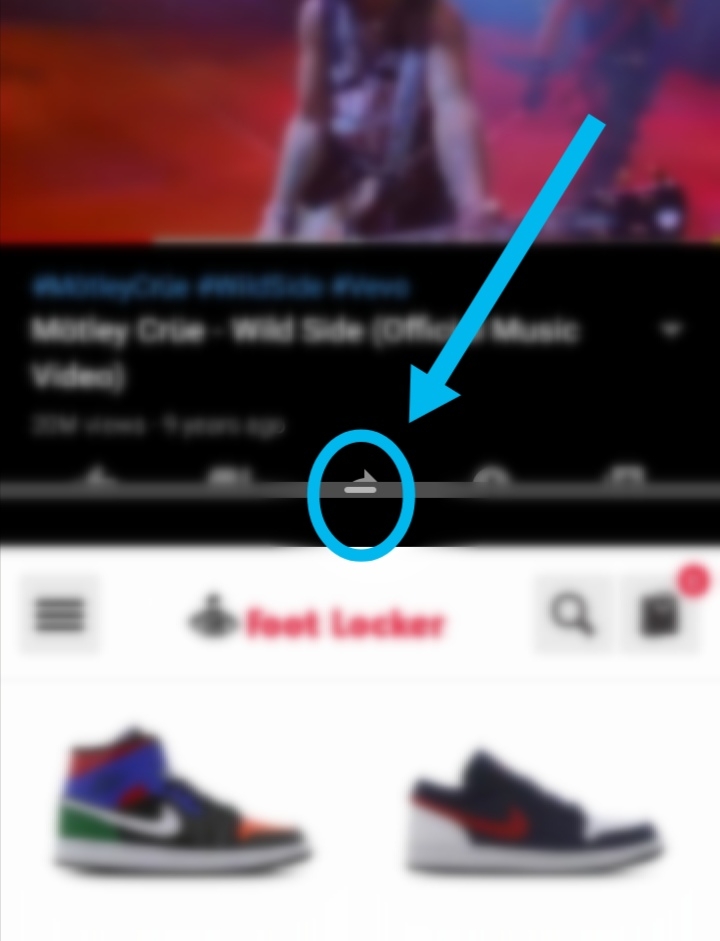
Switching the Split Screen Panes: Tap the Dash Icon ➖ on the Split Screen Line, Then Tap the Switch Icon! ?
(if the home screen is displayed in either of the Split Screen windows, you won't be able to switch ?).
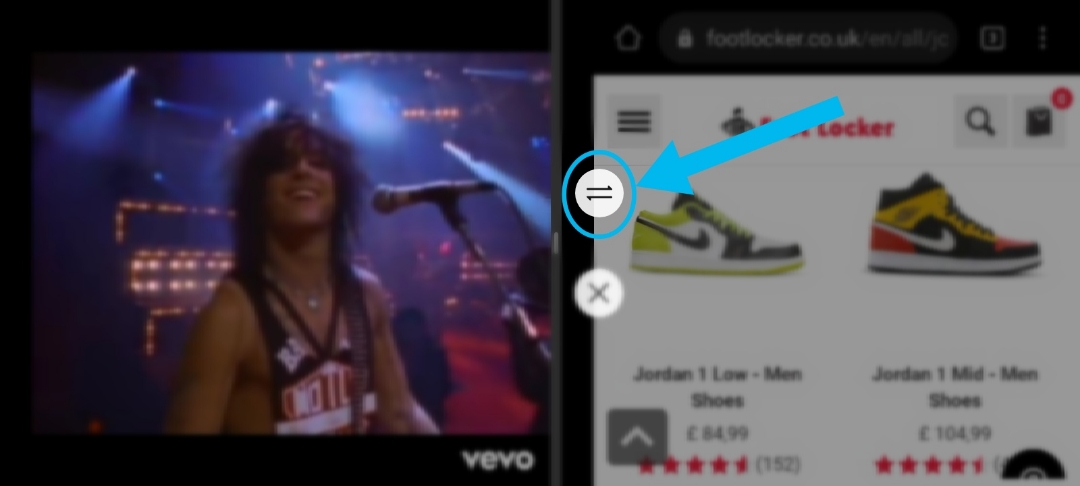
Disable Split Screen Mode! Tap the Dash Icon on the Split Screen Line, Then Tap the "X" Icon. ❌
(this will close the Bottom or Right hand window, leaving the other window open and ready to use).
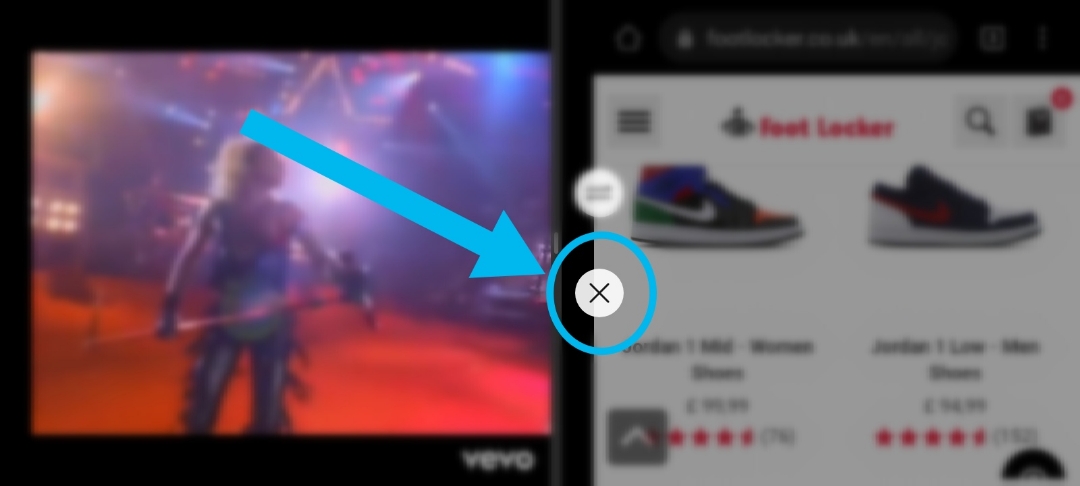
And that's that! A quick and Simple Guide to Split Screen Mode!
❗After more Tips & Tricks Guides??❗ Right Here:
▪️How to Screen Record on HONOR 9A! [Tips and Tricks! https://community.hihonor.com/uk/topicdetail/?topicId=23527
▪️ [Tips & Tricks] How to Get Free Cloud Storage? ☁️ Don’t Miss Out On The Benefits! https://community.hihonor.com/uk/topicdetail/?topicId=23313
▪️ [Tips&Tricks] EMUI 10 TIPS: How to take screenshots and scrollshot on HONOR 9A https://community.hihonor.com/uk/topicdetail/?topicId=23107
▪️[Tips & Tricks]EMUI 10 - How to Enable and Use New "Gesture Navigation" on the HONOR 9A +Others! https://community.hihonor.com/uk/topicdetail/?topicId=20875
▪️[Tips and Tricks] How to Participate in the "Beta App Test" Campaign on HONOR Club App! https://community.hihonor.com/uk/topicdetail/?topicId=20383
Thanks for taking a look at today's Post! ??
Let me know how you use Split Screen Mode in the comments! More tips and tricks.
I'll catch you in the next one!
Marbles666 ??


- Posts
- Following
- Followers
- Energy
-

Marbles666
-
+ Follow

-
- 68 Posts
- 199 Following
- 406 Followers
- 18355 Energy











- Posts
- photo
- video

Hey Girls N' Guys!
Today, we're going to be taking a quick look at my Tips & Tricks guide on how to Access "Split Screen" mode on EMUI 10 Using my HONOR 9A!! ?
Split Screen mode comes in very handy when wanting to multitask on your phone, splitting the screen to enable the use of 2 apps at once! Great for Work and Play, you can open multiple files at once, browse and work, shop and play, text and shop... The possibilities are endless! ??
Take a look at my Quick Tips and Tricks Guide Right Here... ?
https://youtu.be/R7GAoeCUjgM
How to Enable Split Screen Mode! There are a few different ways
1️⃣ Open an App...
2️⃣ Enable Split Screen by using one of the following methods.
▪️ Swipe up from the middle of your Screen Using 3 fingers
▪️ If you're using Gesture Navigation, swipe up from the bottom of the screen to access Recent Tasks... Then Tap the 2 Bricks icon on the top left.
▪️If you're using 3 Key Navigation, Just Touch and Hold the Square Key.
Adjusting the size of the Split Screen Panes: Drag the Dash icon ➖ in the Middle of the Split Screen line, to the desired position on your phones screen. (can only be used in portrait mode)
Switching the Split Screen Panes: Tap the Dash Icon ➖ on the Split Screen Line, Then Tap the Switch Icon! ?
(if the home screen is displayed in either of the Split Screen windows, you won't be able to switch ?).
Disable Split Screen Mode! Tap the Dash Icon on the Split Screen Line, Then Tap the "X" Icon. ❌
(this will close the Bottom or Right hand window, leaving the other window open and ready to use).
And that's that! A quick and Simple Guide to Split Screen Mode!
❗After more Tips & Tricks Guides??❗ Right Here:
▪️How to Screen Record on HONOR 9A! [Tips and Tricks! https://community.hihonor.com/uk/topicdetail/?topicId=23527
▪️ [Tips & Tricks] How to Get Free Cloud Storage? ☁️ Don’t Miss Out On The Benefits! https://community.hihonor.com/uk/topicdetail/?topicId=23313
▪️ [Tips&Tricks] EMUI 10 TIPS: How to take screenshots and scrollshot on HONOR 9A https://community.hihonor.com/uk/topicdetail/?topicId=23107
▪️[Tips & Tricks]EMUI 10 - How to Enable and Use New "Gesture Navigation" on the HONOR 9A +Others! https://community.hihonor.com/uk/topicdetail/?topicId=20875
▪️[Tips and Tricks] How to Participate in the "Beta App Test" Campaign on HONOR Club App! https://community.hihonor.com/uk/topicdetail/?topicId=20383
Thanks for taking a look at today's Post! ??
Let me know how you use Split Screen Mode in the comments! More tips and tricks.
I'll catch you in the next one!
Marbles666 ??