



 More Products
 Compare














我的荣耀 开启荣耀之旅



 Disagree Terms
 Log out




HONOR GS PRO | Custom Watch Face ⌚ | Tutorial | Marbles666 Tips and Tricks


 Last reply :
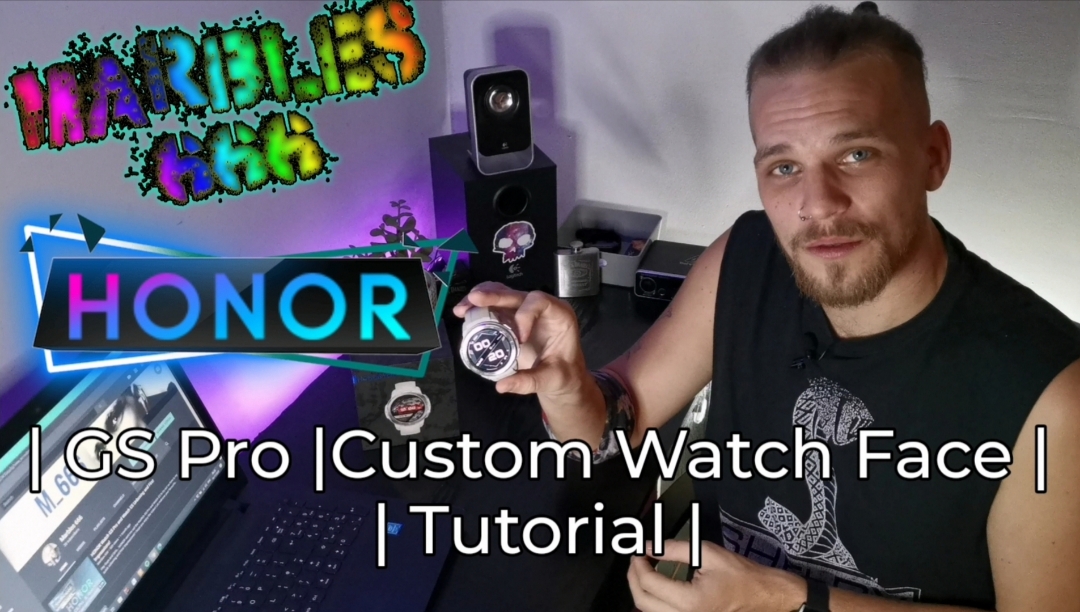
What's going on Guys and Girls?
I hope you're all safe and well?
Today, I'm going to be bringing you a Tips and Tricks tutorial on how to Change your watch faces on the HONOR GS Pro!!
(this will also work with most other HONOR Wearables) ⌚
Take a look at the HONOR GS Pro, on sale now for £189.99 right here... ??
https://m.hihonor.com/unitedkingdom/product/honor-watch-gs-pro-flashsale
So, let's take at look at the video!
So, you've been rocking a couple of your favourite watch faces already installed on your brand new HONOR Watch GS Pro...
But you're feeling a little bored of the pre installed watch faces and you want to change it up a little?...

No problem, there's a huge amount of awesome watch faces available for you to download straight from the Health App to your Watch...
There's everything and anything from Huawei's Official designs, Elegant and Sophisticated watch faces to Sporty and Stylish...
You've got Mechanical faces, Digital faces, Cartoons and masterpiece artworks...
Some are free and some cost your hard earned pennies but the collection is huge so you'll definitely find the perfect watch face for you!
And there's many more added Daily so don't forget to keep checking the app for updates to current designs or all together brand new designs!
Or... you'd like to Fully customise your watch face with a family photo, an awesome picture you've captured or one of your own designs?...
HONOR has your back in the department aswell! Well, your Wrist but you get it. ??
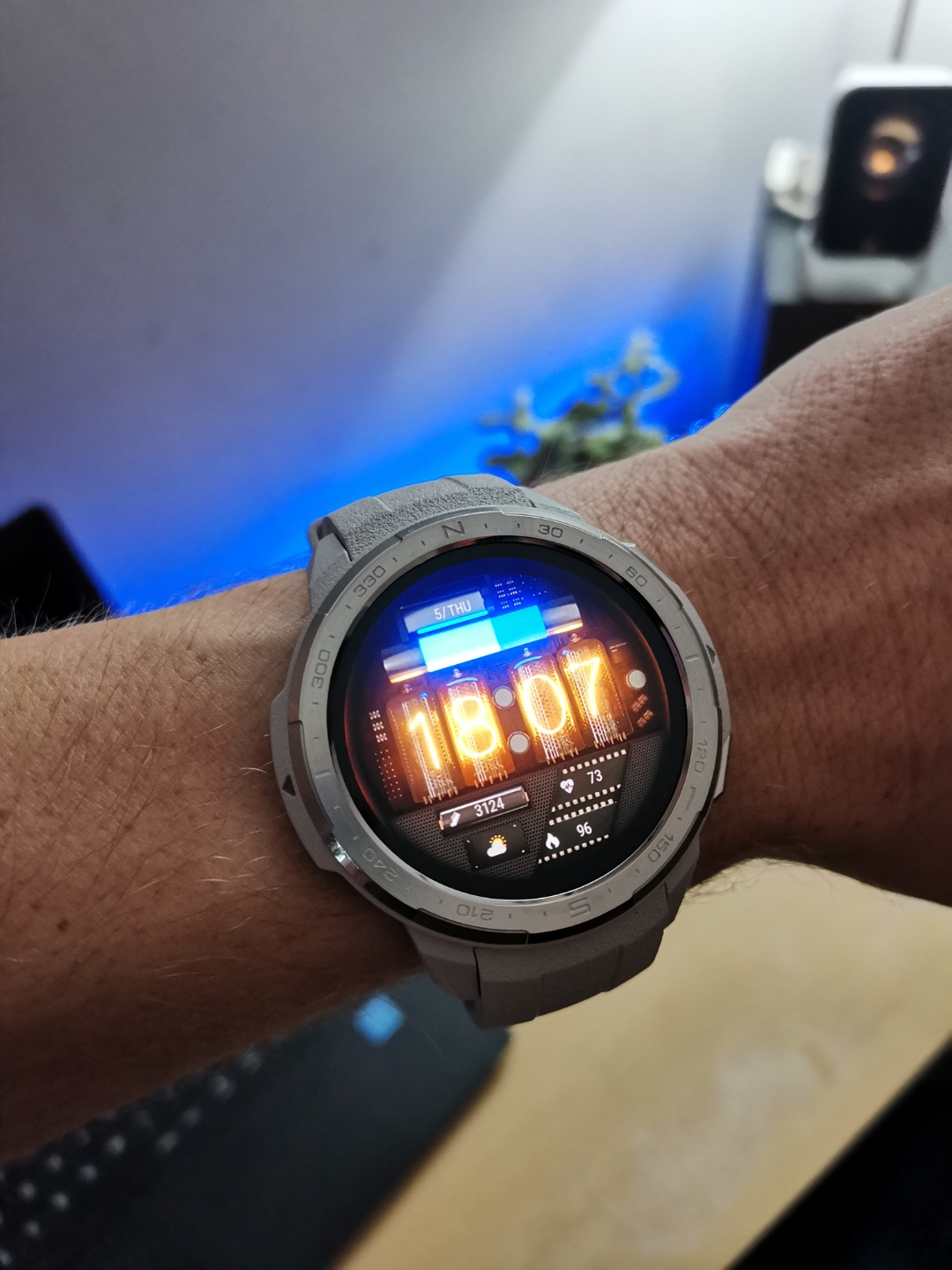
How to change the watch face for the Honor Watch GS Pro
You have two options for changing the watch face on Honor Watch GS Pro.
On the watch itself or on the app...
Let's take a quick look at How to change the dial directly on Honor Watch GS Pro:
Access the GS Pro's Settings by pressing the top button on the side of the watch, scroll to settings, then Tap Display, the watch face and oiula!

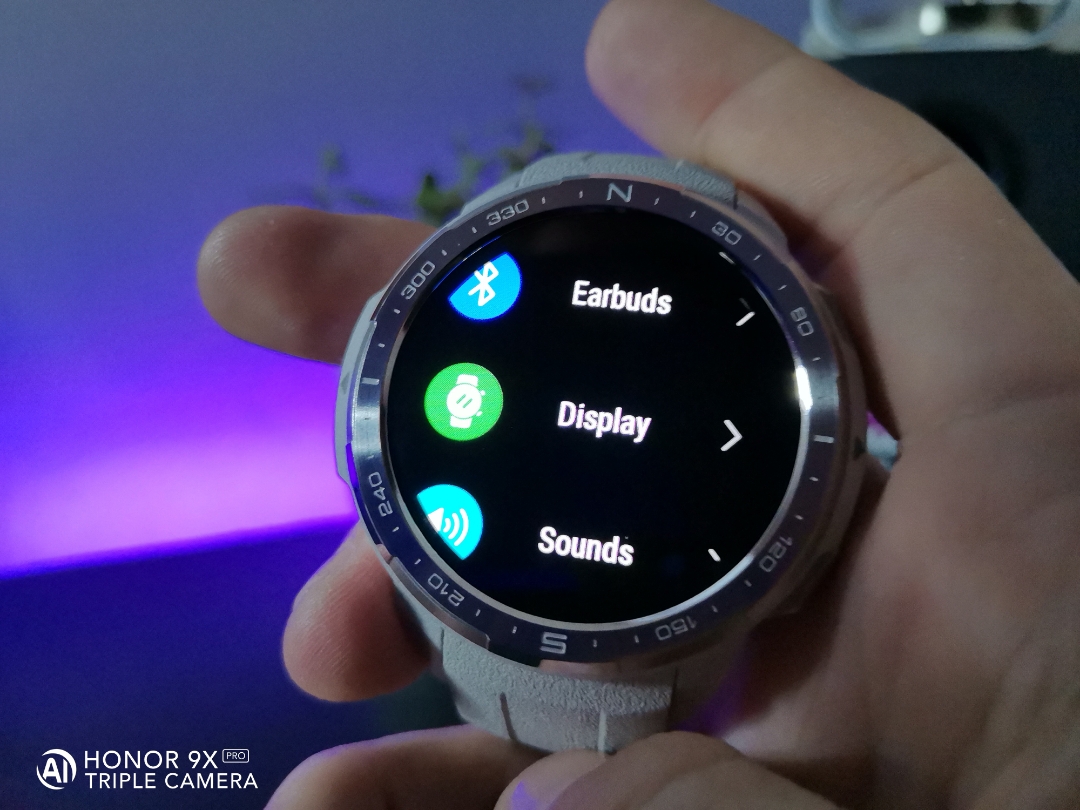

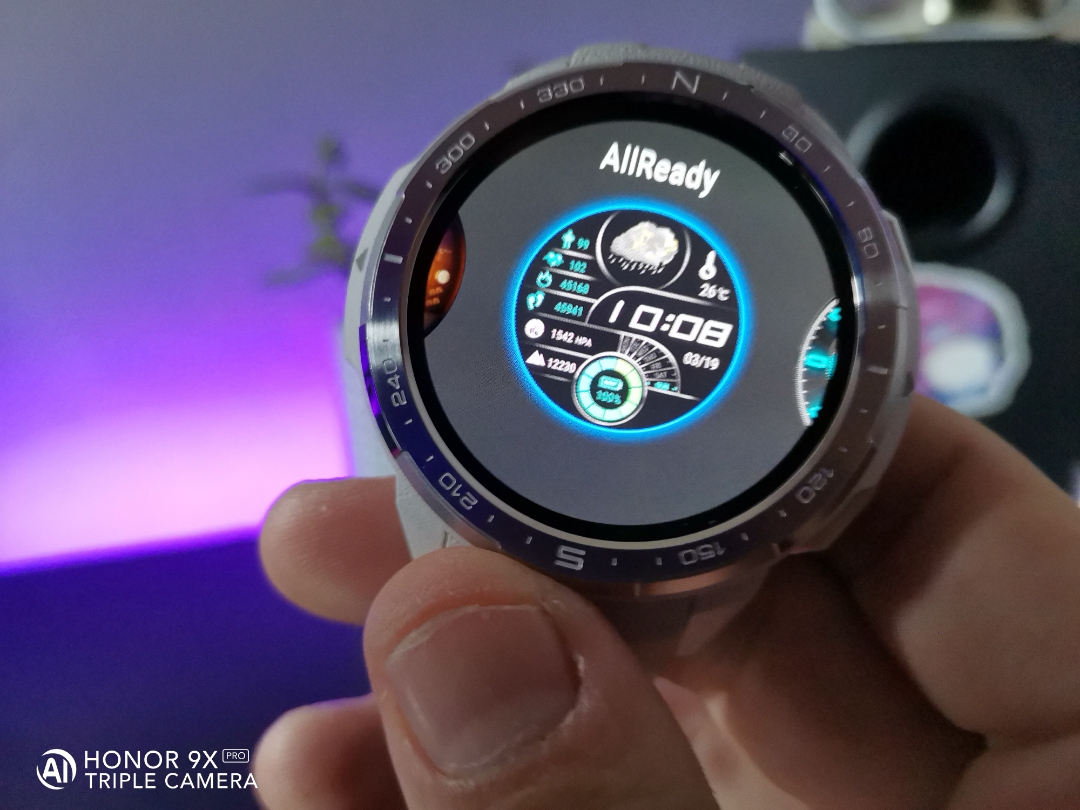
Tap your favorite design and it will be set as your watch face.
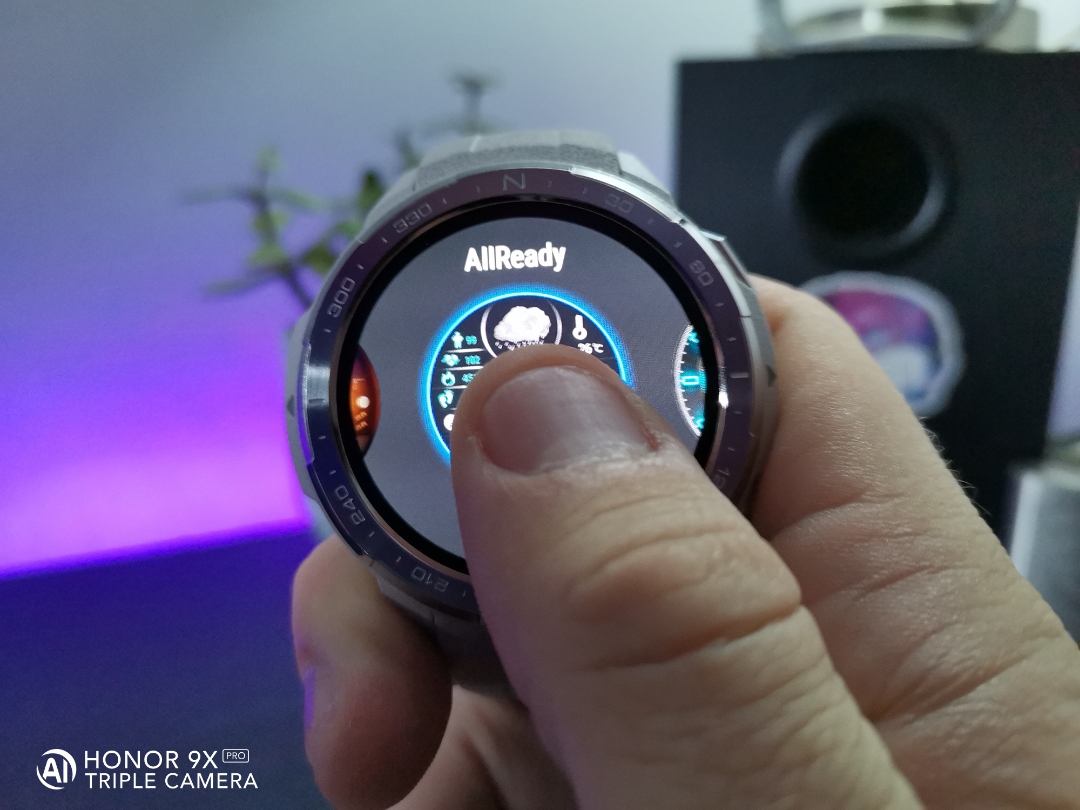
The quick route to that is to simply tap and hold the watch face for a couple of seconds left your finger and you will enter the display section and can scroll and select your favourite design like that.

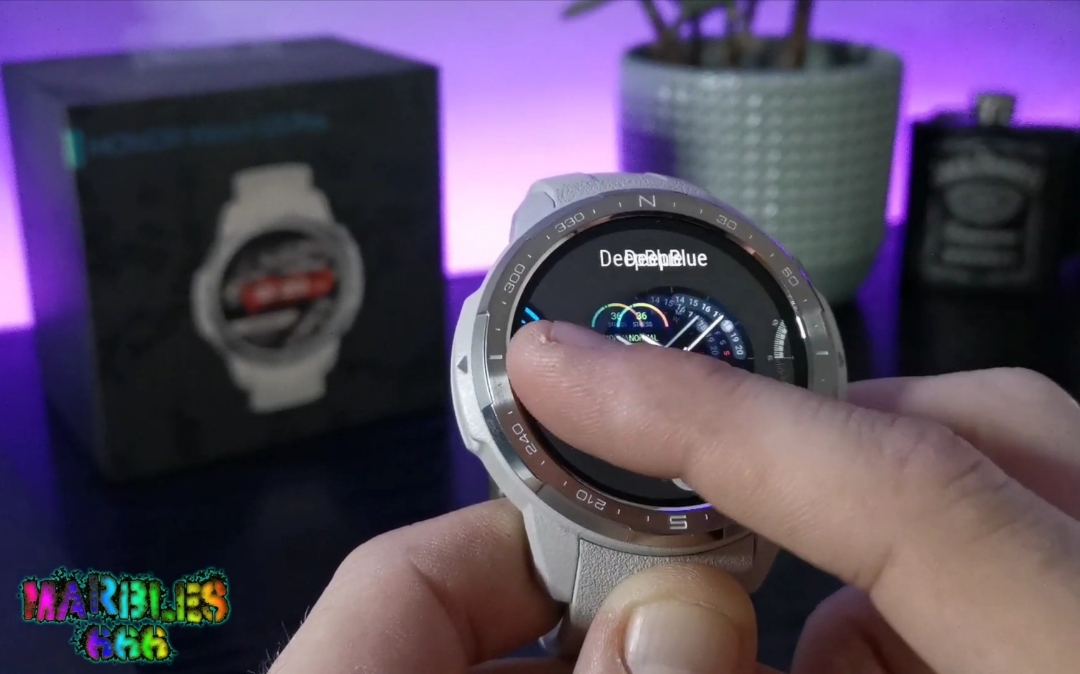
(manual watch face selection will only allow you to access your currently installed watch faces... To add more designs the watch you'll need to use the Huawei Health App!!)
HONOR and Huawei user should already have this app installed, but if you don't already have it downloaded or you're not using an HONOR device, you can download the app from Huawei's App Gallery, Petal Search, APK Pure, the Play store the App Store and I'm sure many more places scattered throughout the Internet.
If you are only just installing the Health App Now... you need to connect your GS Pro to your phone via Bluetooth.
Once set up... on the home screen of the Health App... click on "Devices" → then Select "Honor Watch GS Pro" → then Click on "Watch Faces" → and there it is...
An arsenal of watch faces to suit every situation.

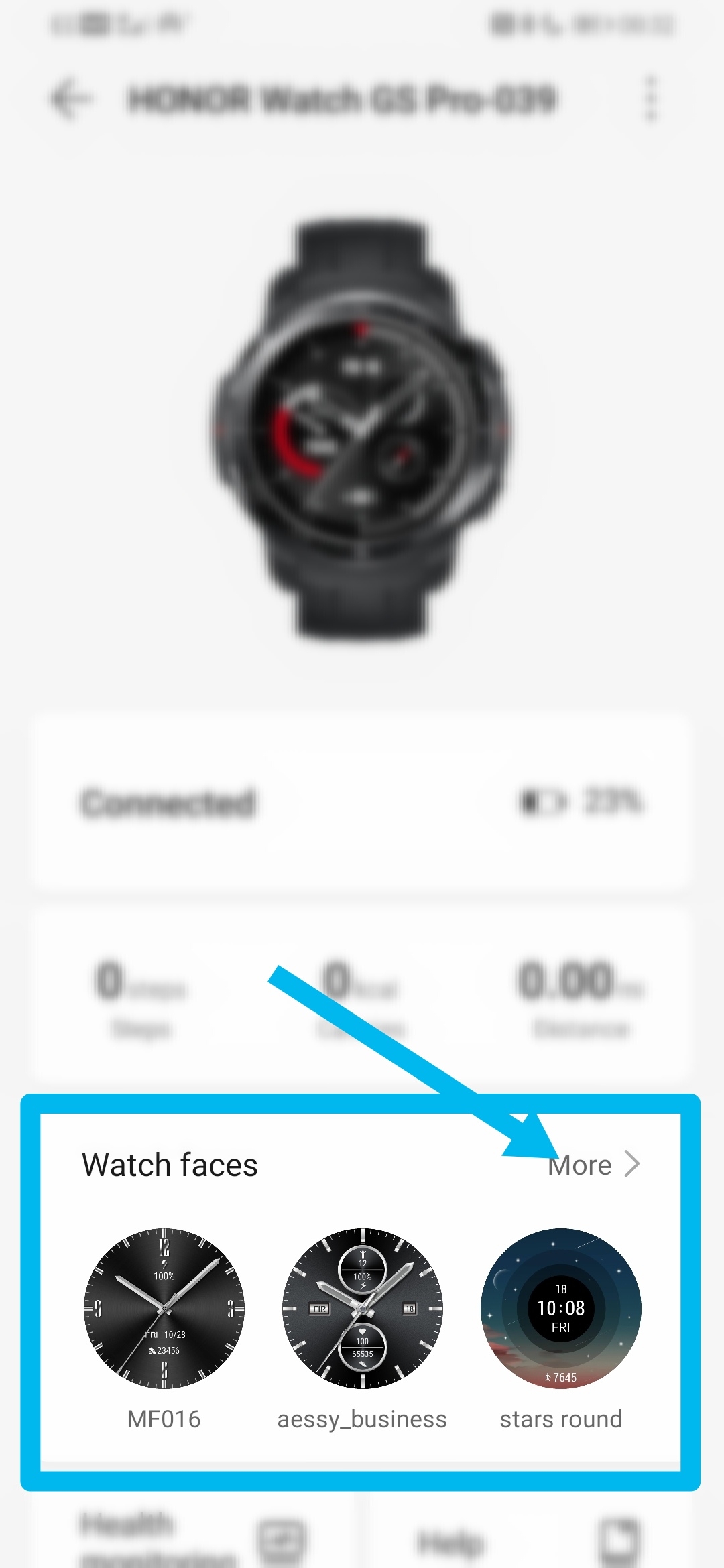

Simply select the face you'd like to install on the watch and tap Install!
(Currently, the latest wearable products such as Honor Band 4, Honor Band 5, Honor Watch Magic, Honor Magic Watch 2, Honor Watch GS Pro and Honor Watch ES support these watch faces)
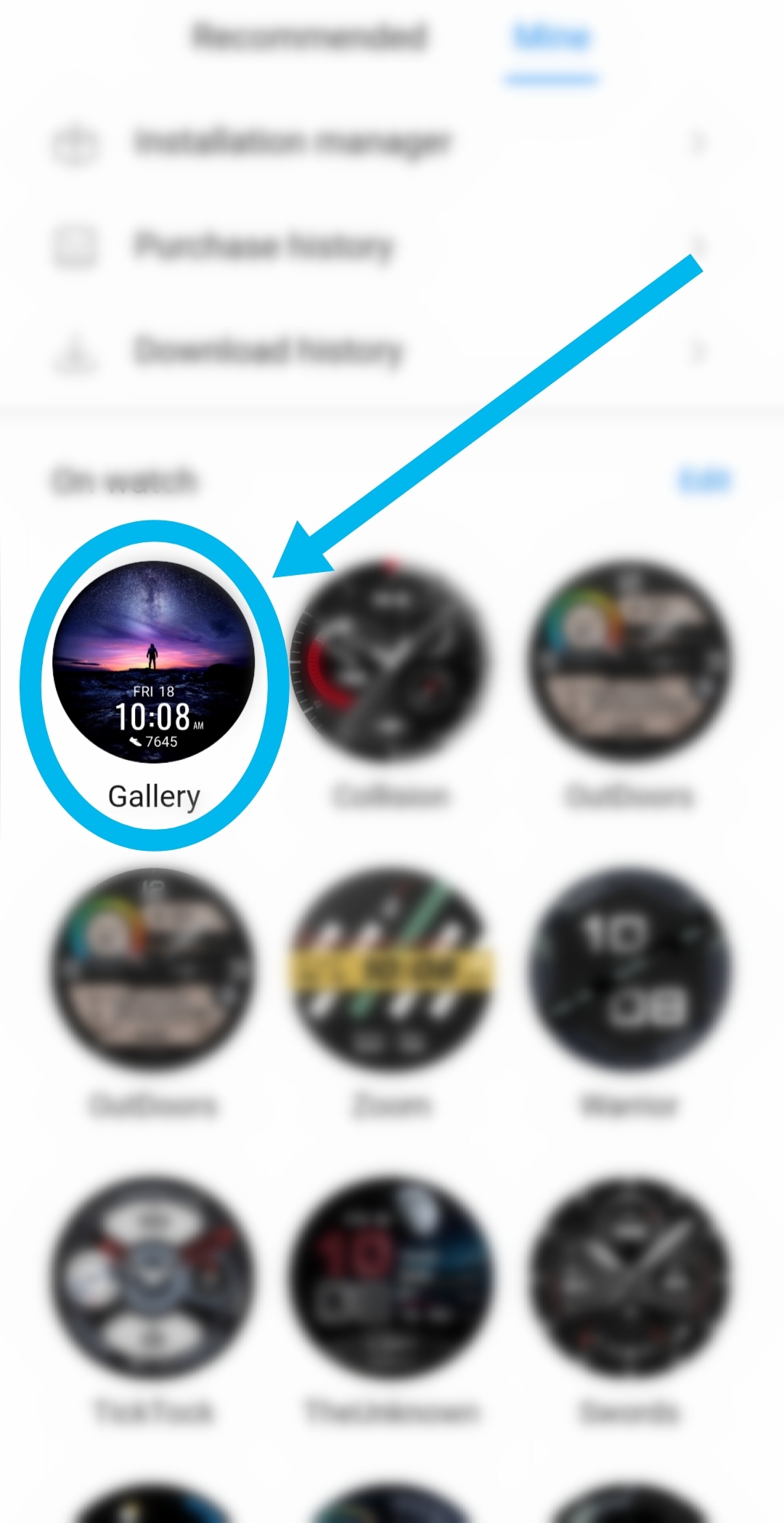
To install a custom watch face, enter the 'Mine' Section of the watch face menu...
This brings up all current downloaded watch faces and... A watch face called "Gallery".
Tap the Gallery design and you can choose any photo that is stored on your device to use as your watch face...
You can even use your own bitmoji designs (if you're a fan of course!)

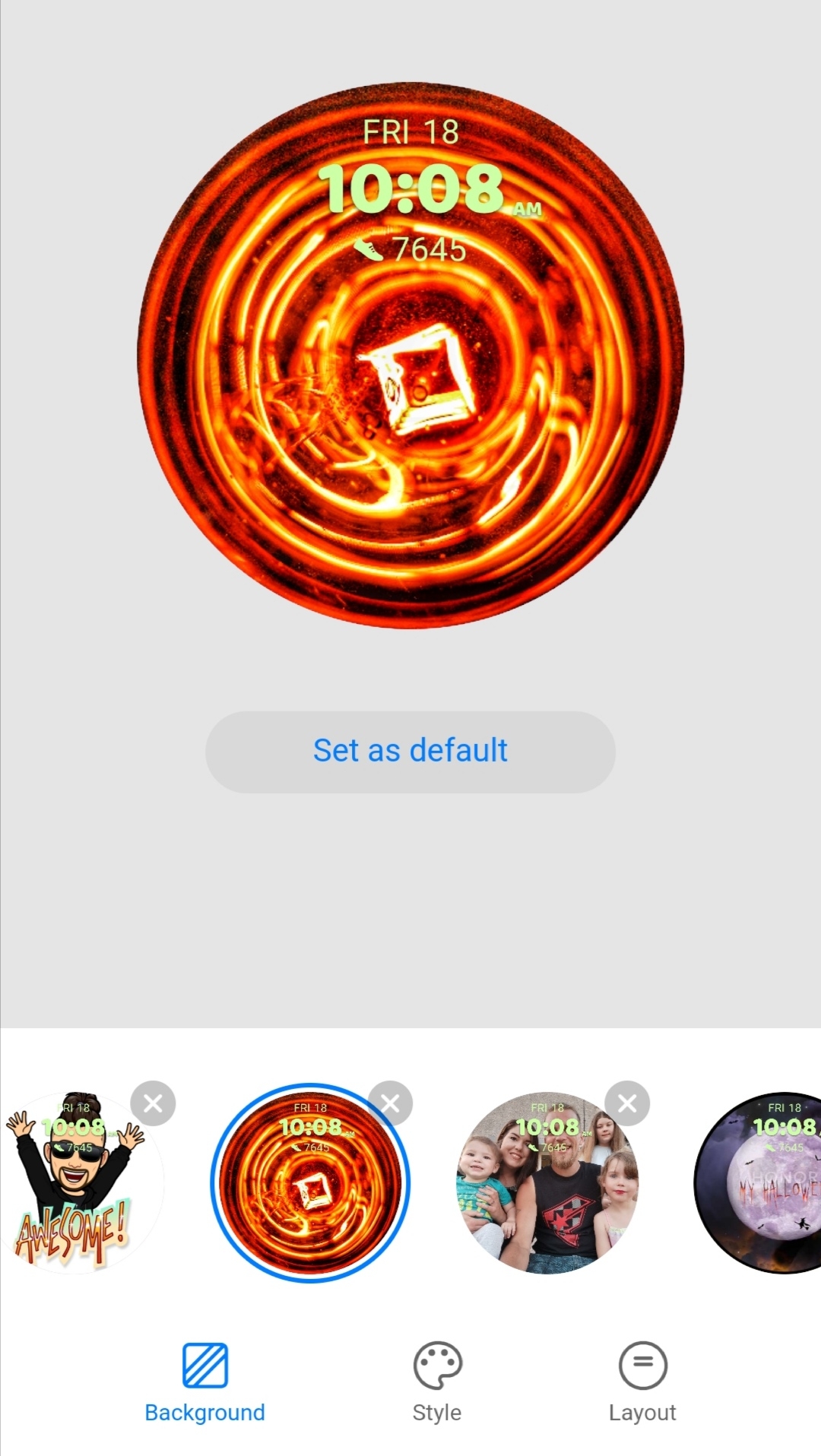
You also have the ability to change the custom watch fave Layout and Style to suit your custom faces.

(custom watch face support is available on the MagicWatch 2, the Watch GS Pro and The HONOR Watch ES, But, not only that... In addition to Honor Smartwatches, the Huawei Watch GT2 and GT2e also support this function, as well as several Apple Watch models!!)
And there you have it!!
All the watch faces you'll ever need, right at your finger tips!!
It really is a simple as that!! A few clicks and you'll be raring to go!
And that guys, brings an end to today's post...
I hope its helped you to install the perfect watch face on your New HONOR GS Pro or Watch ES... Or if its just bringing some new life to the Magic Watch 2 or the Honor band 4...
Its still a great little feature to know about! ??
If you've enjoyed today's video... Please smash that like button and if you'd like to see more, Hit Subscribe and Ring that notification bell!!
Let me know which Watch Face you've been rocking in the comments!!
Thanks for Tuning in!
I'll catch ya in the next one!!


- Posts
- Following
- Followers
- Energy
-

Marbles666
-
+ Follow

-
- 68 Posts
- 199 Following
- 406 Followers
- 18353 Energy











- Posts
- photo
- video

What's going on Guys and Girls?
I hope you're all safe and well?
Today, I'm going to be bringing you a Tips and Tricks tutorial on how to Change your watch faces on the HONOR GS Pro!!
(this will also work with most other HONOR Wearables) ⌚
Take a look at the HONOR GS Pro, on sale now for £189.99 right here... ??
https://m.hihonor.com/unitedkingdom/product/honor-watch-gs-pro-flashsale
So, let's take at look at the video!
So, you've been rocking a couple of your favourite watch faces already installed on your brand new HONOR Watch GS Pro...
But you're feeling a little bored of the pre installed watch faces and you want to change it up a little?...
No problem, there's a huge amount of awesome watch faces available for you to download straight from the Health App to your Watch...
There's everything and anything from Huawei's Official designs, Elegant and Sophisticated watch faces to Sporty and Stylish...
You've got Mechanical faces, Digital faces, Cartoons and masterpiece artworks...
Some are free and some cost your hard earned pennies but the collection is huge so you'll definitely find the perfect watch face for you!
And there's many more added Daily so don't forget to keep checking the app for updates to current designs or all together brand new designs!
Or... you'd like to Fully customise your watch face with a family photo, an awesome picture you've captured or one of your own designs?...
HONOR has your back in the department aswell! Well, your Wrist but you get it. ??
How to change the watch face for the Honor Watch GS Pro
You have two options for changing the watch face on Honor Watch GS Pro.
On the watch itself or on the app...
Let's take a quick look at How to change the dial directly on Honor Watch GS Pro:
Access the GS Pro's Settings by pressing the top button on the side of the watch, scroll to settings, then Tap Display, the watch face and oiula!
Tap your favorite design and it will be set as your watch face.
The quick route to that is to simply tap and hold the watch face for a couple of seconds left your finger and you will enter the display section and can scroll and select your favourite design like that.
(manual watch face selection will only allow you to access your currently installed watch faces... To add more designs the watch you'll need to use the Huawei Health App!!)
HONOR and Huawei user should already have this app installed, but if you don't already have it downloaded or you're not using an HONOR device, you can download the app from Huawei's App Gallery, Petal Search, APK Pure, the Play store the App Store and I'm sure many more places scattered throughout the Internet.
https://appgallery.cloud.huawei.com/ag/n/app/C10414141?locale=en_GB&source=appshare&subsource=C10414141
If you are only just installing the Health App Now... you need to connect your GS Pro to your phone via Bluetooth.
Once set up... on the home screen of the Health App... click on "Devices" → then Select "Honor Watch GS Pro" → then Click on "Watch Faces" → and there it is...
An arsenal of watch faces to suit every situation.
Simply select the face you'd like to install on the watch and tap Install!
(Currently, the latest wearable products such as Honor Band 4, Honor Band 5, Honor Watch Magic, Honor Magic Watch 2, Honor Watch GS Pro and Honor Watch ES support these watch faces)
To install a custom watch face, enter the 'Mine' Section of the watch face menu...
This brings up all current downloaded watch faces and... A watch face called "Gallery".
Tap the Gallery design and you can choose any photo that is stored on your device to use as your watch face...
You can even use your own bitmoji designs (if you're a fan of course!)
You also have the ability to change the custom watch fave Layout and Style to suit your custom faces.
(custom watch face support is available on the MagicWatch 2, the Watch GS Pro and The HONOR Watch ES, But, not only that... In addition to Honor Smartwatches, the Huawei Watch GT2 and GT2e also support this function, as well as several Apple Watch models!!)
And there you have it!!
All the watch faces you'll ever need, right at your finger tips!!
It really is a simple as that!! A few clicks and you'll be raring to go!
And that guys, brings an end to today's post...
I hope its helped you to install the perfect watch face on your New HONOR GS Pro or Watch ES... Or if its just bringing some new life to the Magic Watch 2 or the Honor band 4...
Its still a great little feature to know about! ??
If you've enjoyed today's video... Please smash that like button and if you'd like to see more, Hit Subscribe and Ring that notification bell!!
Let me know which Watch Face you've been rocking in the comments!!
Thanks for Tuning in!
I'll catch ya in the next one!!