



 More Products
 Compare














我的荣耀 开启荣耀之旅



 Disagree Terms
 Log out




[HONOR 9A] How to Get Google Photos on HONOR 9A through the AppGallery?!


 Last reply :
Hey Guys,
I got my hands on an HONOR 9A recently and its performance surprised me, maybe some of you are concerned of the experience of some google applications on HONOR 9A.
That’s also the main reason I keep updating the content on apps tutorials with my own real experience. Hope this series of content can reduce your concerns.
Today let’s have a look on the Google Photos, the normal application for people to organize their photos. Actually Google Photos works well on the webpage, it means we can save the RAM without installing the application but have equal user experience.
1. Open the Chrome with preloaded HUAWEI Brower
2. Click the menu icon on the top right corner
3. Choose the Google Photos (If you didn’t sign in, the Brower will remind you)
4. Click the upload icon to upload your photos, you can choose upload from your phone or google drive
5. Done! The photo is saved in your Google Photos files.
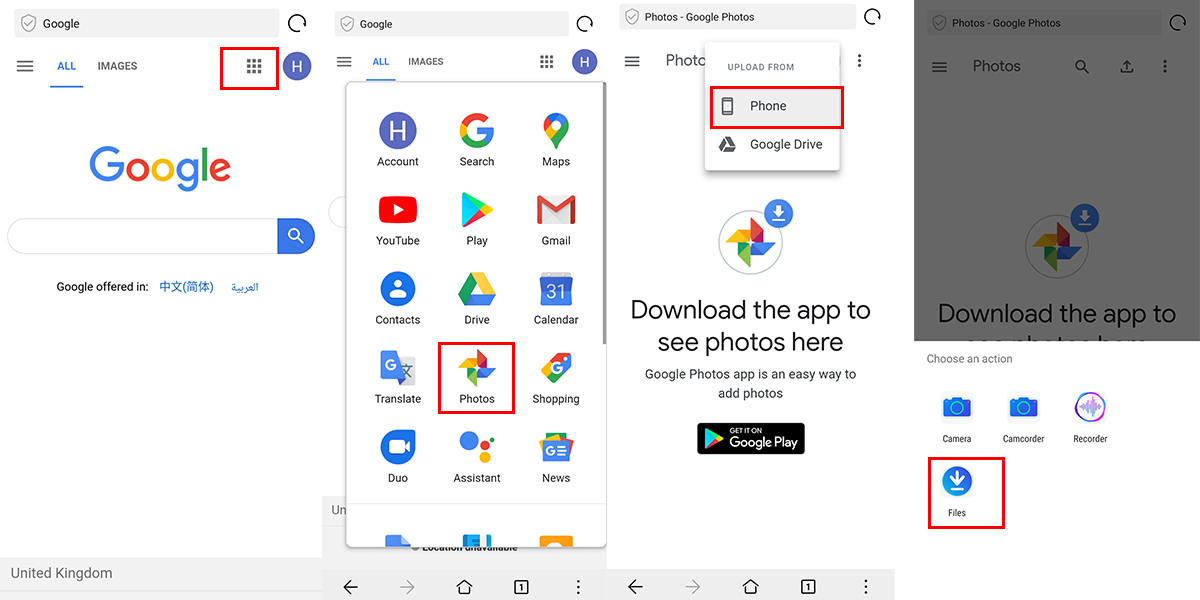
You can create the albums and file the photos with the completed operation menus on the webpage version of Google Photos.
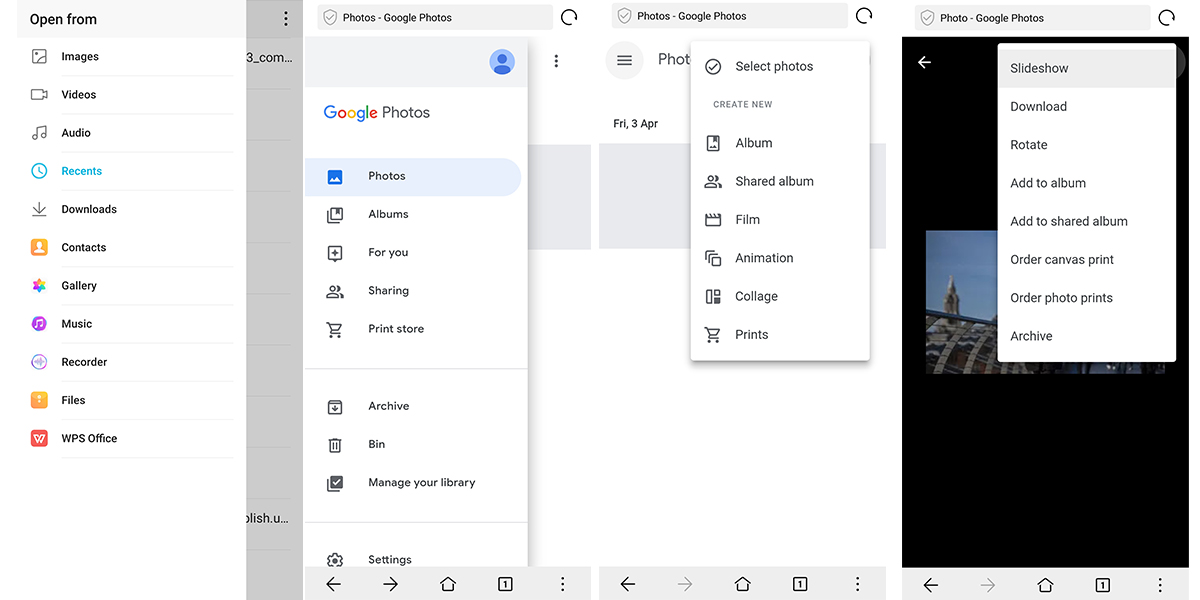
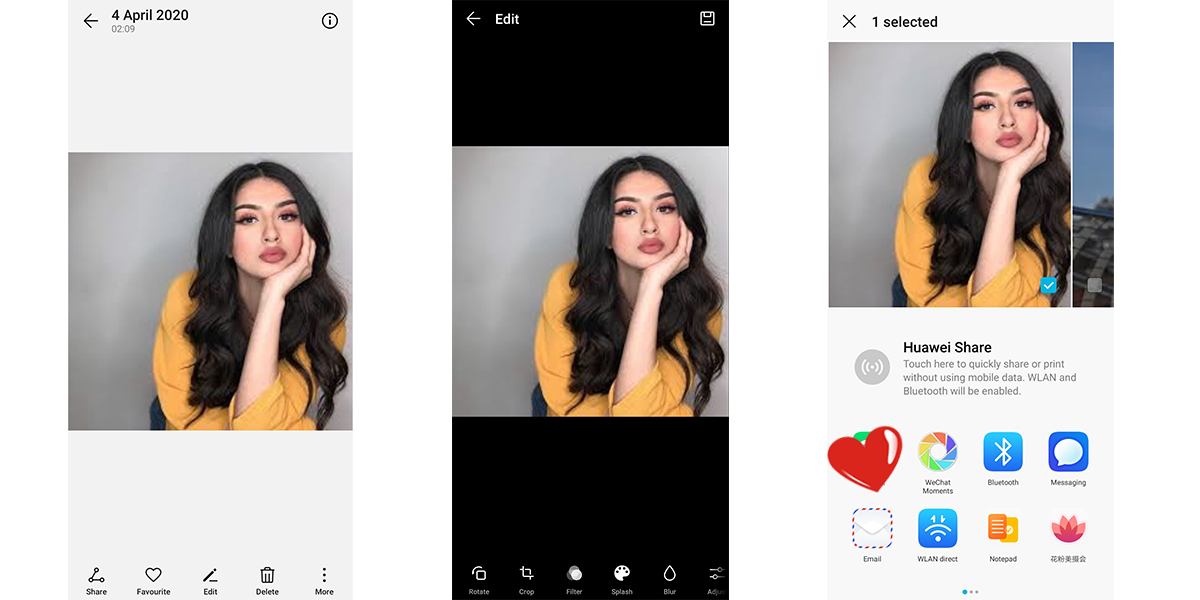
If you still find it complex, I recommend the preloaded application HUAWEI Gallery to you. It is a pretty good alternative of Google Photos, you can organize your photo easily with the AI functions. Also, there many inserted tools for your to optimize the photos. It’s quite easy to share the photos to your friends with HUAWEI SHARE!
Here is a post to compare the Google Photos between HUAWEI Gallery.
Huawei Gallery * Google Photos: Which Is Better at Organizing Photos?
Follow me to get the most updated information of HMS and App Gallery!


- Posts
- Following
- Followers
- Energy
-

Linvoy
-
+ Follow

-
- 82 Posts
- 0 Following
- 96 Followers
- 2065 Energy



- Posts
- photo
- video

Hey Guys,
I got my hands on an HONOR 9A recently and its performance surprised me, maybe some of you are concerned of the experience of some google applications on HONOR 9A.
That’s also the main reason I keep updating the content on apps tutorials with my own real experience. Hope this series of content can reduce your concerns.
Today let’s have a look on the Google Photos, the normal application for people to organize their photos. Actually Google Photos works well on the webpage, it means we can save the RAM without installing the application but have equal user experience.
1. Open the Chrome with preloaded HUAWEI Brower
2. Click the menu icon on the top right corner
3. Choose the Google Photos (If you didn’t sign in, the Brower will remind you)
4. Click the upload icon to upload your photos, you can choose upload from your phone or google drive
5. Done! The photo is saved in your Google Photos files.
You can create the albums and file the photos with the completed operation menus on the webpage version of Google Photos.
If you still find it complex, I recommend the preloaded application HUAWEI Gallery to you. It is a pretty good alternative of Google Photos, you can organize your photo easily with the AI functions. Also, there many inserted tools for your to optimize the photos. It’s quite easy to share the photos to your friends with HUAWEI SHARE!
Here is a post to compare the Google Photos between HUAWEI Gallery.
Huawei Gallery * Google Photos: Which Is Better at Organizing Photos?
Follow me to get the most updated information of HMS and App Gallery!