



 More Products
 Compare














我的荣耀 开启荣耀之旅



 Disagree Terms
 Log out




[HMS Core] Huawei Scan Kit Reveals The Secret Of Code


 Last reply :
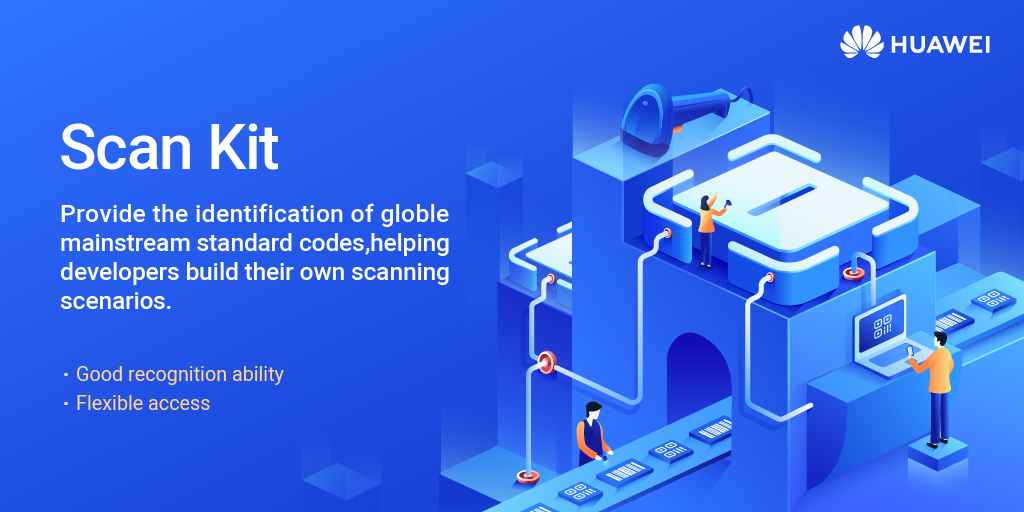
In the mobile era, scanning has been seen all around. You can use the phone to scan for ordering, paying or adding friends and groups. Users will prefer your app if it can provide a convenient code scanning service. Huawei Scan Kit is the easy way to incorporate a code scanner into your app!
01 What Is Huawei Scan Kit
Huawei Scan Kit provides professional scanning and analysis capabilities of 1D and 2D barcodes. By integrating the Scan Kit SDK, you can quickly build convenient code scanning functions for your applications and allows you to convert a character string into a 2D barcode. Based on Huawei's exploration and ability accumulation in the field of computer vision, Scan Kit has been refined into many powerful capabilities. Let's take a look!
02 Key Capabilities of Scan kit
1. Comprehensive code identification capabilities
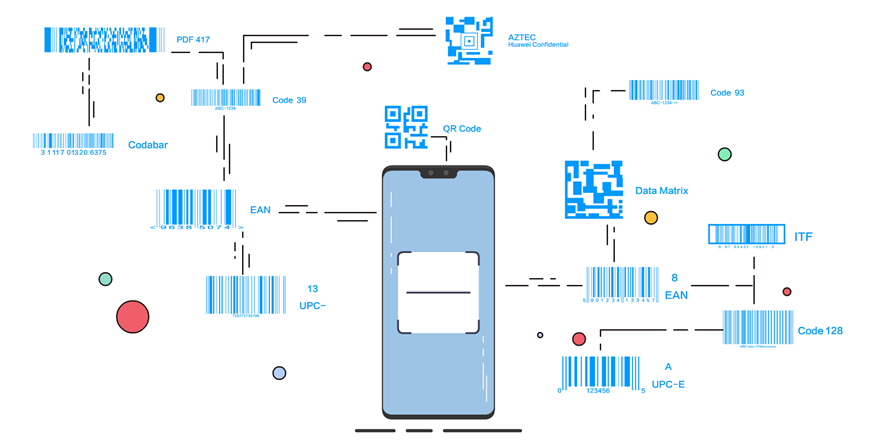
When you develop a cross-border e-commerce app that wants to expand into the global market, you can access Scan Kit and see which products your overseas users like to query or purchase. We support 13 mainstream code formats around the world, covering almost all kinds of QR codes and barcodes that are routinely seen in daily life. The scan success rate is over 96%, which is in the leading position in the industry. With Scan Kit, 1D and 2D barcode can be an easy job to recognize.
2. Long-Range detection and auto zoom
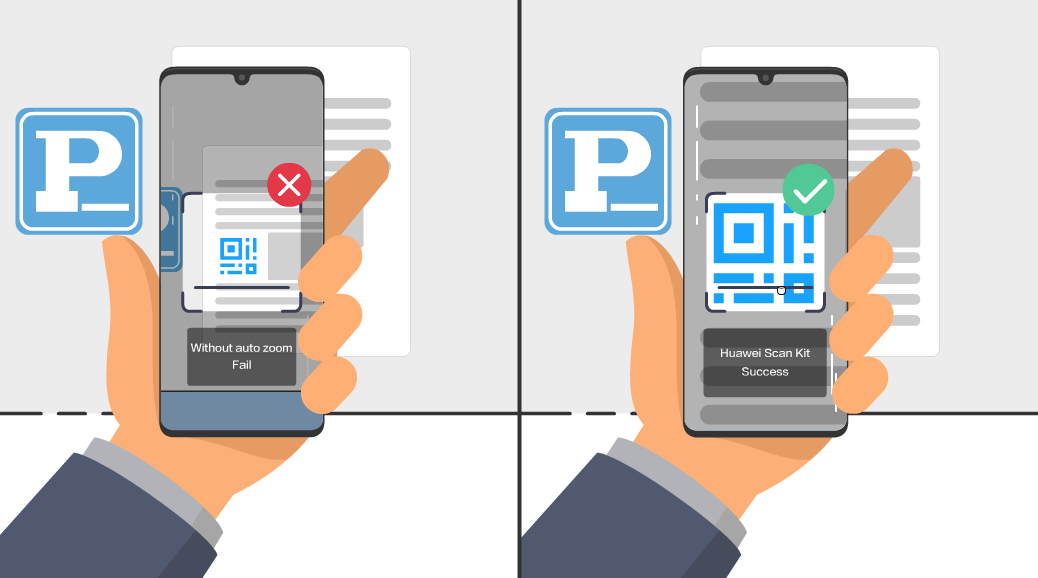
Every time you sit in car and pay for parking, do you also worry that the QR code on the wall is too far away? With Scan kit, your app can automatically detect remote codes and small codes, and automatically zoom in so as to improve the success rate of code scanning. Even you are several meters away from the bar code, auto zoom works for you
3. Recognizes with any orientation
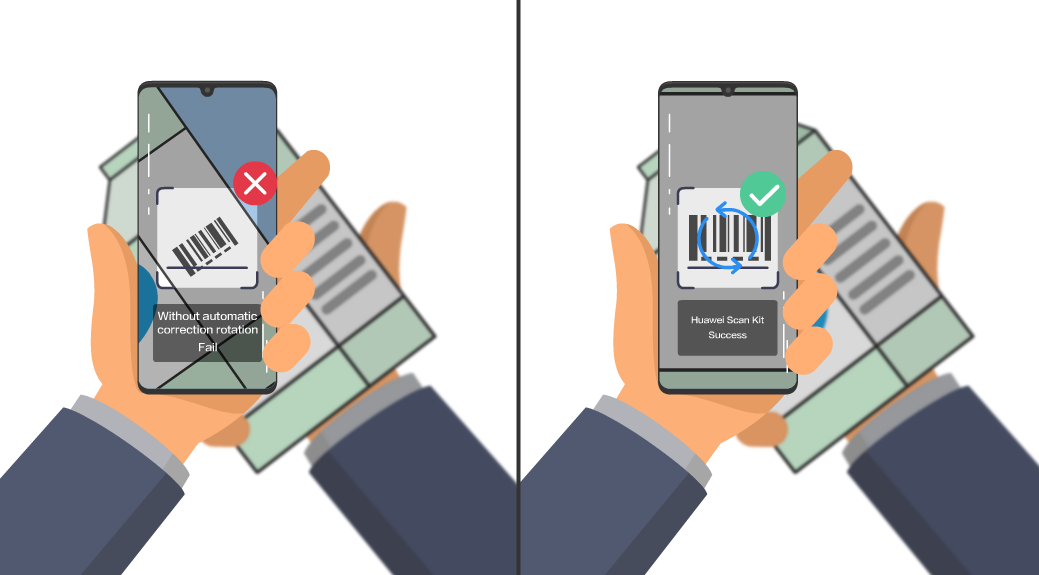
Looking back at the codes we scanned, do you often hunch to adapt to the direction of code placement? Based on automatic detection and correction rotation capabilities, Scan Kit supports your users to scan barcodes regardless of their orientation, thus improving the flexibility and success rate of application code scanning. No matter how enchanting your sweep code posture is, you also can sweep fast, precisely and good!
4. Improves the success rate in complex scenarios
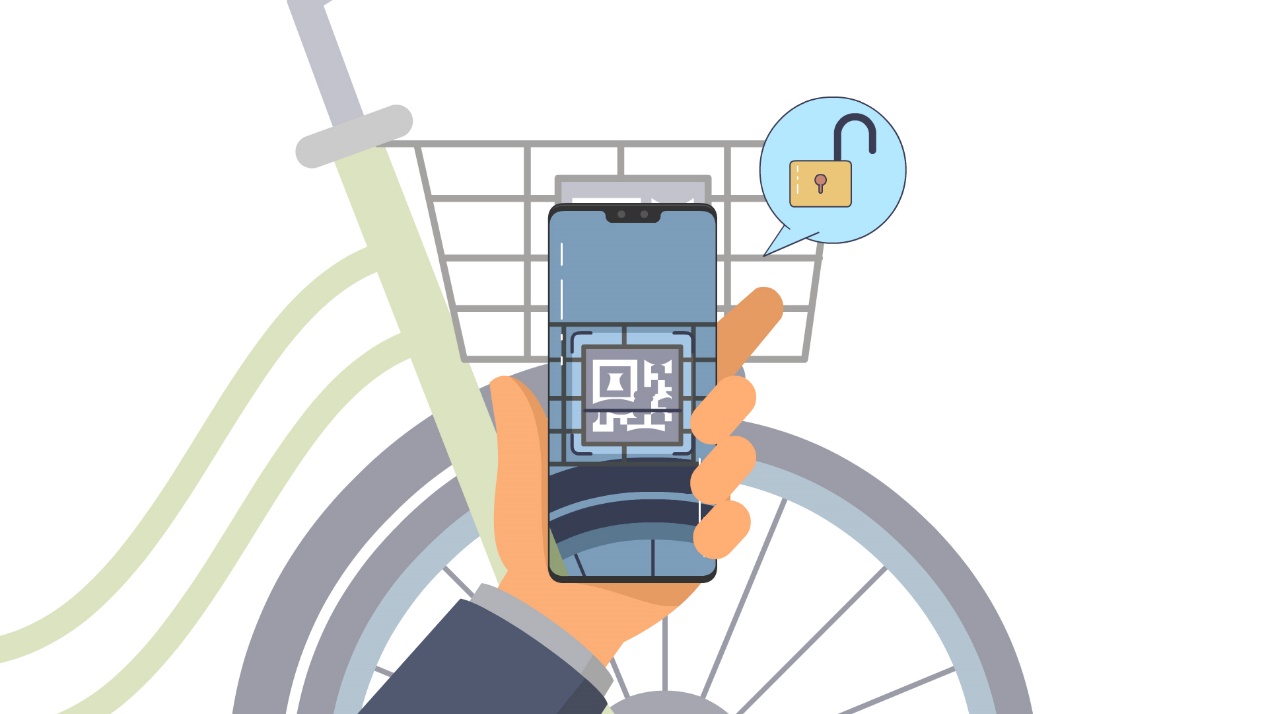
Have you ever failed to unlock a shared bike due to scanning a blurry QR code?Don't worry, based on Huawei's cutting-edge computer vision technology, Scan Kit is capable of accurately scanning 1D and 2D barcodes under the most challenging scenarios, such as in special styles, in a poorly-lit environment, when multiple barcodes coexist, or when the barcode image is colorful, reflective, distorted, damaged or blur. No matter how complicated the scene is, it's easy to resolve the embarrassment!
5. Extracts Structured Data
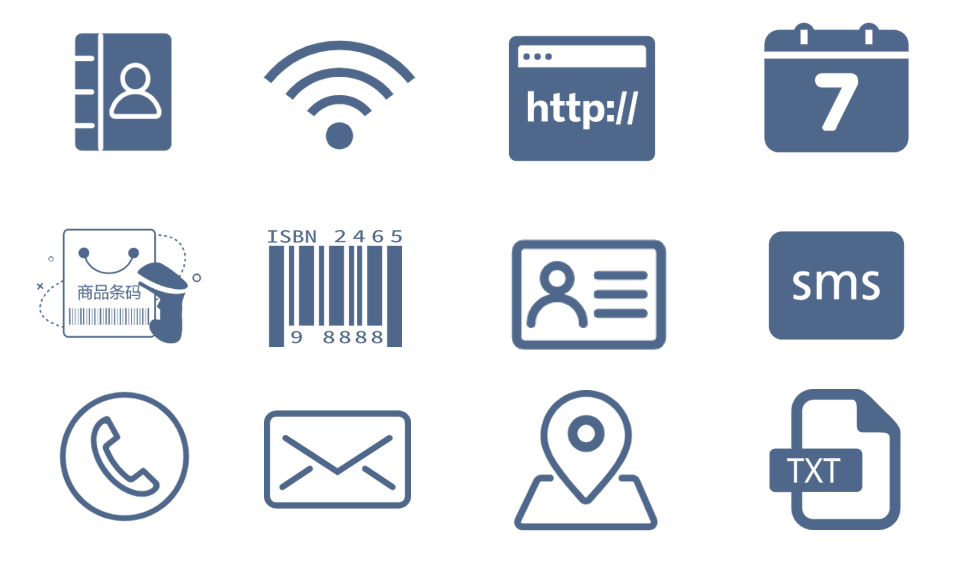
Scan Kit’s content analysis capability can extracts structured data and quickly identify usage scenarios. There are more than 12 usage scenarios , such as connecting to Wi-Fi, adding contacts, adding a calendar event or search for location, etc.
6. Generate QR code
In addition to the scanning function, Scan Kit can also generate QR codes. After your users input a character string and QR code size, Scan Kit will convert the input into a 2D barcode which has the best version and error correction level. Currently, Scan Kit support QR code in the version 1.0.0, and will support 13 formats in the version 1.0.2
03 Integrate Huawei Scan Kit Quickly
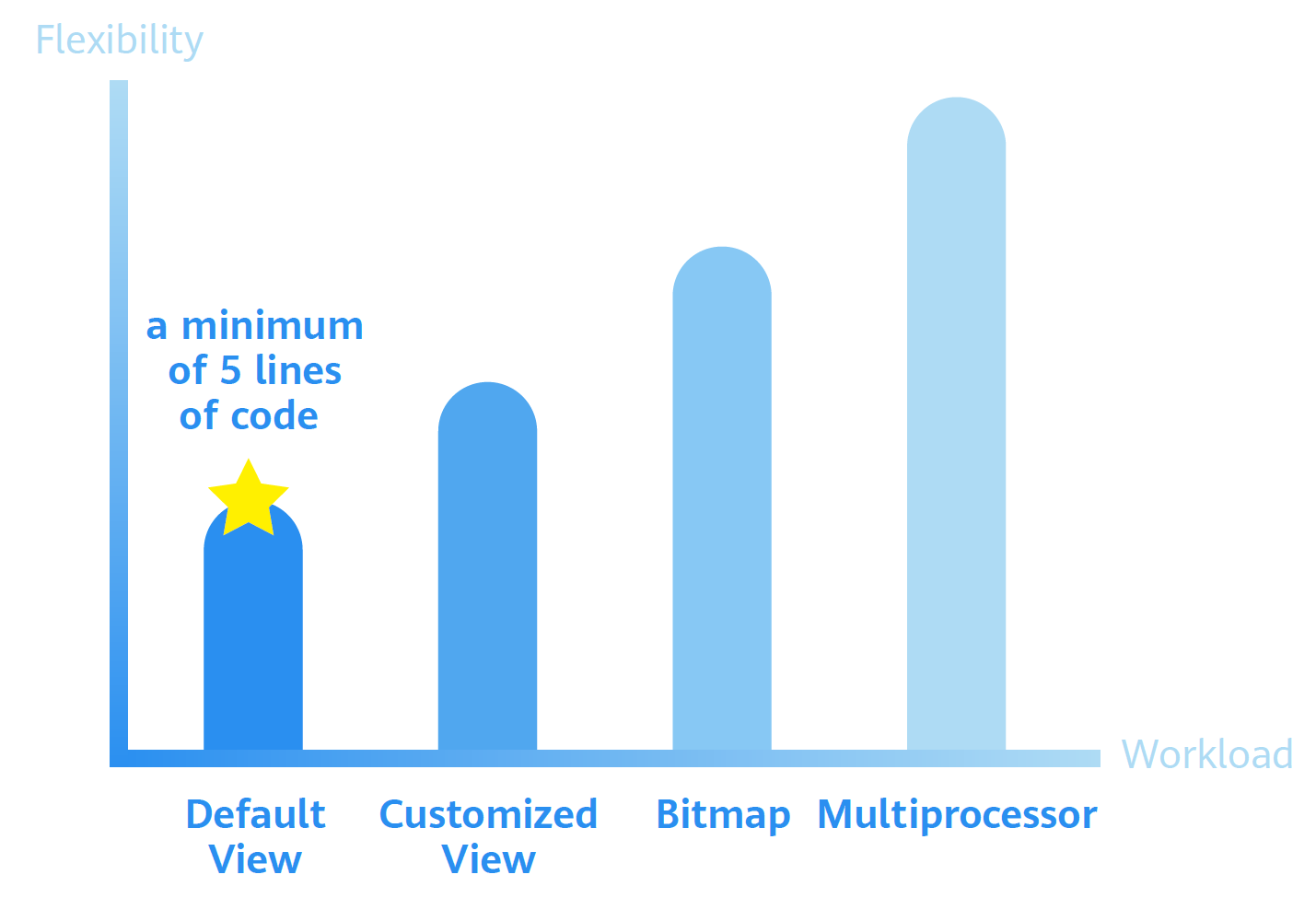
Scan Kit provides you with 4 types of API-integrated modes. Among them, you can adopt Default view mode with a minimum of 5 lines of code to complete the access process. Flexible integration modes help you to fully meet your development requirements.
At the same time, the process of code recognition and analysis is completed on the client, and the structured data would not be saved to protect user privacy.
How can you integrate Huawei Scan Kit? We provide comprehensive guidance and corresponding check tools for developers to complete access procedures.
Come to Scan to view more information about Huawei Scan Kit!
https://developer.huawei.com/consumer/en/hms/huawei-scankit/



- Posts
- Following
- Followers
- Energy
-

 Ava_HONOR_UK
Community Team
Ava_HONOR_UK
Community Team
-
+ Follow

-
- 108 Posts
- 89 Following
- 520 Followers
- 9166 Energy







- Posts
- photo
- video

In the mobile era, scanning has been seen all around. You can use the phone to scan for ordering, paying or adding friends and groups. Users will prefer your app if it can provide a convenient code scanning service. Huawei Scan Kit is the easy way to incorporate a code scanner into your app!
01 What Is Huawei Scan Kit
Huawei Scan Kit provides professional scanning and analysis capabilities of 1D and 2D barcodes. By integrating the Scan Kit SDK, you can quickly build convenient code scanning functions for your applications and allows you to convert a character string into a 2D barcode. Based on Huawei's exploration and ability accumulation in the field of computer vision, Scan Kit has been refined into many powerful capabilities. Let's take a look!
02 Key Capabilities of Scan kit
1. Comprehensive code identification capabilities
When you develop a cross-border e-commerce app that wants to expand into the global market, you can access Scan Kit and see which products your overseas users like to query or purchase. We support 13 mainstream code formats around the world, covering almost all kinds of QR codes and barcodes that are routinely seen in daily life. The scan success rate is over 96%, which is in the leading position in the industry. With Scan Kit, 1D and 2D barcode can be an easy job to recognize.
2. Long-Range detection and auto zoom
Every time you sit in car and pay for parking, do you also worry that the QR code on the wall is too far away? With Scan kit, your app can automatically detect remote codes and small codes, and automatically zoom in so as to improve the success rate of code scanning. Even you are several meters away from the bar code, auto zoom works for you
3. Recognizes with any orientation
Looking back at the codes we scanned, do you often hunch to adapt to the direction of code placement? Based on automatic detection and correction rotation capabilities, Scan Kit supports your users to scan barcodes regardless of their orientation, thus improving the flexibility and success rate of application code scanning. No matter how enchanting your sweep code posture is, you also can sweep fast, precisely and good!
4. Improves the success rate in complex scenarios
Have you ever failed to unlock a shared bike due to scanning a blurry QR code?Don't worry, based on Huawei's cutting-edge computer vision technology, Scan Kit is capable of accurately scanning 1D and 2D barcodes under the most challenging scenarios, such as in special styles, in a poorly-lit environment, when multiple barcodes coexist, or when the barcode image is colorful, reflective, distorted, damaged or blur. No matter how complicated the scene is, it's easy to resolve the embarrassment!
5. Extracts Structured Data
Scan Kit’s content analysis capability can extracts structured data and quickly identify usage scenarios. There are more than 12 usage scenarios , such as connecting to Wi-Fi, adding contacts, adding a calendar event or search for location, etc.
6. Generate QR code
In addition to the scanning function, Scan Kit can also generate QR codes. After your users input a character string and QR code size, Scan Kit will convert the input into a 2D barcode which has the best version and error correction level. Currently, Scan Kit support QR code in the version 1.0.0, and will support 13 formats in the version 1.0.2
03 Integrate Huawei Scan Kit Quickly
Scan Kit provides you with 4 types of API-integrated modes. Among them, you can adopt Default view mode with a minimum of 5 lines of code to complete the access process. Flexible integration modes help you to fully meet your development requirements.
At the same time, the process of code recognition and analysis is completed on the client, and the structured data would not be saved to protect user privacy.
How can you integrate Huawei Scan Kit? We provide comprehensive guidance and corresponding check tools for developers to complete access procedures.
Come to Scan to view more information about Huawei Scan Kit!
https://developer.huawei.com/consumer/en/hms/huawei-scankit/