



 More Products
 Compare














我的荣耀 开启荣耀之旅



 Disagree Terms
 Log out




Here is how to change the Screen Refresh Rate of your HONOR 50!


 Last reply :
Hey everyone!
Did you know that the HONOR 50 has a 120Hz OLED display?
Thanks to the 120Hz refresh rate, scrolling on your phone will look and feel buttery smooth!
You will definitely notice the difference when switching back to a phone with a 60Hz phone screen.
Here is a visual example, made by educatecity.com
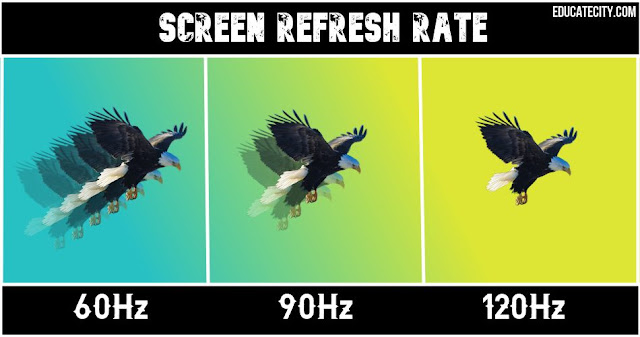
Anyways, it’s time to teach you guys how to change the refresh rate on your HONOR 50.
Please keep in mind that this does affect the battery life!
STEP 1
Go to Settings Display & brightness
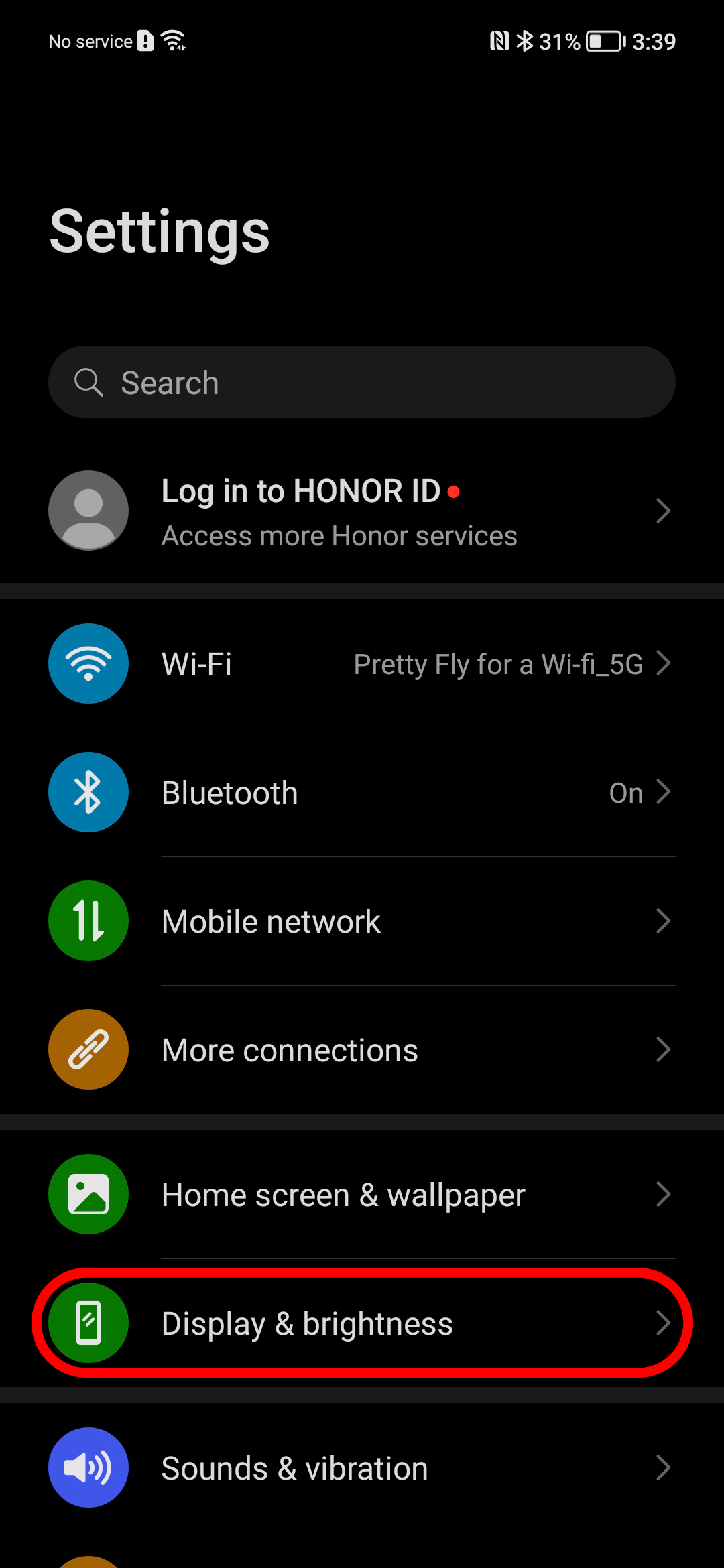
STEP 2
Select ‘Screen refresh rate’
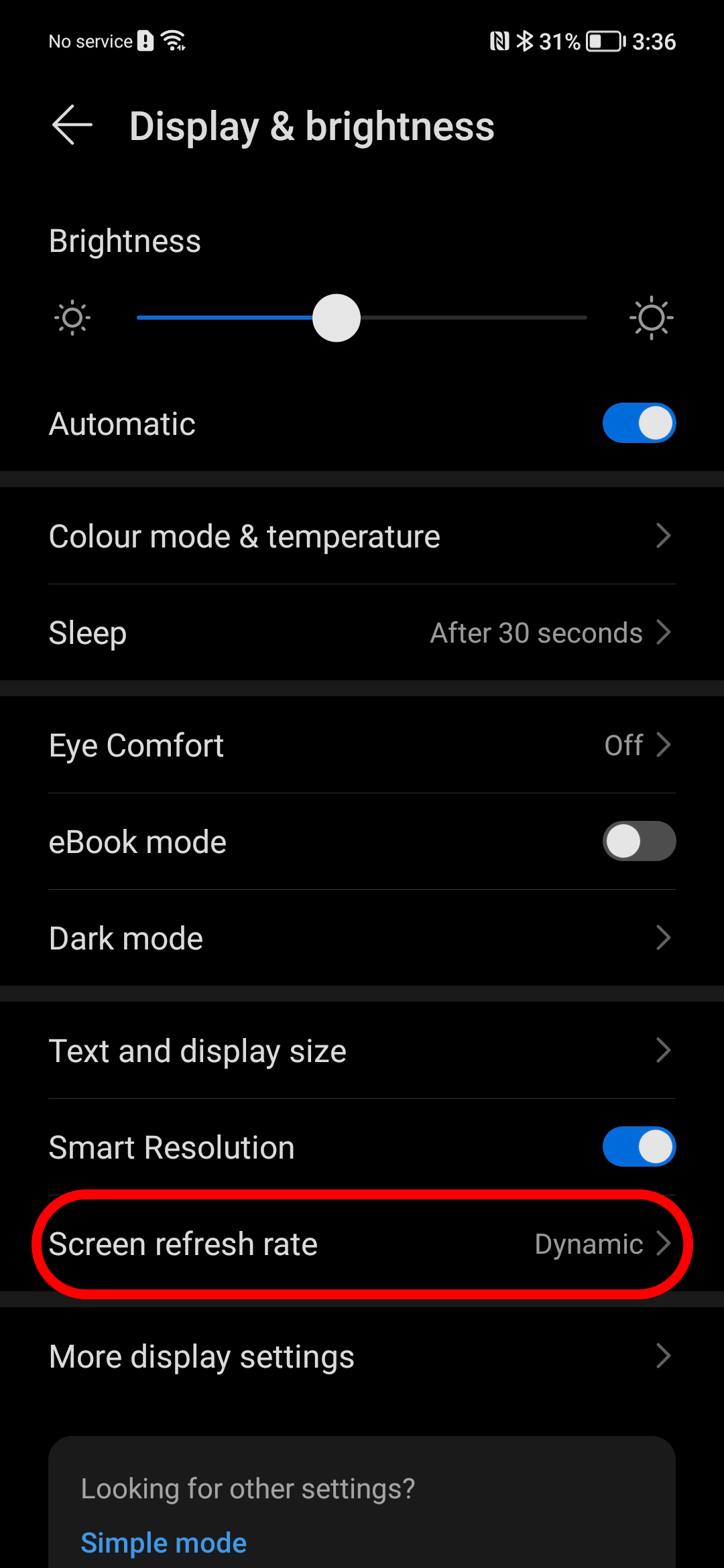
STEP 3
Here you can choose between ‘Standard’, ‘High’ or ‘Dynamic’.
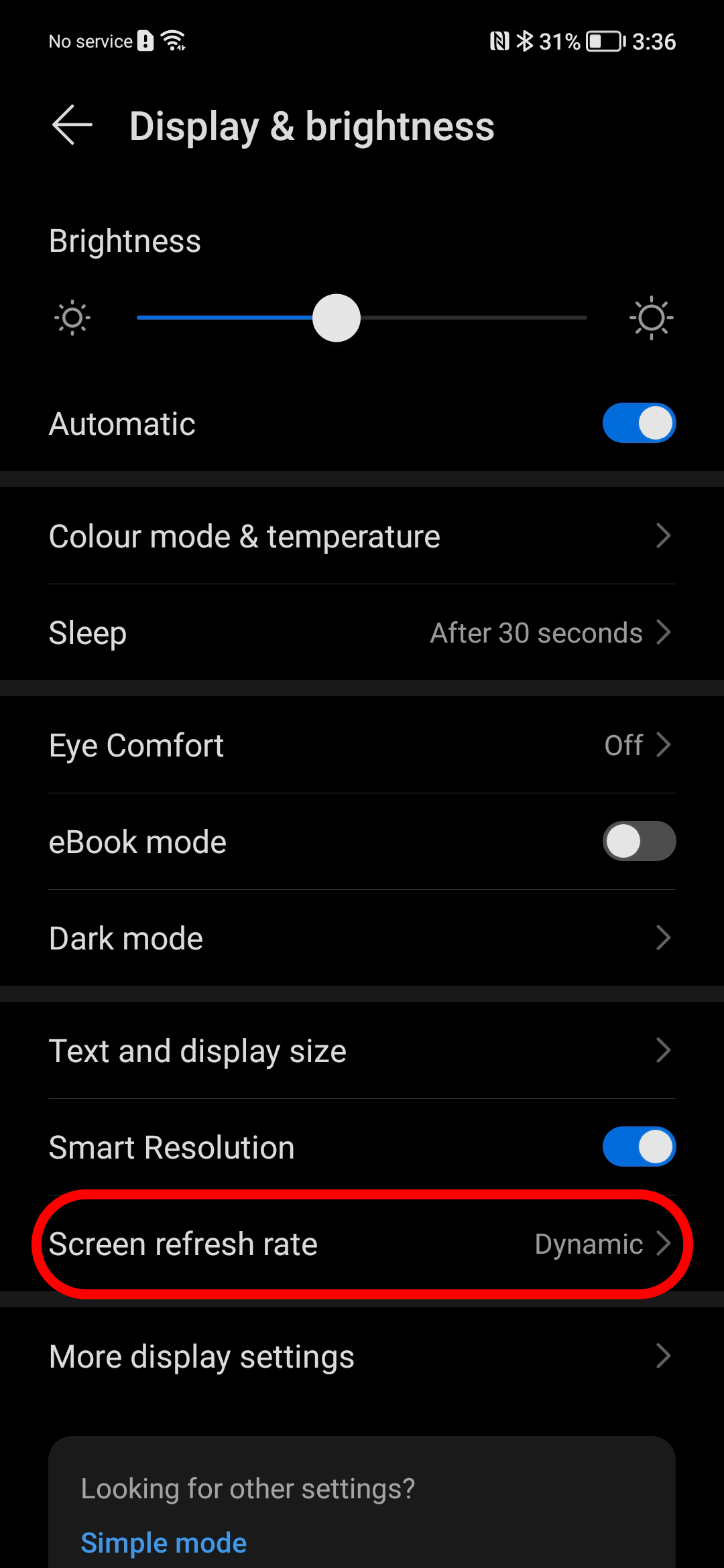
I personally use the ‘Dynamic’ setting, since it switches between suitable refresh rates for different apps and it ensures a longer battery life.
Please, let me know if you have any questions!
What would you like to learn next?


- Posts
- Following
- Followers
- Energy
-

Revolt
-
+ Follow

-
- 131 Posts
- 23 Following
- 252 Followers
- 8524 Energy






- Posts
- photo
- video

Hey everyone!
Did you know that the HONOR 50 has a 120Hz OLED display?
Thanks to the 120Hz refresh rate, scrolling on your phone will look and feel buttery smooth!
You will definitely notice the difference when switching back to a phone with a 60Hz phone screen.
Here is a visual example, made by educatecity.com
Anyways, it’s time to teach you guys how to change the refresh rate on your HONOR 50.
Please keep in mind that this does affect the battery life!
STEP 1
Go to Settings Display & brightness
STEP 2
Select ‘Screen refresh rate’
STEP 3
Here you can choose between ‘Standard’, ‘High’ or ‘Dynamic’.
I personally use the ‘Dynamic’ setting, since it switches between suitable refresh rates for different apps and it ensures a longer battery life.
Please, let me know if you have any questions!
What would you like to learn next?