



 More Products
 Compare


ABOUT HONOR
Events















我的荣耀 开启荣耀之旅



 Disagree Terms
 Log out




[Features] Turning the Honor 20 Pro into a desktop with Easy Projection


 Last reply :
Hello Guys,
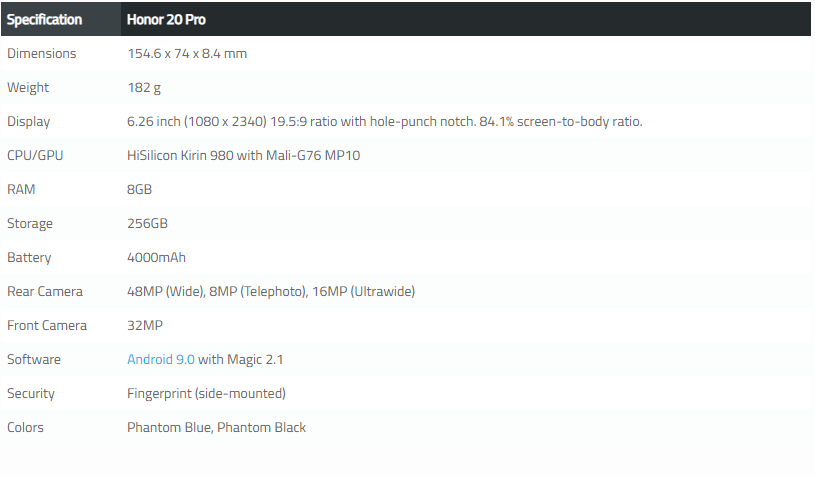
Technology trends tend to be cyclical. Several years ago, devices like the Motorola Atrix 4G tried to bridge the gap between phone and laptop. It was seen as a gimmick and not super useful at the time. Recently, we’ve seen a comeback in this technology with features like Samsung DeX. The Honor 20 Pro (and other Huawei and Honor devices running EMUI 8+) also has a similar feature called Easy Projection, and XDA *‘s Adam Conway took a look at it.
Easy Projection on the Honor 20 Pro can be used in two ways: you can simply cast your phone’s screen or use a “desktop mode.” With the desktop mode, your phone becomes a touchpad and a PC-like desktop interface is displayed on your */monitor. Easy Projection works with devices that support Miracast Screen Mirroring, like many smart TVs. Apps open in windows just like you’d find on a real desktop for easy multitasking.
Desktop mode on the Honor 20 Pro is not without issues, however. The input lag on the touchpad can be pretty bad and images on the screen can be distorted when quickly scrolling. Overall, it’s a neat little tool that might be useful for some people. Check out the video below to see it in action, or read our full EMUI 9 review for more details on it and other EMUI features.
I hope this was very helpful. For any questions, comment in the section below. 
Thanks!


- Posts
- Following
- Followers
- Energy
-

GeekyMarshmallow
-
+ Follow

-
- 114 Posts
- 445 Following
- 649 Followers
- 10733 Energy



- Posts
- photo
- video

Hello Guys,
Technology trends tend to be cyclical. Several years ago, devices like the Motorola Atrix 4G tried to bridge the gap between phone and laptop. It was seen as a gimmick and not super useful at the time. Recently, we’ve seen a comeback in this technology with features like Samsung DeX. The Honor 20 Pro (and other Huawei and Honor devices running EMUI 8+) also has a similar feature called Easy Projection, and XDA *‘s Adam Conway took a look at it.
Easy Projection on the Honor 20 Pro can be used in two ways: you can simply cast your phone’s screen or use a “desktop mode.” With the desktop mode, your phone becomes a touchpad and a PC-like desktop interface is displayed on your */monitor. Easy Projection works with devices that support Miracast Screen Mirroring, like many smart TVs. Apps open in windows just like you’d find on a real desktop for easy multitasking.
Desktop mode on the Honor 20 Pro is not without issues, however. The input lag on the touchpad can be pretty bad and images on the screen can be distorted when quickly scrolling. Overall, it’s a neat little tool that might be useful for some people. Check out the video below to see it in action, or read our full EMUI 9 review for more details on it and other EMUI features.
I hope this was very helpful. For any questions, comment in the section below.
Thanks!