



 More Products
 Compare














我的荣耀 开启荣耀之旅



 Disagree Terms
 Log out




EMUI Tips -- How to Use Do Not Disturb Mode on HONOR 9A (& other models!)


 Last reply :
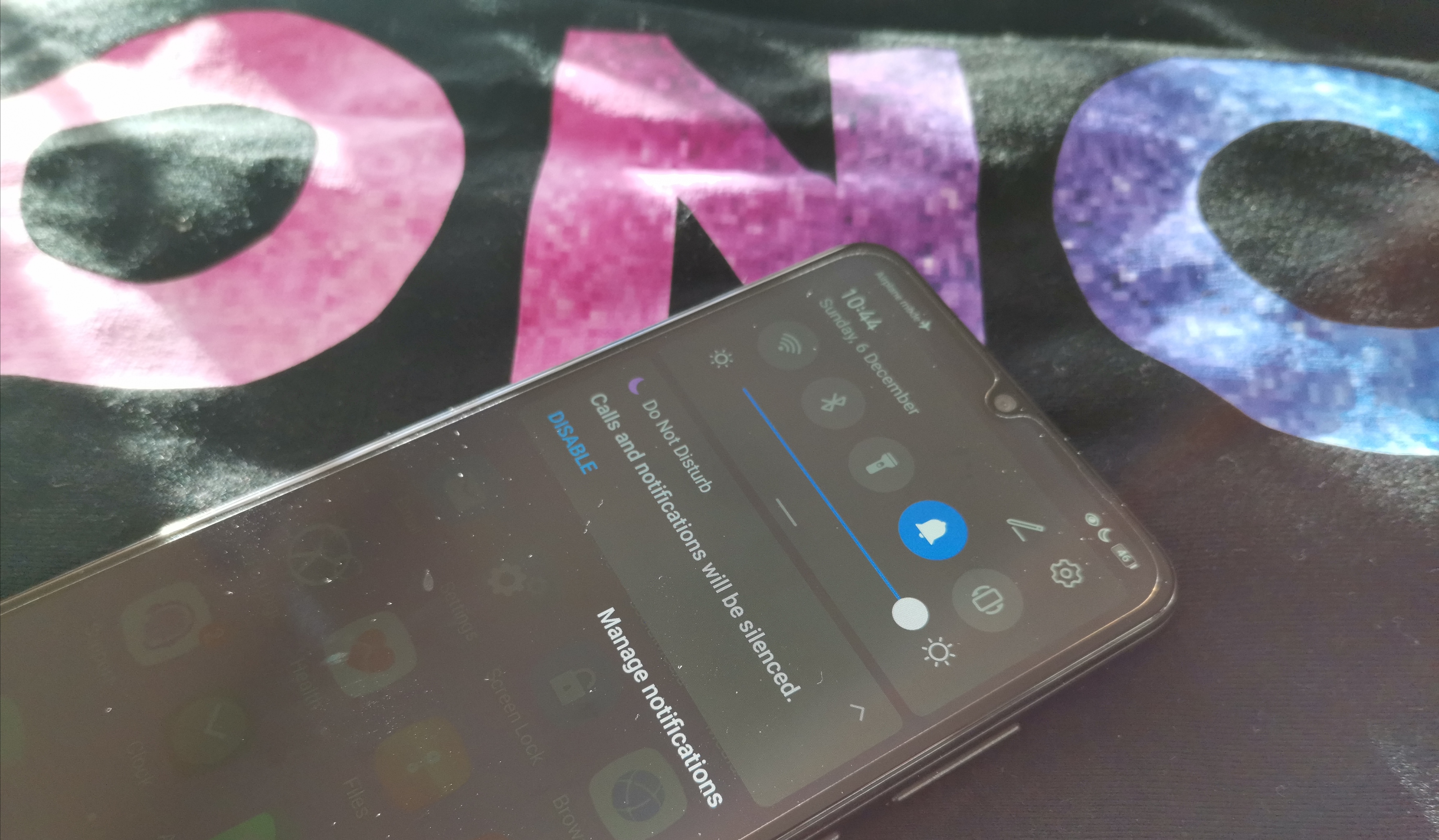
Hi all, hope this Tips & Tricks guide sees you all well! It is always important to try and keep your digital life balanced; like getting a quiet, undisturbed lunch break, quality time at home at the weekend, or avoiding an embarrassing call in the middle of a work meeting, so to that end here is a look at the Do Not Disturb function on the HONOR 9A.
This will also work on other EMUI/MagicUI devices!
You can always just scroll down from the top of your device and Enable Do Not Disturb right away, which means calls and other app notifications won’t come through (Alarms still sound off though).
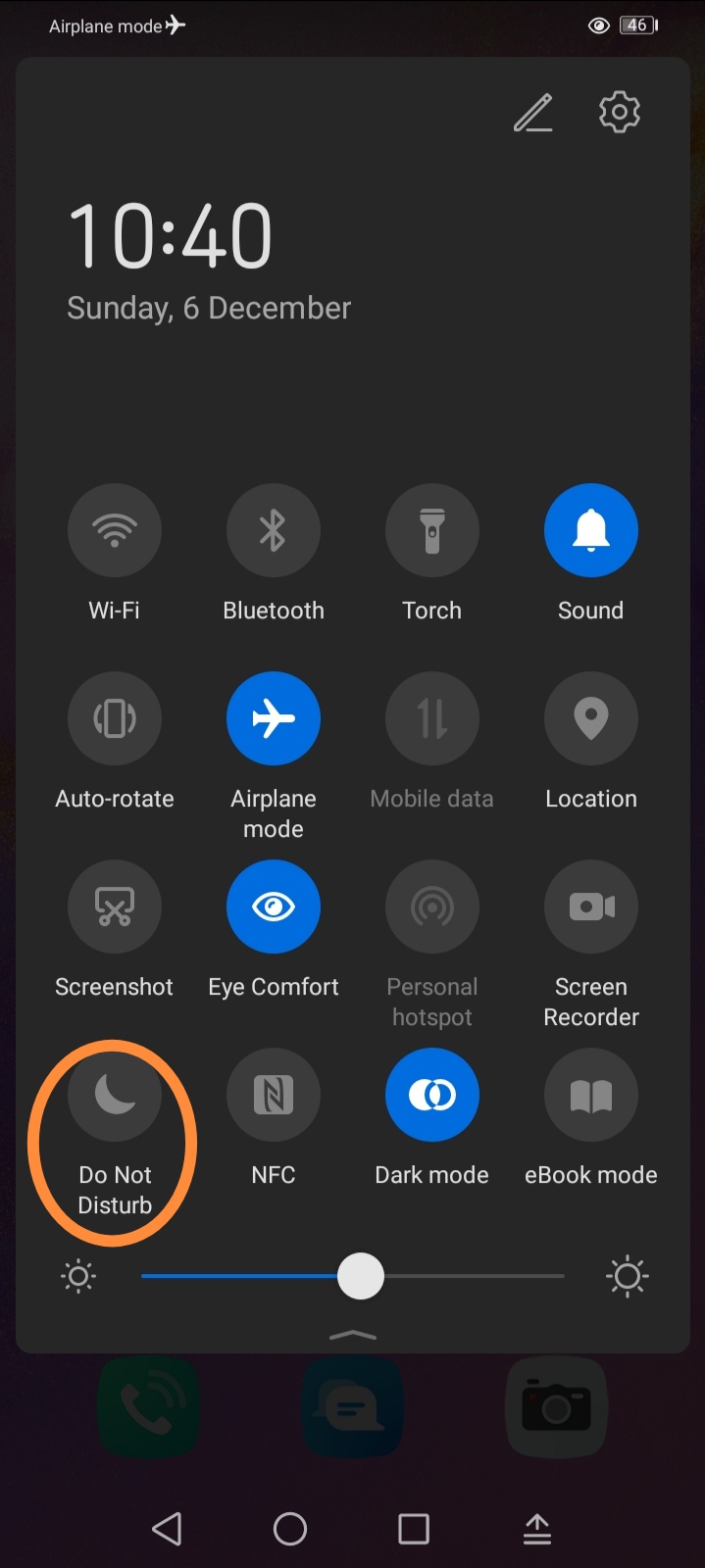
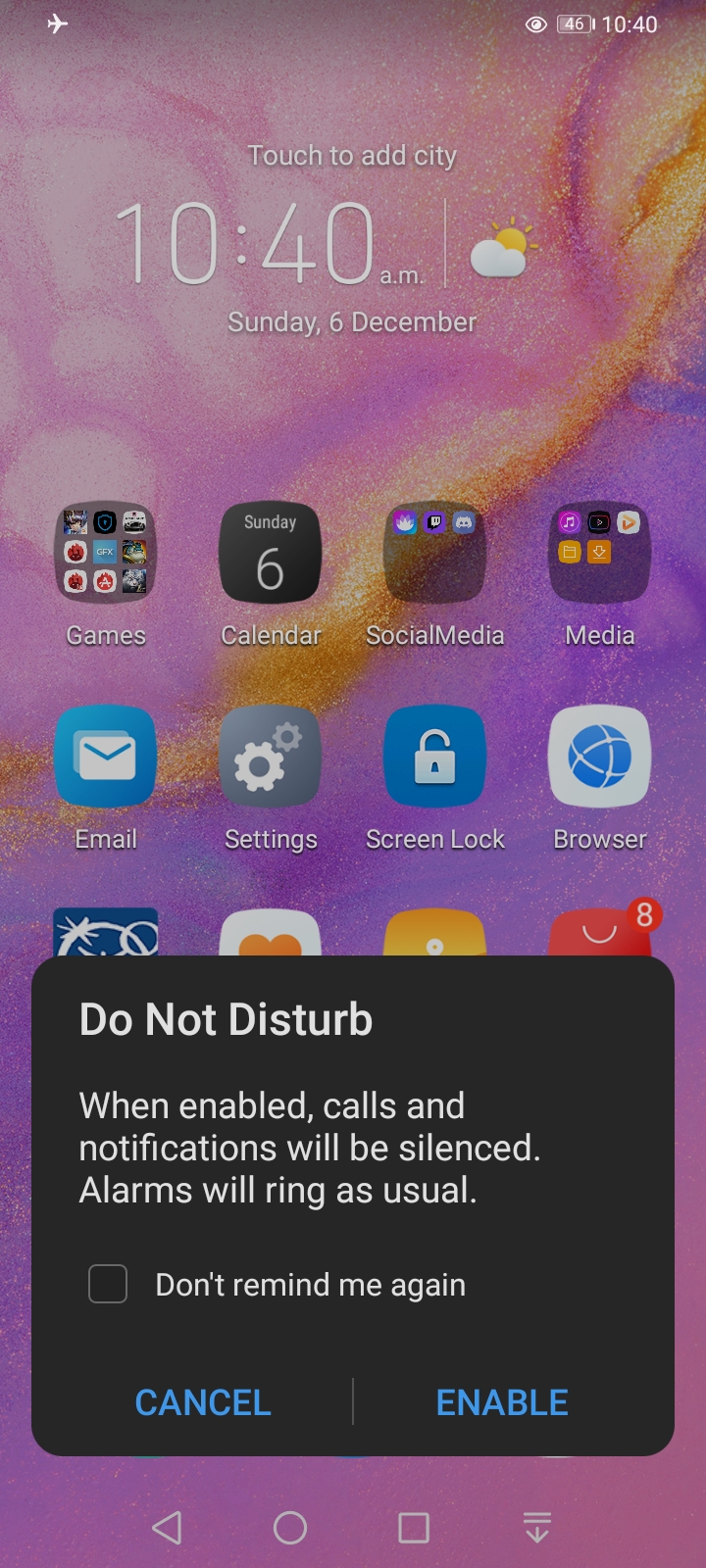
But if you dig a little further in, you’ll get some very handy options:
Go to >Settings.
>Sounds & vibration.
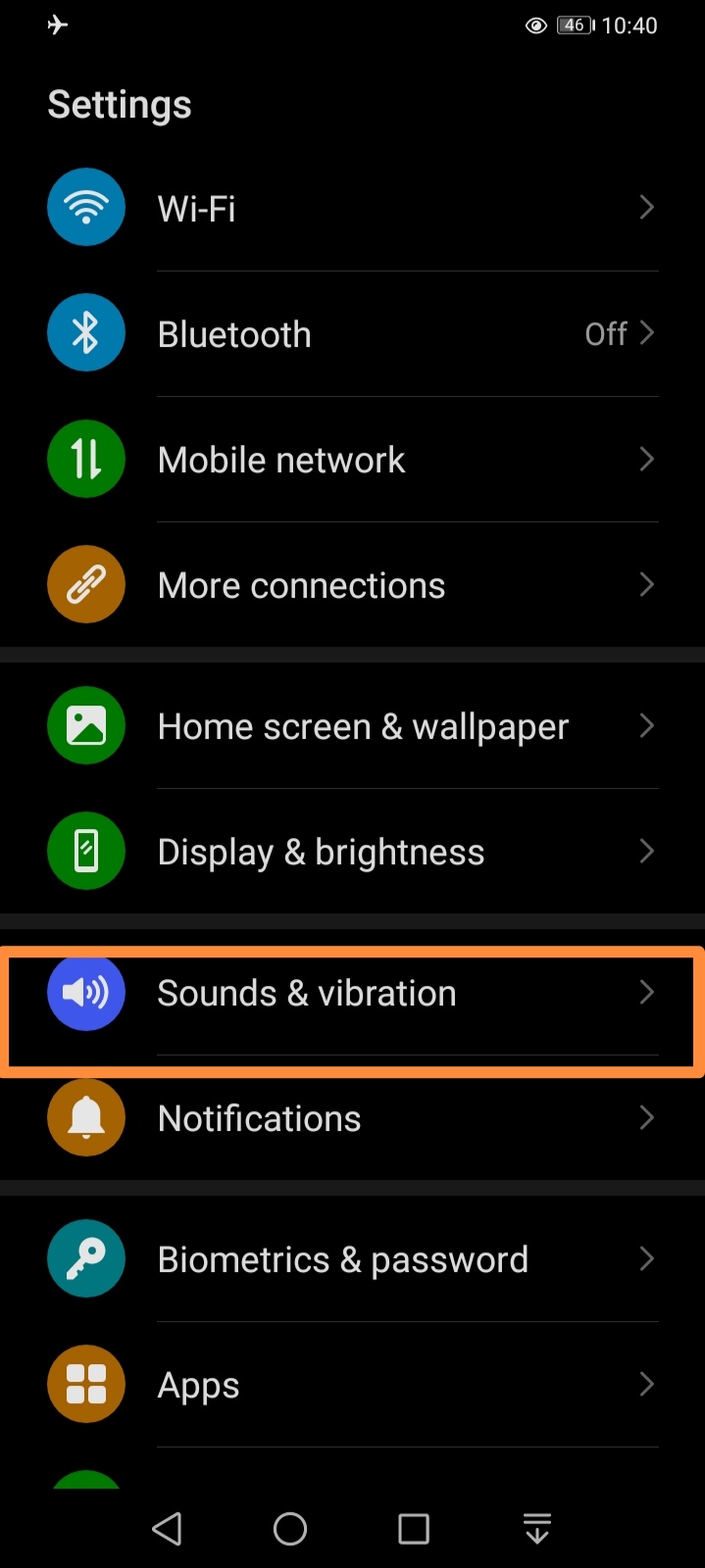
>Do Not Disturb.
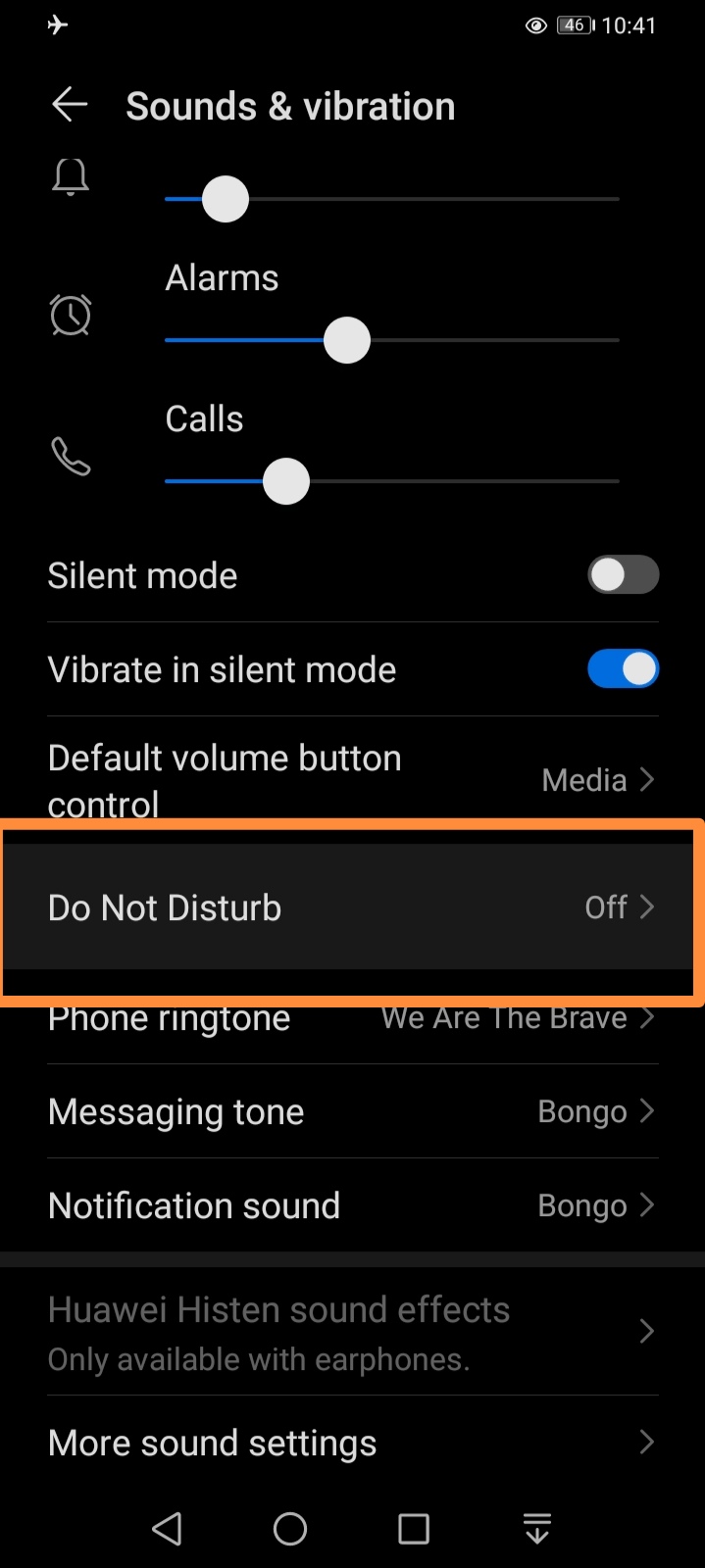
Once in the Do Not Disturb section you can easily add Scheduled times for the function to automatically turn on (e.g., for those weekly architecture review meetings!)
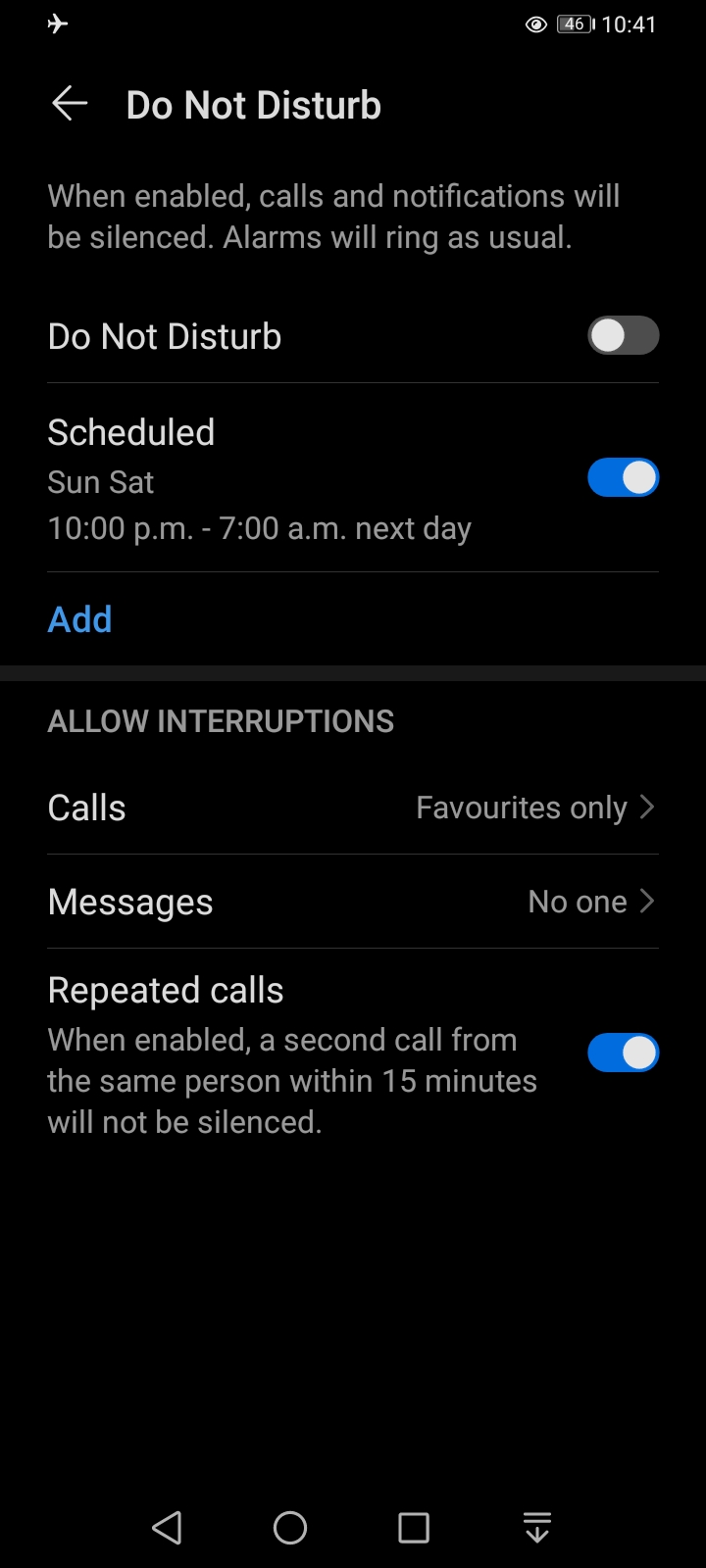
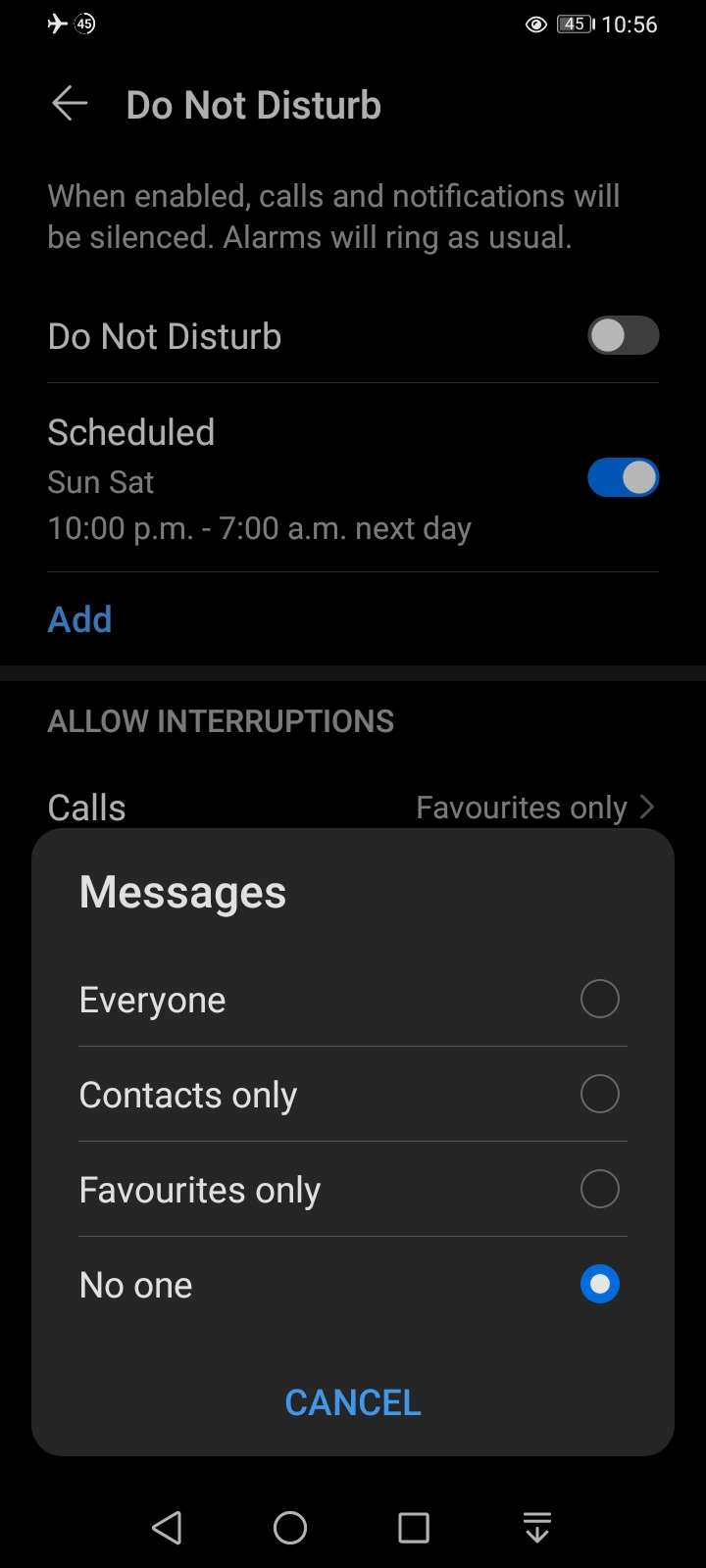
You can also fine tune it to Allow Interruptions for Calls and Messages, each set individually:
>Everyone >Contacts only >Favourites only >No one
Also, you can allow Repeated calls for an emergency to come through.
As you can see the Do Not Disturb feature as some nice granular options within it to get that quiet time when you need, while at the same time allowing for those important calls or messages to still get through to you!
I hope you found this guide helpful, if you have other ideas for tips and tricks or queries on this one, please don’t hesitate to shout below in the comments


- Posts
- Following
- Followers
- Energy
-
 Sasco
Techie
Sasco
Techie
-
+ Follow

-
- 131 Posts
- 60 Following
- 395 Followers
- 22141 Energy












- Posts
- photo
- video

Hi all, hope this Tips & Tricks guide sees you all well! It is always important to try and keep your digital life balanced; like getting a quiet, undisturbed lunch break, quality time at home at the weekend, or avoiding an embarrassing call in the middle of a work meeting, so to that end here is a look at the Do Not Disturb function on the HONOR 9A.
This will also work on other EMUI/MagicUI devices!
You can always just scroll down from the top of your device and Enable Do Not Disturb right away, which means calls and other app notifications won’t come through (Alarms still sound off though).
But if you dig a little further in, you’ll get some very handy options:
Go to >Settings.
>Sounds & vibration.
>Do Not Disturb.
Once in the Do Not Disturb section you can easily add Scheduled times for the function to automatically turn on (e.g., for those weekly architecture review meetings!)
You can also fine tune it to Allow Interruptions for Calls and Messages, each set individually:
>Everyone >Contacts only >Favourites only >No one
Also, you can allow Repeated calls for an emergency to come through.
As you can see the Do Not Disturb feature as some nice granular options within it to get that quiet time when you need, while at the same time allowing for those important calls or messages to still get through to you!
I hope you found this guide helpful, if you have other ideas for tips and tricks or queries on this one, please don’t hesitate to shout below in the comments