



 More Products
 Compare














我的荣耀 开启荣耀之旅



 Disagree Terms
 Log out




[App Guide] How to Use Google Drive on HONOR 9X PRO


 Last reply :
Hey Guys,
If you just switched to the latest HONOR device HONOR 9X PRO/HONOR View30 PRO from your old phone, there might be a chance that you ask the question ‘how to use Google Drive on my new device or am I still able to transfer data to my Google Drive account on a phone with HMS’.
Hope this post clarifies your questions.
First of all, you can use Google Drive through its web page:
Step 1: Open the preinstalled browser (HUAWEI browser) and log into your Google Account:
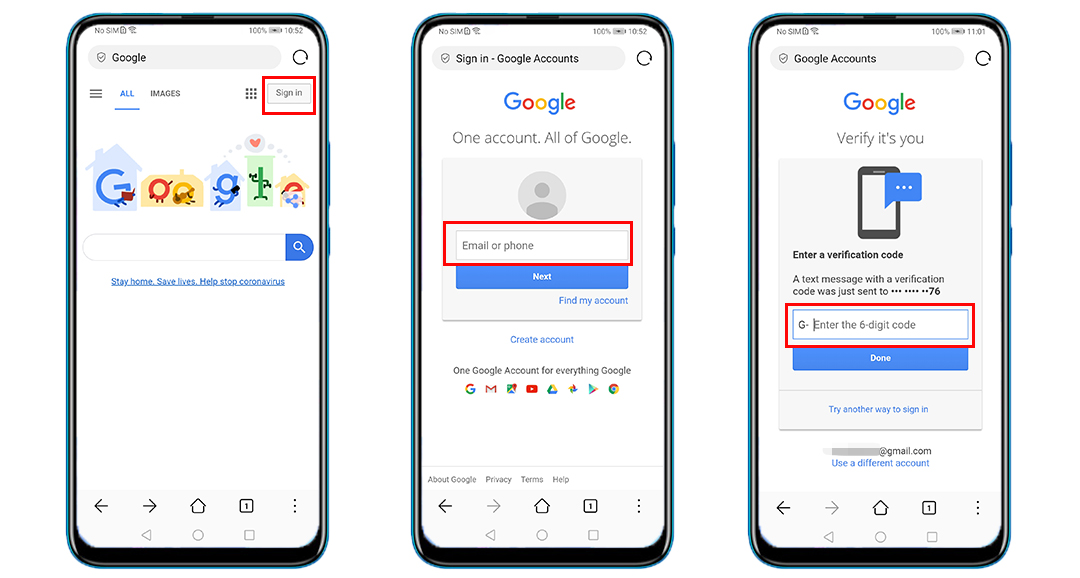
They may ask you for verification to login.
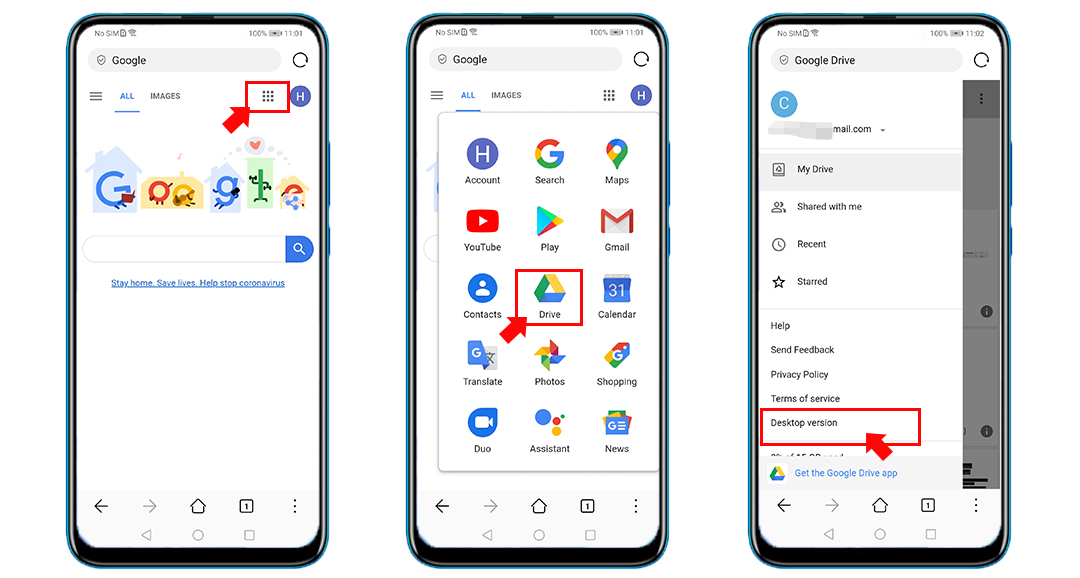
Step 2:
-Click on the 9-square grid of Google Apps on top right side
-Choose Google Drive to open it
-Click the hamburger menu
-Choose Desktop Version.
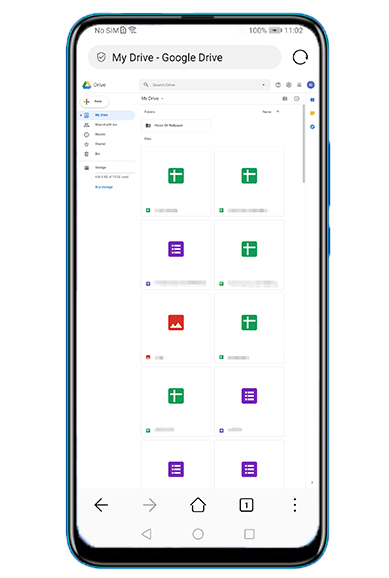
Now you can enjoy your Google Drive! Don’t forget to bookmark it and save it to your home screen.
For me personally I’m quite used to it and completely OK to use Google Drive in this way.
Also, I’d like to share with you below 2 apps which can be good alternatives to Google Drive:
1. File Commander
File Commander is a powerful file manager that allows you to handle any file on your Android device, cloud storage or network location via a clean and intuitive interface. Fully optimized for Android P, File Commander is loaded with features - Vault security, Recycle Bin, Storage Analyzer, File Converter & also receive 5GB Free storage on MobiSystems Drive.
You can easily get access to this app from HUAWEI AppGallery now.
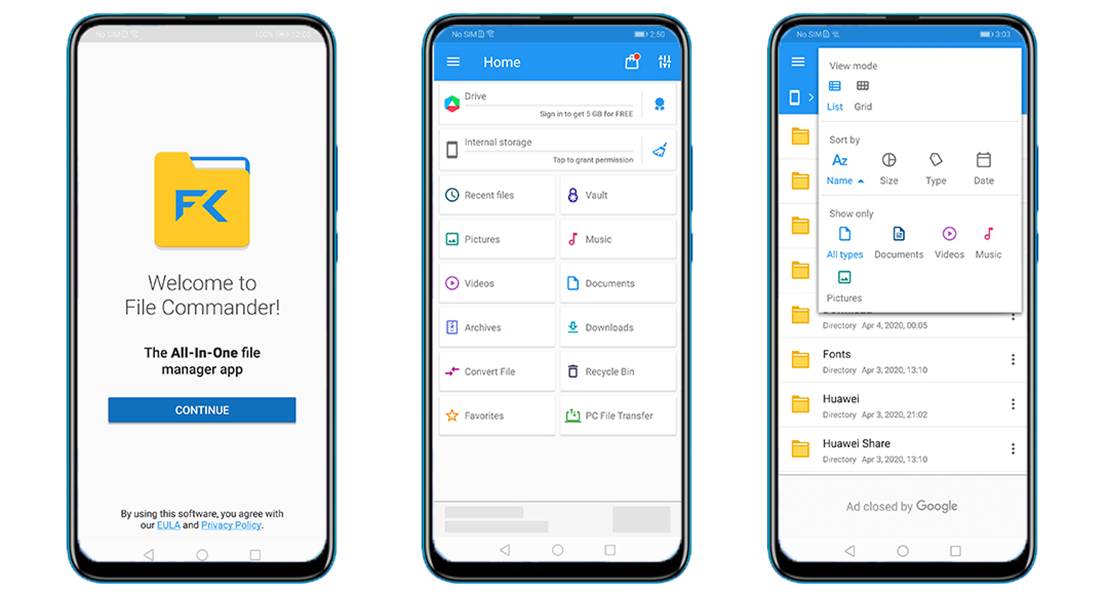
File Commander UI
2. ES File Explorer
ES File Explorer is a great tool for managing files and programs. It comes with a multitude of additional features such as a tool for killing running applications, direct cloud drive storage (via Dropbox, Google Drive, or Skydrive), and an FTP client so you can use it both on your mobile device as well as your PC.
It’s available now on HUAWEI AppGallery!
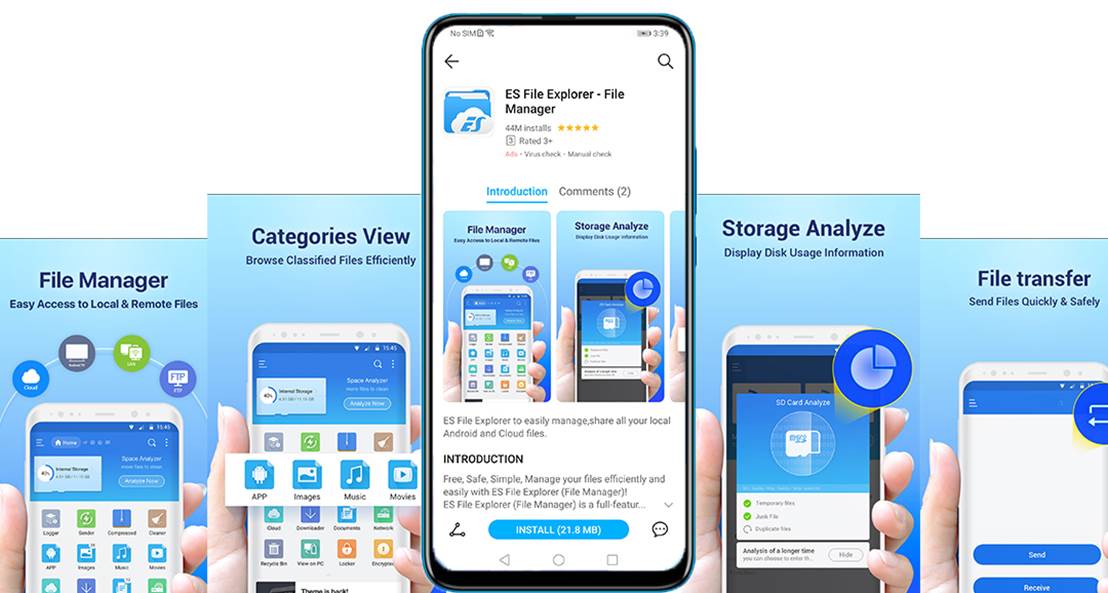
Follow me to get the most updated information of HMS and App Gallery!


- Posts
- Following
- Followers
- Energy
-

ColarHill
-
+ Follow

-
- 66 Posts
- 25 Following
- 209 Followers
- 4075 Energy



- Posts
- photo
- video

Hey Guys,
If you just switched to the latest HONOR device HONOR 9X PRO/HONOR View30 PRO from your old phone, there might be a chance that you ask the question ‘how to use Google Drive on my new device or am I still able to transfer data to my Google Drive account on a phone with HMS’.
Hope this post clarifies your questions.
First of all, you can use Google Drive through its web page:
Step 1: Open the preinstalled browser (HUAWEI browser) and log into your Google Account:
They may ask you for verification to login.
Step 2:
-Click on the 9-square grid of Google Apps on top right side
-Choose Google Drive to open it
-Click the hamburger menu
-Choose Desktop Version.
Now you can enjoy your Google Drive! Don’t forget to bookmark it and save it to your home screen.
For me personally I’m quite used to it and completely OK to use Google Drive in this way.
Also, I’d like to share with you below 2 apps which can be good alternatives to Google Drive:
1. File Commander
File Commander is a powerful file manager that allows you to handle any file on your Android device, cloud storage or network location via a clean and intuitive interface. Fully optimized for Android P, File Commander is loaded with features - Vault security, Recycle Bin, Storage Analyzer, File Converter & also receive 5GB Free storage on MobiSystems Drive.
You can easily get access to this app from HUAWEI AppGallery now.
File Commander UI
2. ES File Explorer
ES File Explorer is a great tool for managing files and programs. It comes with a multitude of additional features such as a tool for killing running applications, direct cloud drive storage (via Dropbox, Google Drive, or Skydrive), and an FTP client so you can use it both on your mobile device as well as your PC.
It’s available now on HUAWEI AppGallery!
Follow me to get the most updated information of HMS and App Gallery!