



 More Products
 Compare














我的荣耀 开启荣耀之旅



 Disagree Terms
 Log out




[APP Guide] How to Install and use ColorNote on HONOR 9X PRO


 Last reply :
Hey Guys,
Today I’m going to show you how to install ColorNote on HONOR 9X PRO in this step-by-step tutorial. ColorNote is a simple and easy tool for you to quickly create notes and lists. I hope this tutorial can help you whether you are an old or new user of it.
There are 2 ways to install ColorNote on HONOR 9X PRO. First is to download it from Amazon Appstore. You need to have an Amazon account and search ColorNote in Amazon Appstore and then install it. Second is by Phone Clone, which I prefer and will show you in below.
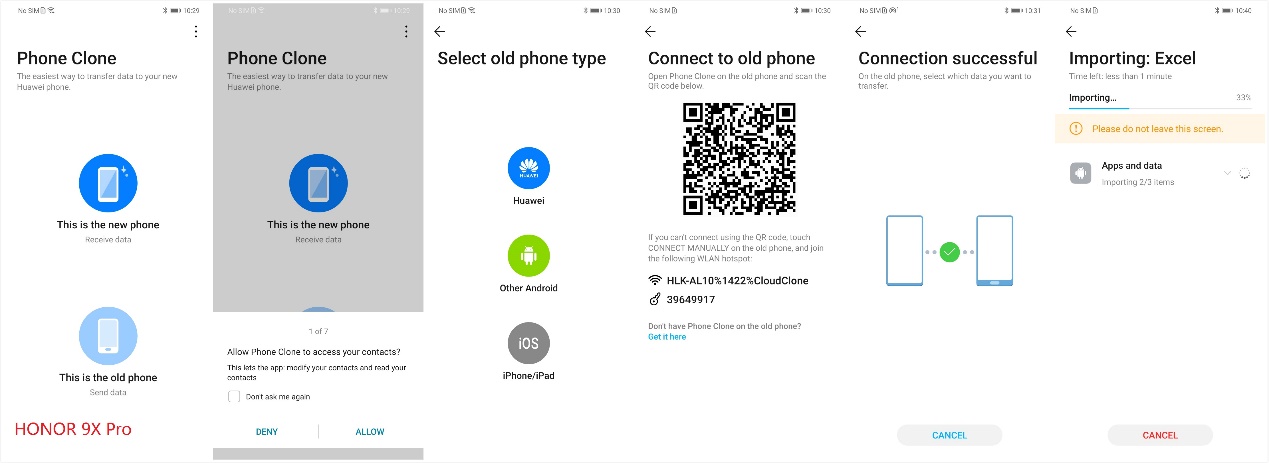
First is to open Phone Clone on both of your old phone and new HONOR 9X PRO, then use the new phone to scan the QR code on the old phone as the guidance shows on Phone Clone.
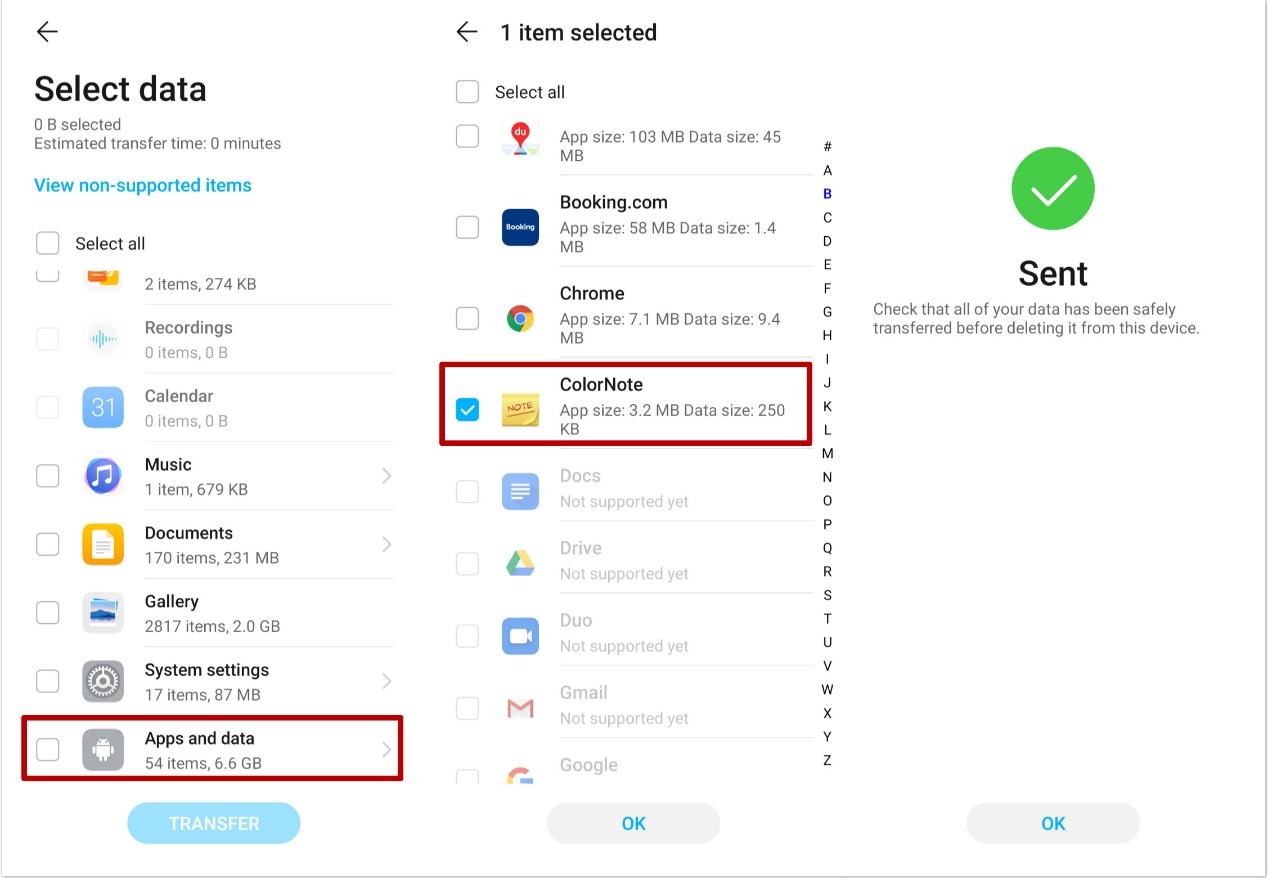
Senond you need to select the data that you want to transfer, well, actually you can select them all but here I’m just showing how to tranfer ColorNote so I chose ColorNote only as in below screenshot.
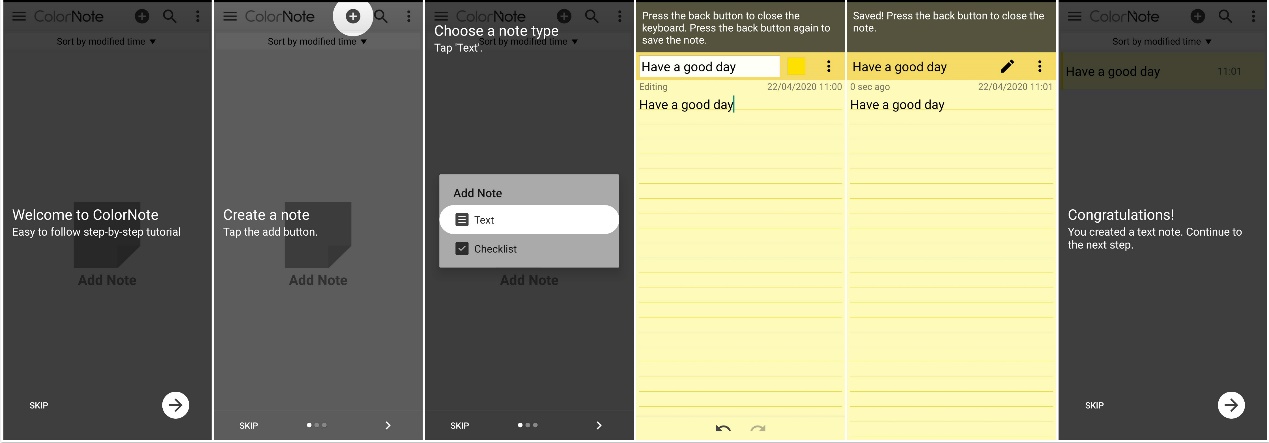
Last when the transfer is done you can open ColorNote on your new phone and start to use it. You’ll surprisingly find that the app shows you the step-by-step tutorial itself. Check how easy it is!
How to create a note:
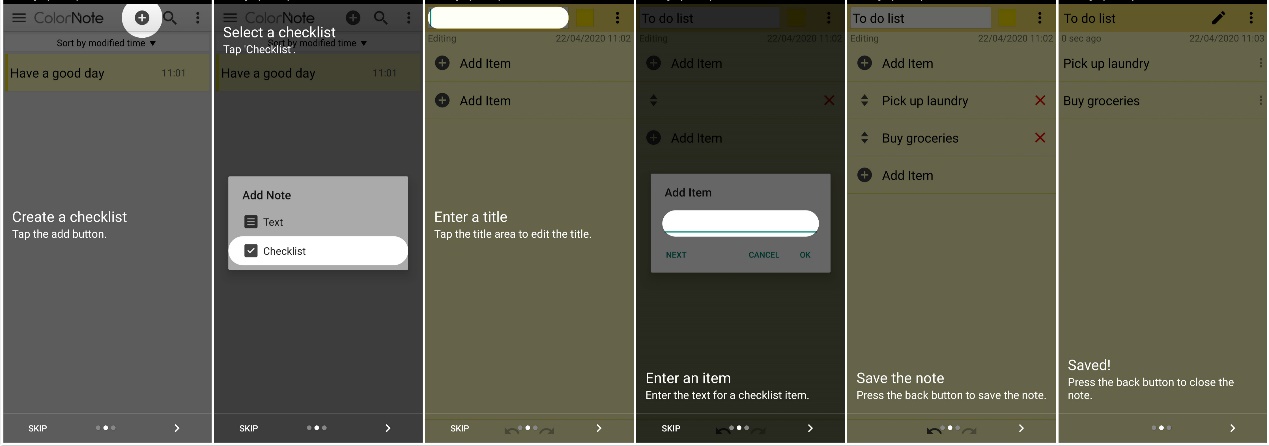
How to create a checklist:
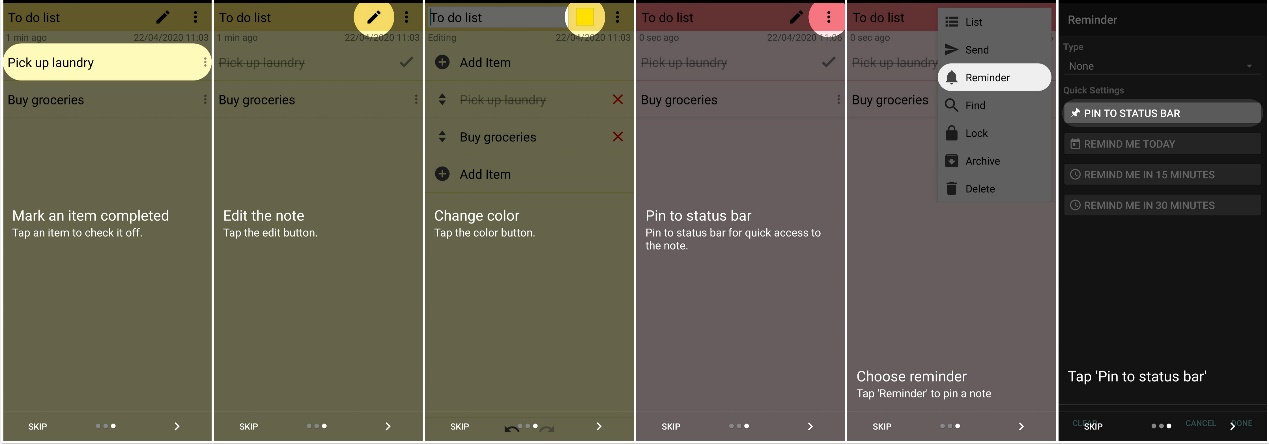
How to Mark, Edit, Change color, and Pin the checklist item:
That’s all for this guide. Thanks for reading and please comment below if you have any questions!
Follow me to get the most updated information of HMS and App Gallery!


- Posts
- Following
- Followers
- Energy
-

ColarHill
-
+ Follow

-
- 66 Posts
- 25 Following
- 209 Followers
- 4075 Energy



- Posts
- photo
- video

Hey Guys,
Today I’m going to show you how to install ColorNote on HONOR 9X PRO in this step-by-step tutorial. ColorNote is a simple and easy tool for you to quickly create notes and lists. I hope this tutorial can help you whether you are an old or new user of it.
There are 2 ways to install ColorNote on HONOR 9X PRO. First is to download it from Amazon Appstore. You need to have an Amazon account and search ColorNote in Amazon Appstore and then install it. Second is by Phone Clone, which I prefer and will show you in below.
First is to open Phone Clone on both of your old phone and new HONOR 9X PRO, then use the new phone to scan the QR code on the old phone as the guidance shows on Phone Clone.
Senond you need to select the data that you want to transfer, well, actually you can select them all but here I’m just showing how to tranfer ColorNote so I chose ColorNote only as in below screenshot.
Last when the transfer is done you can open ColorNote on your new phone and start to use it. You’ll surprisingly find that the app shows you the step-by-step tutorial itself. Check how easy it is!
How to create a note:
How to create a checklist:
How to Mark, Edit, Change color, and Pin the checklist item:
That’s all for this guide. Thanks for reading and please comment below if you have any questions!
Follow me to get the most updated information of HMS and App Gallery!