



 More Products
 Compare














我的荣耀 开启荣耀之旅



 Disagree Terms
 Log out




[App Guide] 3 Steps to Get Line on HONOR 9X PRO


 Last reply :
[App Guide] 3 Steps to Get Line on HONOR 9X PRO
Hey guys,
These days, I received several inbox messages asking about the app Line: Free calls and messages. So I decided to share with you guys today about how to get this app on your HONOR 9X PRO or any other HMS supported phone.

Some users said they got the app through Apkpure, yet failed to open it or it doesn’t work properly on their phones. I’m not very clear about the problem. But here I have a better option for you.
Actually we can get Line directly from its official website:
Step 1: Enter the official website of Line: https://line.me/en/download from your browser;
Step 2: Download the APK for android smartphones; (Note: Do not choose Google Play Download)
Step 3: Install it to your device
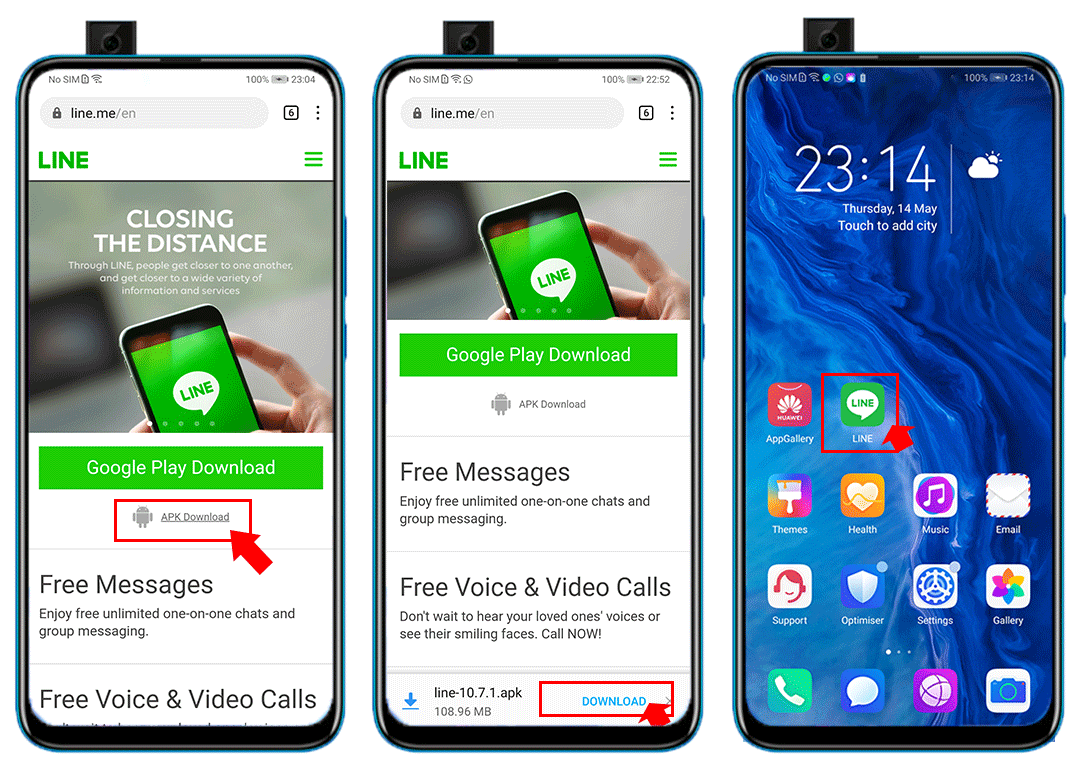
You will see the app on your home screen. And you can enjoy it now!
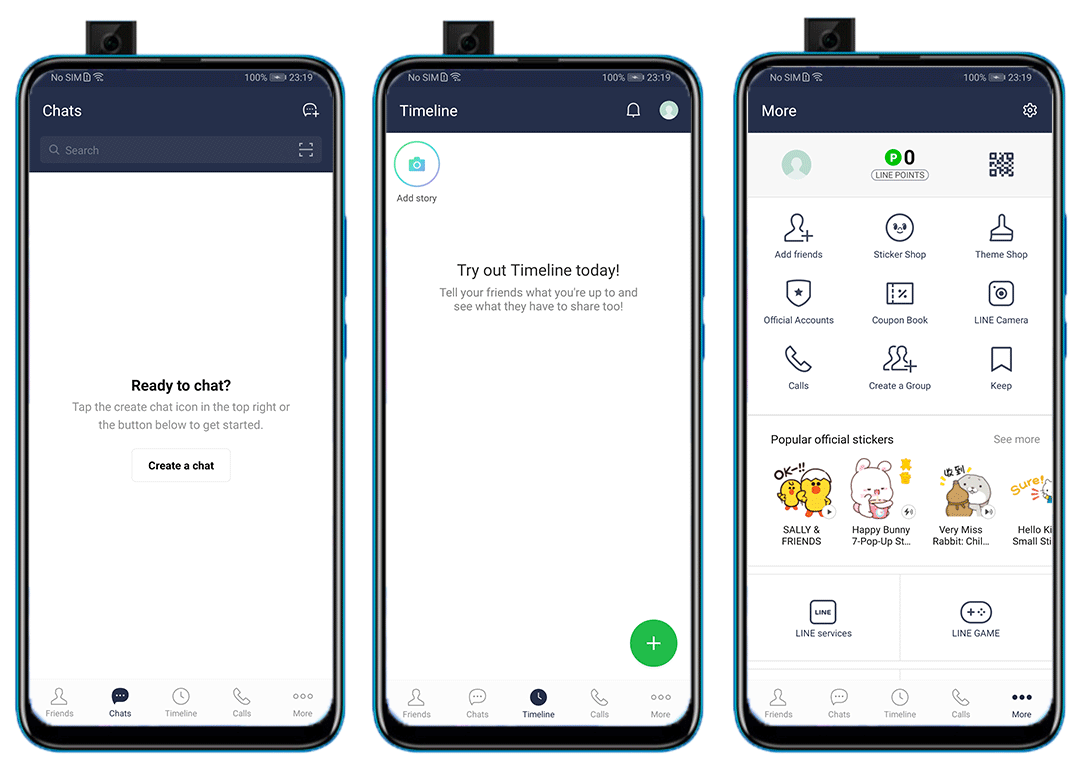
(The UI of Line)
That’s all for this post. Hope you guys like it! Don’t forget to follow me for more app guides!


- Posts
- Following
- Followers
- Energy
-

ColarHill
-
+ Follow

-
- 66 Posts
- 25 Following
- 209 Followers
- 4075 Energy



- Posts
- photo
- video

[App Guide] 3 Steps to Get Line on HONOR 9X PRO
Hey guys,
These days, I received several inbox messages asking about the app Line: Free calls and messages. So I decided to share with you guys today about how to get this app on your HONOR 9X PRO or any other HMS supported phone.
Some users said they got the app through Apkpure, yet failed to open it or it doesn’t work properly on their phones. I’m not very clear about the problem. But here I have a better option for you.
Actually we can get Line directly from its official website:
Step 1: Enter the official website of Line: https://line.me/en/download from your browser;
Step 2: Download the APK for android smartphones; (Note: Do not choose Google Play Download)
Step 3: Install it to your device
You will see the app on your home screen. And you can enjoy it now!
(The UI of Line)
That’s all for this post. Hope you guys like it! Don’t forget to follow me for more app guides!