



 More Products
 Compare














我的荣耀 开启荣耀之旅



 Disagree Terms
 Log out




[App Gallery ]"Petal Search - Find Apps" Homescreen Widget is Available on HONOR 9X PRO!


 Last reply :
Hey Guys,
I am very proud that I am one of the users of HONOR 9X PRO, the team sincerely made huge progress in the development of the AppGallery recently. I heard there are over 1.5M developers and content providers currently working on the platform. So the good news is coming, they introduce another way for our users to get what we love.
Petal Search - Find Apps
is a new search widget that helps HMS device owners to seamlessly find the apps, content, and news they want. Designed by Huawei and powered by the third-party search partners such as Qwant and Yandex, the new tool gives HMS users access and choice in the world of apps in a way they haven’t had before.
So let's see how does it work on the HONOR 9X PRO!
There are three easy steps to getting the most out of Petal Search - Find Apps.
Step 1
To support you in sourcing all of the apps that you need on your HONOR 9X PRO, Petal Search - Find Apps helps you do just that.
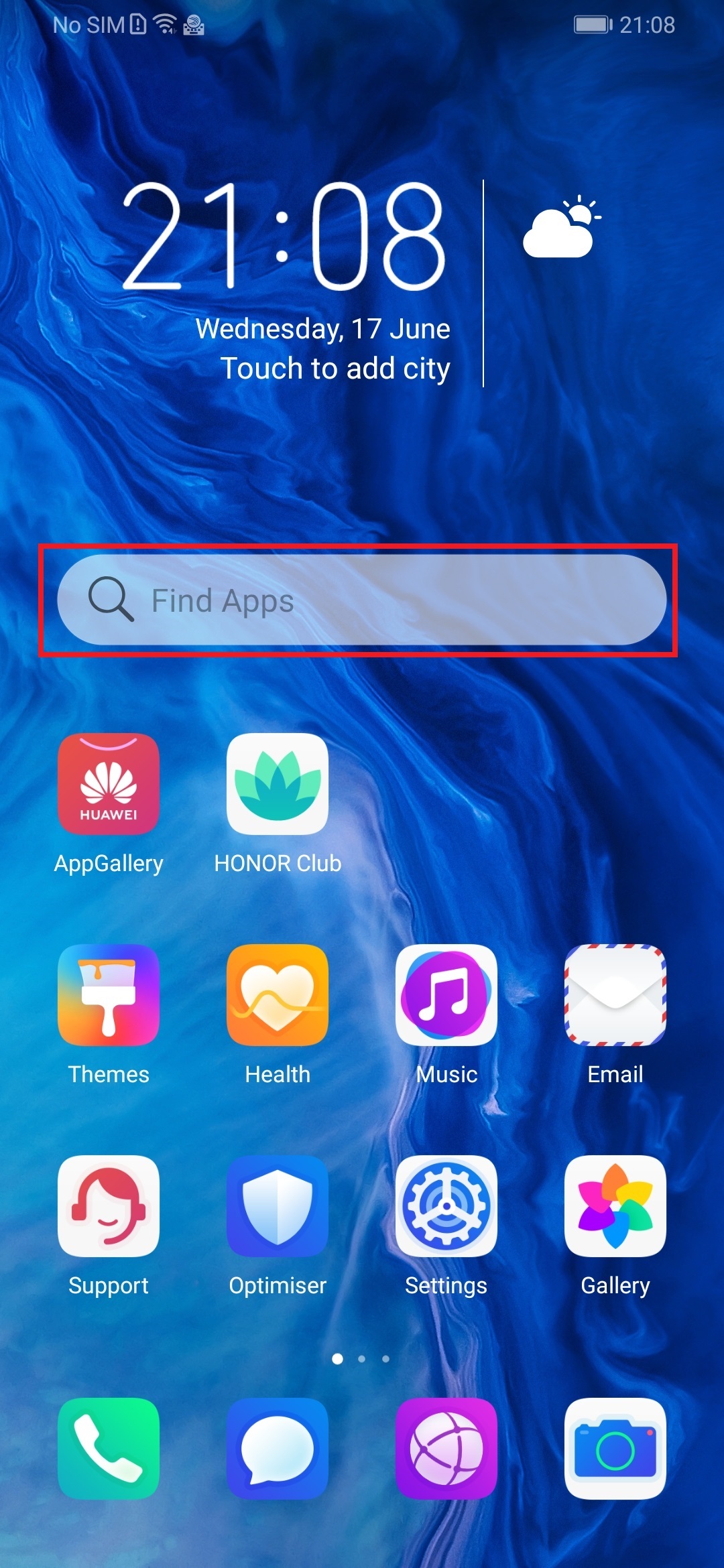
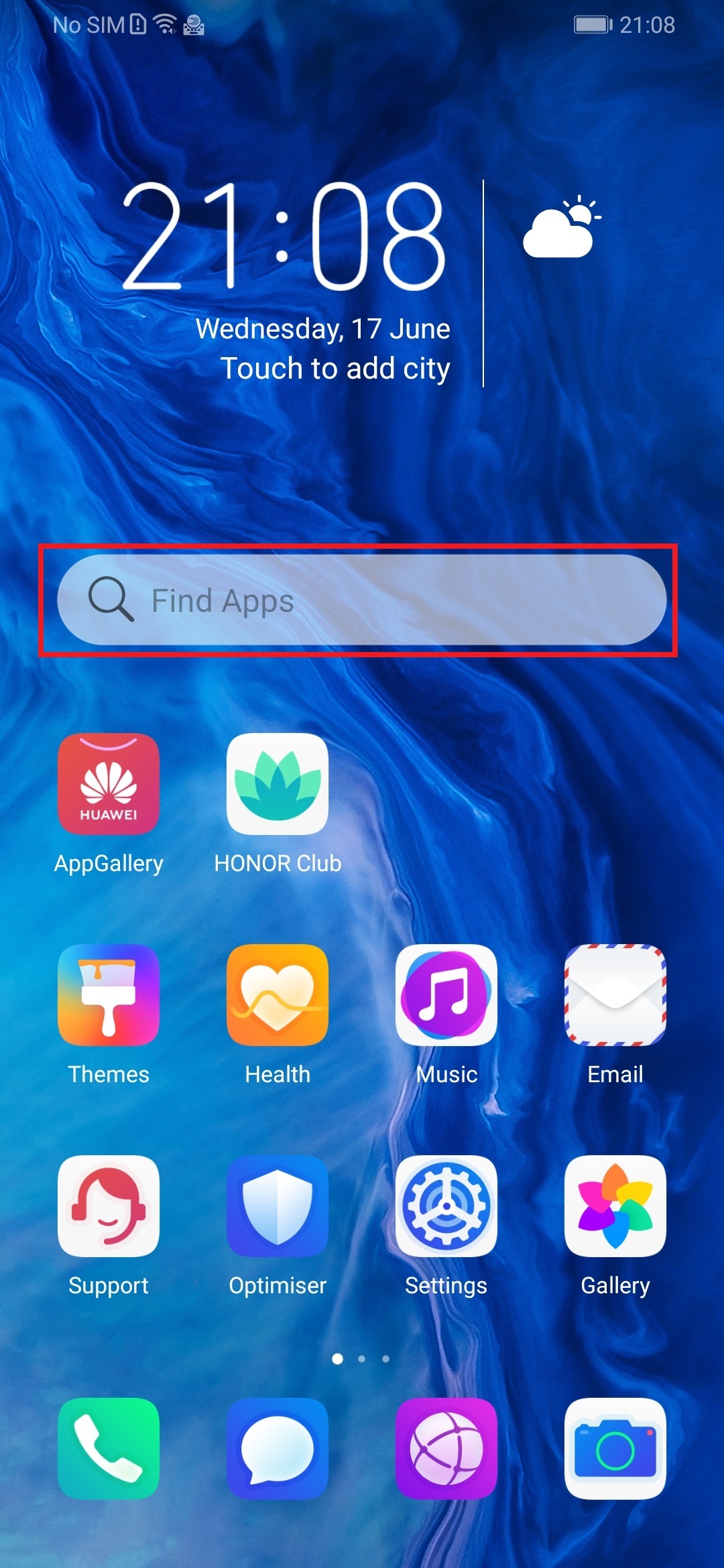
Once set up, simply click on the ‘Find Apps’ bar on your home screen to get started.
Step 2
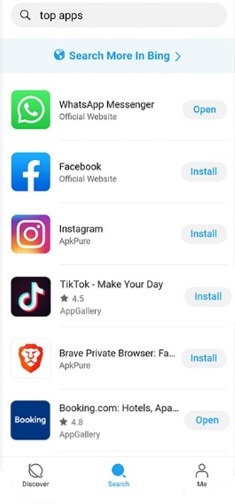
The Petal Search app will show you top apps you may want to download. Simply type in the name of the app you are searching for in the search bar.
Step 3
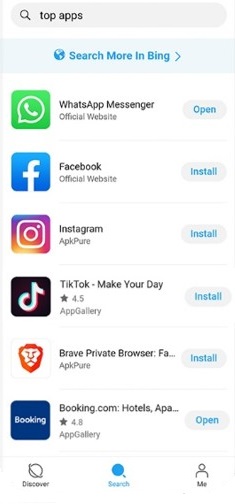
Petal Search - Find Apps will display the most relevant results according to your search. It highlights what you can download from the Huawei AppGallery, install via an official link, utilize the web version, or install from another 3rd party store.
How do I get it on my HONOR 9X PRO?
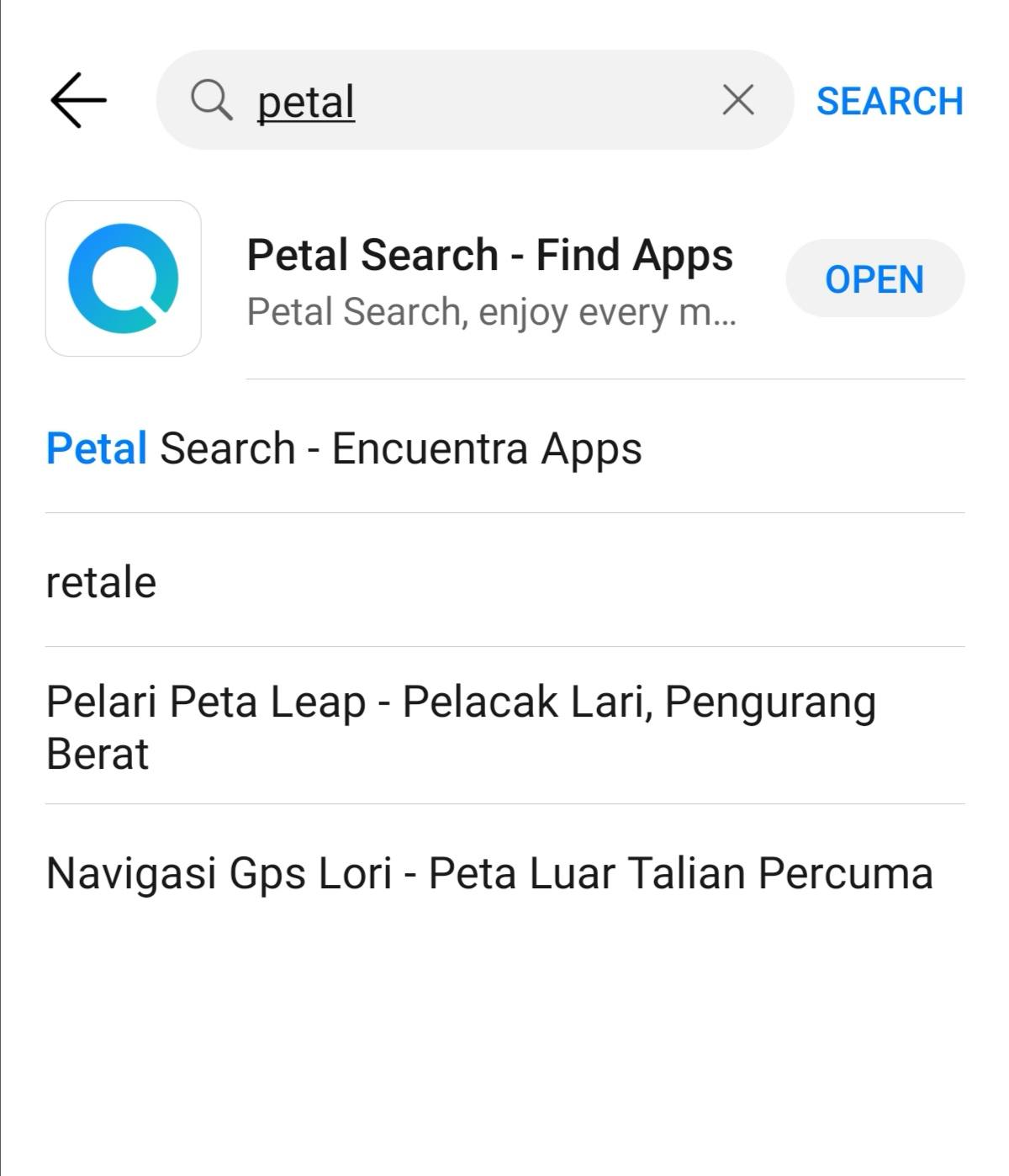
1. Open App Gallery and search for Petal and install Petal Search:
2. On your home screen, execute a pinch gesture to access the home screen settings:
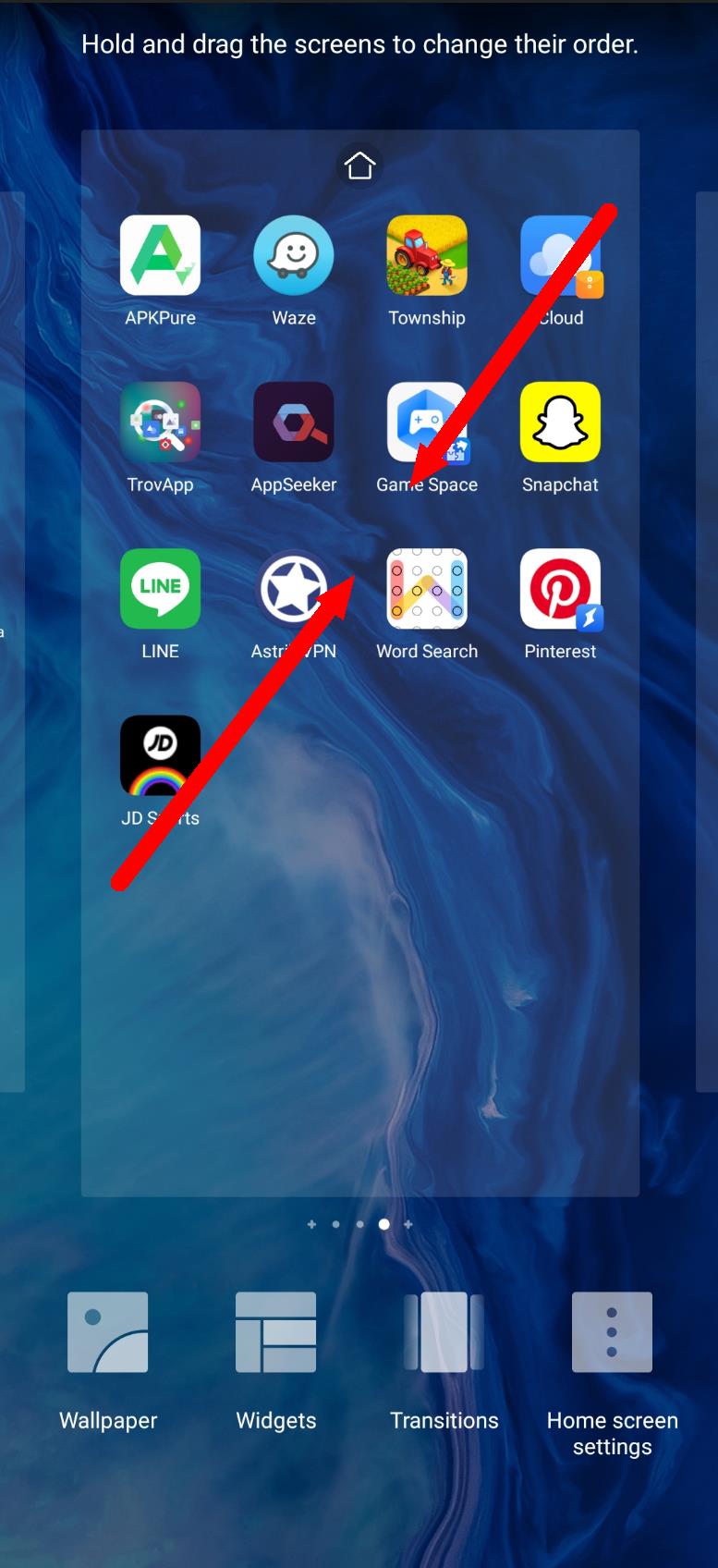
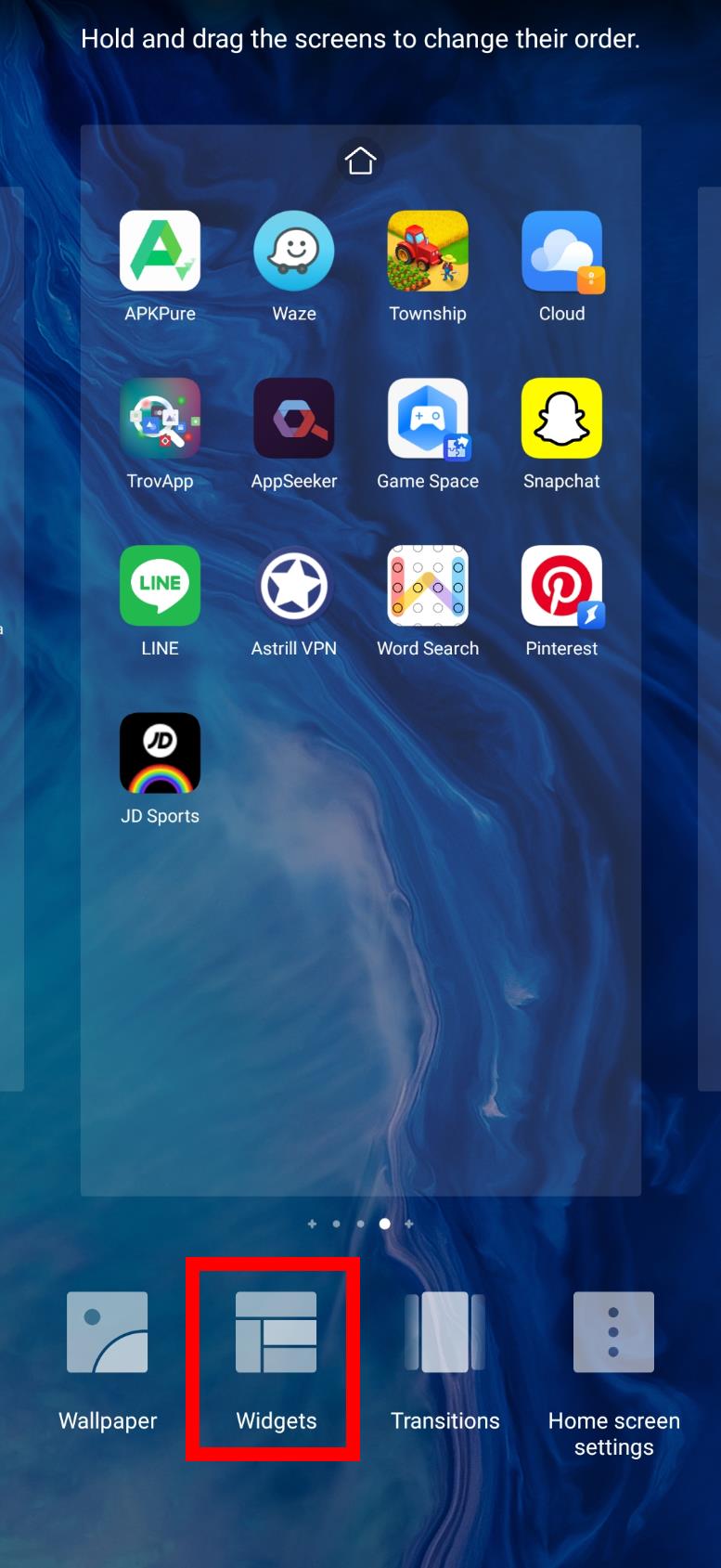
3. Tap on the Widgets icon at the bottom:
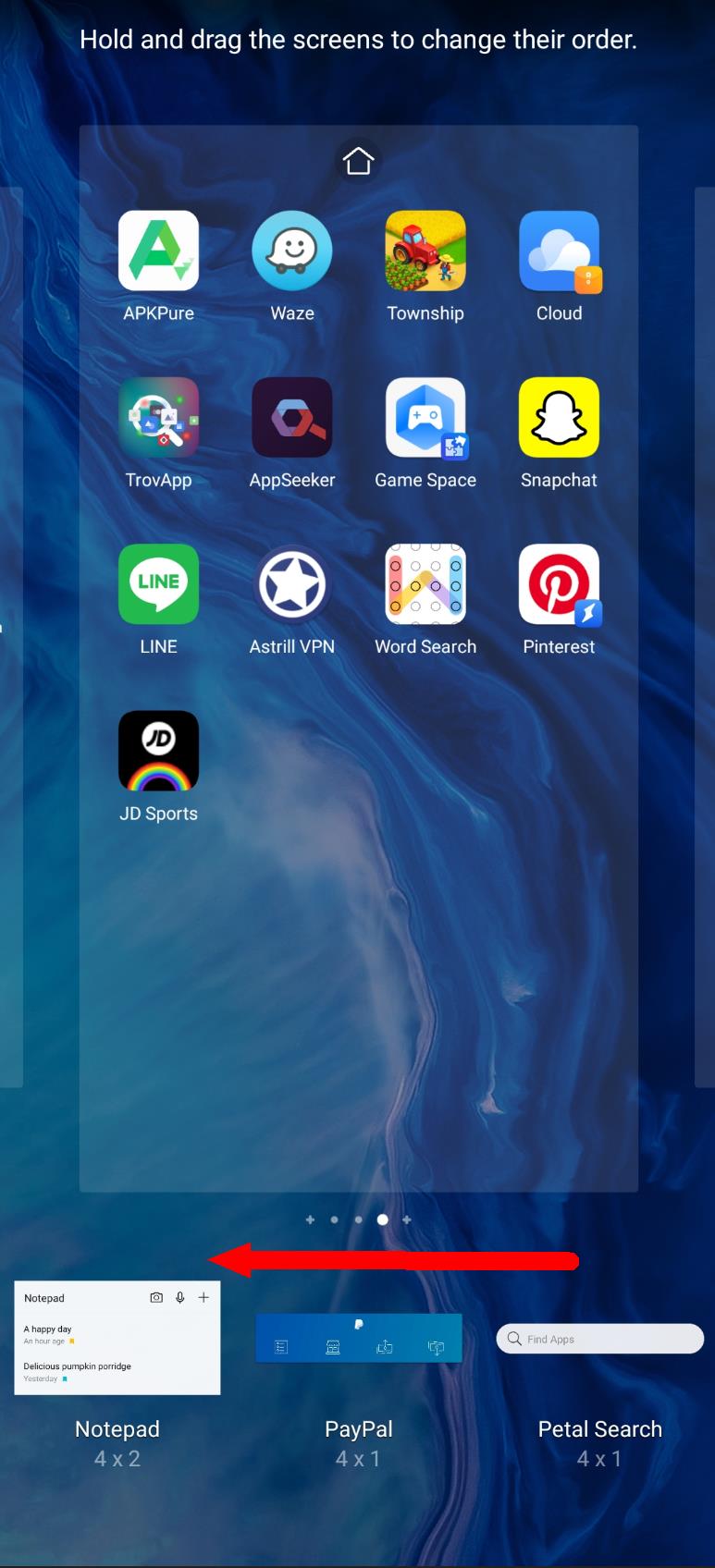
4. Scroll to the left through all the widgets until you find Petal Search:
5. When you find it, press and hold on the widget and drag it to your home screen and let go:
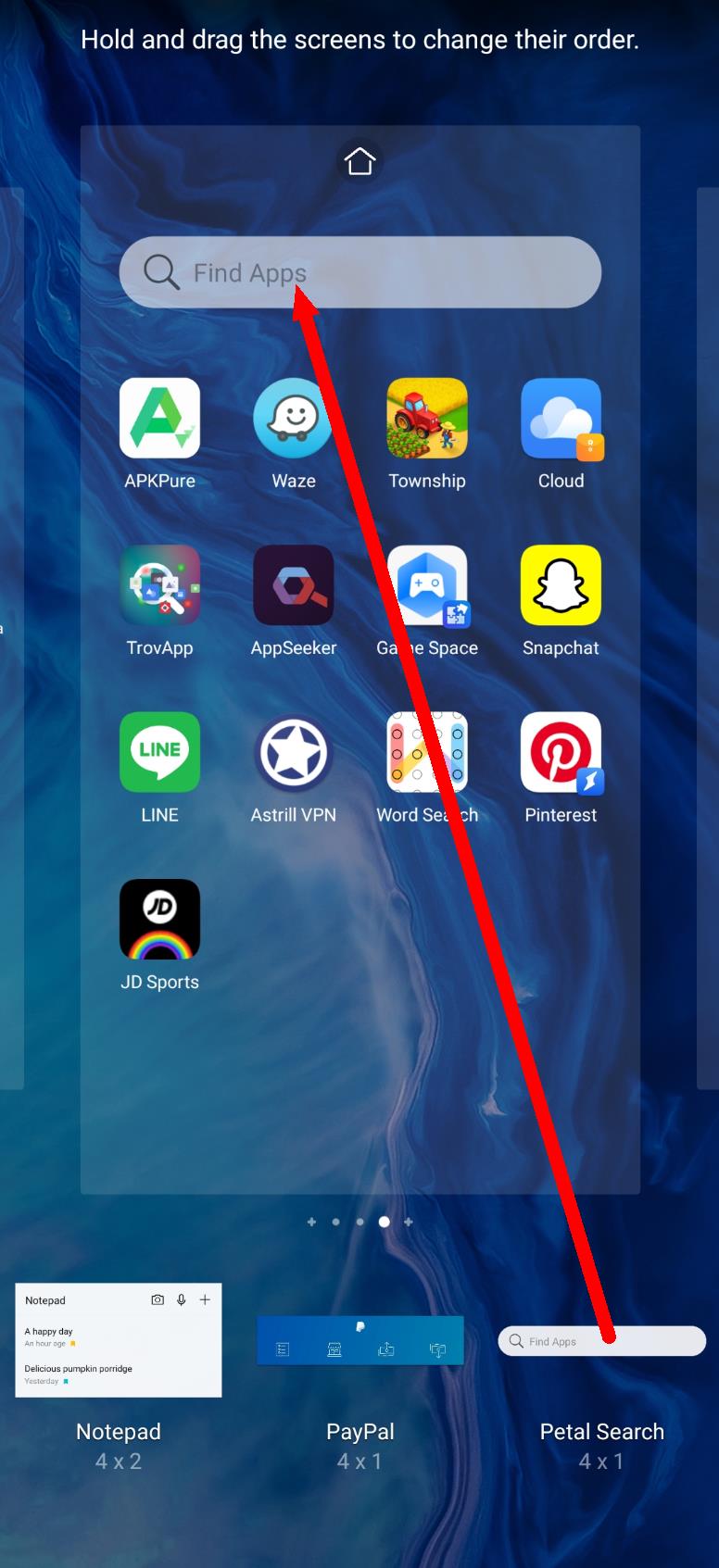
6. That's it! You now have petal search widget on your home screen:
Follow me to get the most updated information of HMS and App Gallery!


- Posts
- Following
- Followers
- Energy
-

ColarHill
-
+ Follow

-
- 66 Posts
- 25 Following
- 209 Followers
- 4075 Energy



- Posts
- photo
- video

Hey Guys,
I am very proud that I am one of the users of HONOR 9X PRO, the team sincerely made huge progress in the development of the AppGallery recently. I heard there are over 1.5M developers and content providers currently working on the platform. So the good news is coming, they introduce another way for our users to get what we love.
Petal Search - Find Apps
is a new search widget that helps HMS device owners to seamlessly find the apps, content, and news they want. Designed by Huawei and powered by the third-party search partners such as Qwant and Yandex, the new tool gives HMS users access and choice in the world of apps in a way they haven’t had before.
So let's see how does it work on the HONOR 9X PRO!
There are three easy steps to getting the most out of Petal Search - Find Apps.
Step 1
To support you in sourcing all of the apps that you need on your HONOR 9X PRO, Petal Search - Find Apps helps you do just that.
Once set up, simply click on the ‘Find Apps’ bar on your home screen to get started.
Step 2
The Petal Search app will show you top apps you may want to download. Simply type in the name of the app you are searching for in the search bar.
Step 3
Petal Search - Find Apps will display the most relevant results according to your search. It highlights what you can download from the Huawei AppGallery, install via an official link, utilize the web version, or install from another 3rd party store.
How do I get it on my HONOR 9X PRO?
1. Open App Gallery and search for Petal and install Petal Search:
2. On your home screen, execute a pinch gesture to access the home screen settings:
3. Tap on the Widgets icon at the bottom:
4. Scroll to the left through all the widgets until you find Petal Search:
5. When you find it, press and hold on the widget and drag it to your home screen and let go:
6. That's it! You now have petal search widget on your home screen:
Follow me to get the most updated information of HMS and App Gallery!