

 More Products
 Compare







Inconsistent displays of the computer model in the system and on the back of the computer
| Inconsistent displays of the computer model in the system and on the back of the computer |
Problem
The user finds that the computer model displayed in the system is inconsistent with that displayed on the back of the computer. For example, the computer model displayed in the system is MACH-WX9 while that displayed on the back of the computer is MACH-W29.
Check the computer model in the system:
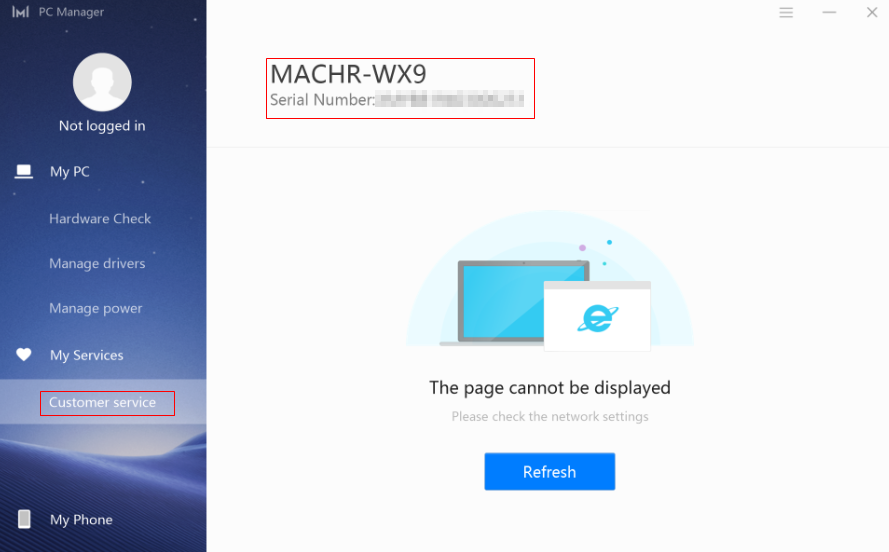
Method 1: Open PC Manager, click Customer service, and then check the computer model on the right.
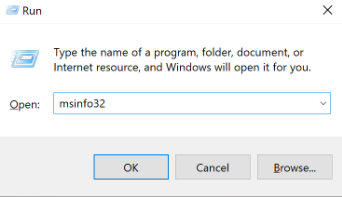
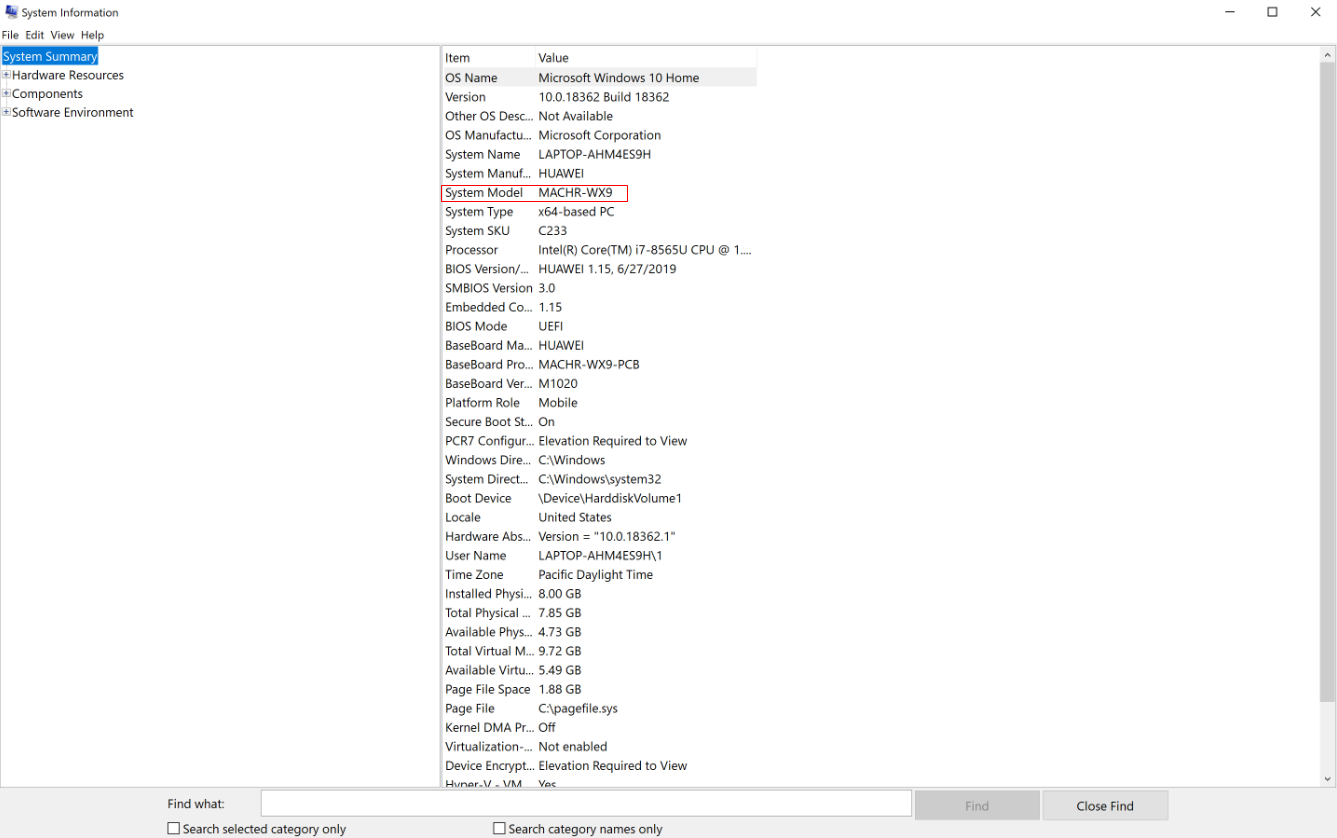
Method 2: Press the Win and R keys at the same time to open the Run window, enter msinfo32, and click OK. The user can then check the computer model displayed next to System Model.
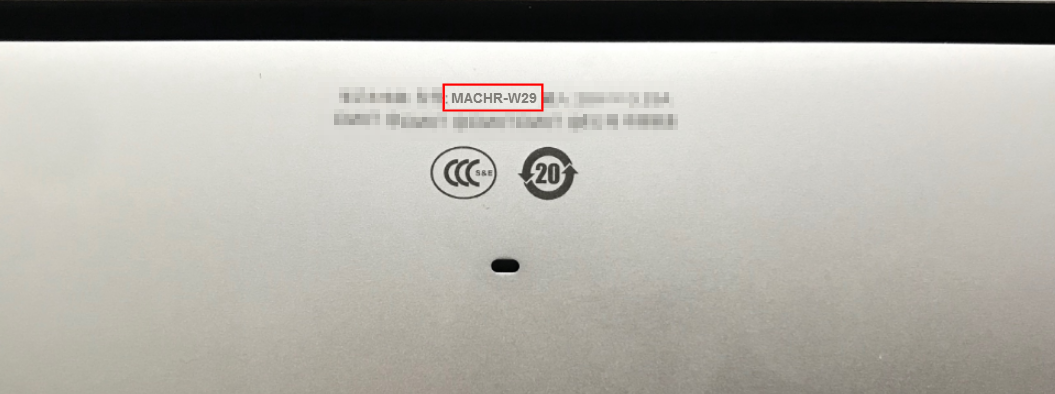
Check the computer model on the back of the computer:
Cause
This is because the computer model displayed on the back of the computer is the sub-model number. Each computer model may have various sub-models. In this case, Honor uses X a wildcard to represent different sub-models. For example, if the computer model in the system is displayed as MACH-WX9, it indicates that the sub-model (displayed on the back of the computer) may be MACH-W19, MACH-W29, and so on.

This does not indicate that your computer has any issues, and there is no need to be concerned.
微信扫描二维码分享文章
More Support


