

 More Products
 Compare













Unable to connect to the wireless hotspot
| Unable to connect to the wireless hotspot |
Problem
The user finds that the computer cannot connect to a wireless hotspot (such as a wireless router) or the computer disconnects from the Wi-Fi network on its own after using it for a while and cannot connect to a wireless hotspot (such as a wireless router).
Cause
There is an issue with the Wi-Fi driver and the Windows 10 system patch.
Solution
Update the Wi-Fi driver to the latest version and the Microsoft Windows 10 system patch. If your computer has not connected to a Wi-Fi network, connect it to your phone's hotspot or use the USB shared network.
1. Update the Wi-Fi driver to its latest version
Method 1: Download the latest version of the Wi-Fi driver from the official Honor website
Method 2: Update the Wi-Fi driver using PC Manager
Open PC Manager, click Drivers and Check, then install the latest version of the Wi-Fi driver.
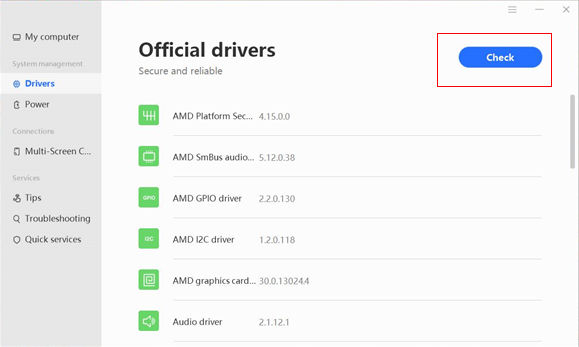

There is a possibility that the latest version of the Wi-Fi driver that can resolve this issue has not been pushed to PC Manager on your computer.
2. Update the system to the latest version and patch of Windows 10.
微信扫描二维码分享文章
More Support


