

 More Products
 Compare













Free up your computer storage space automatically
| Free up your computer storage space automatically |
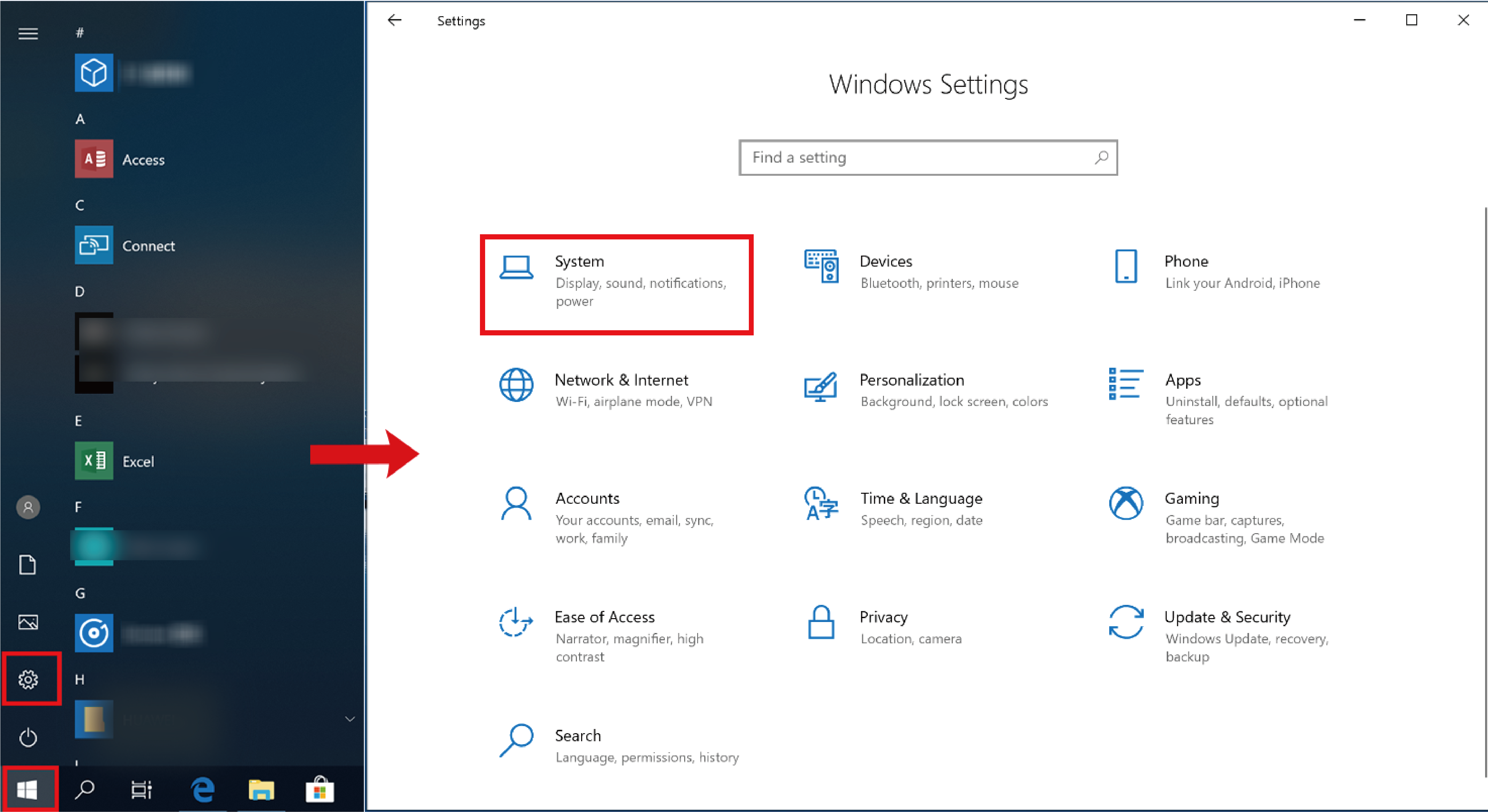
- Click the Windows icon and then Settings icon, and select System.
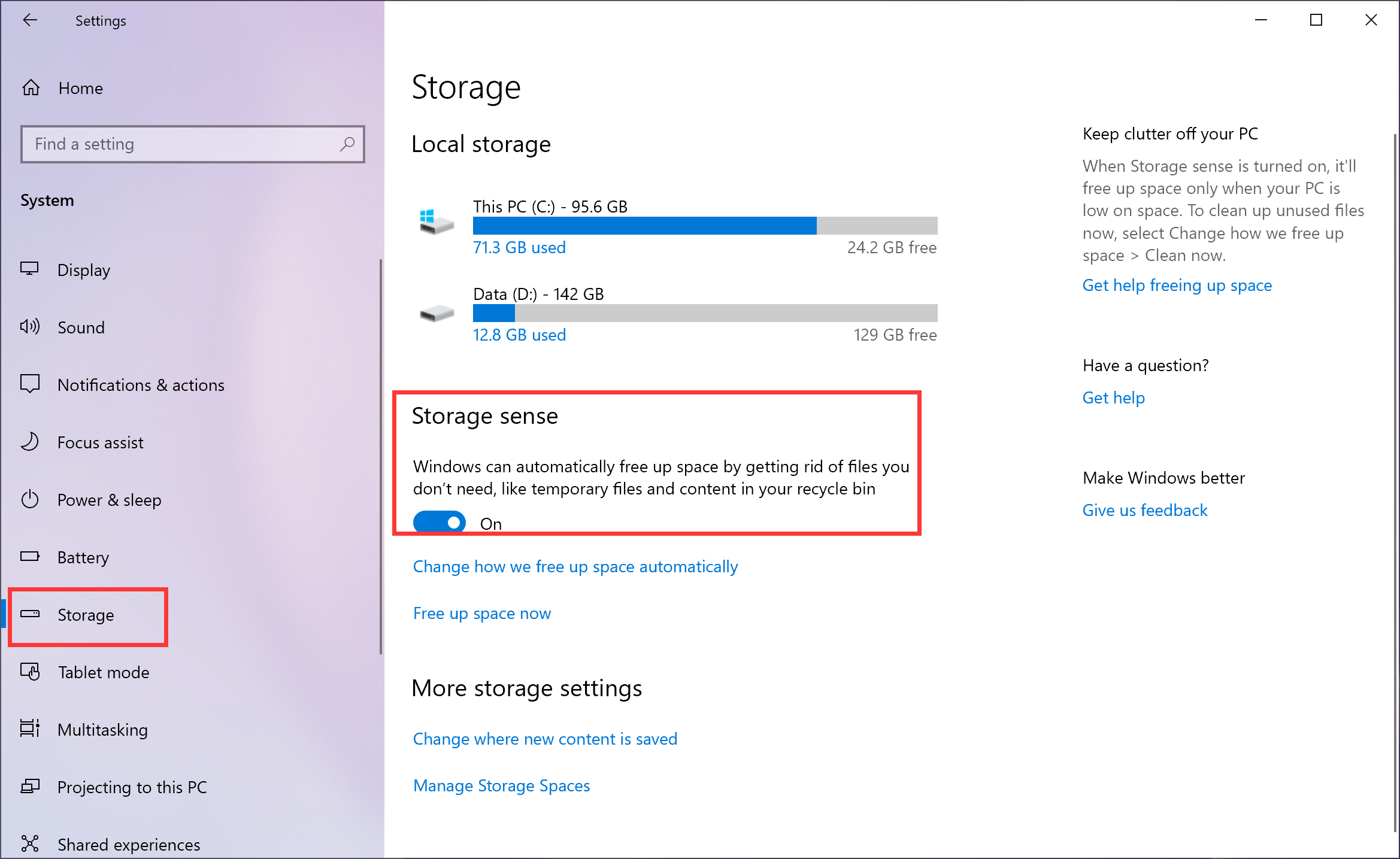
- Click Storage and enable Storage sense.
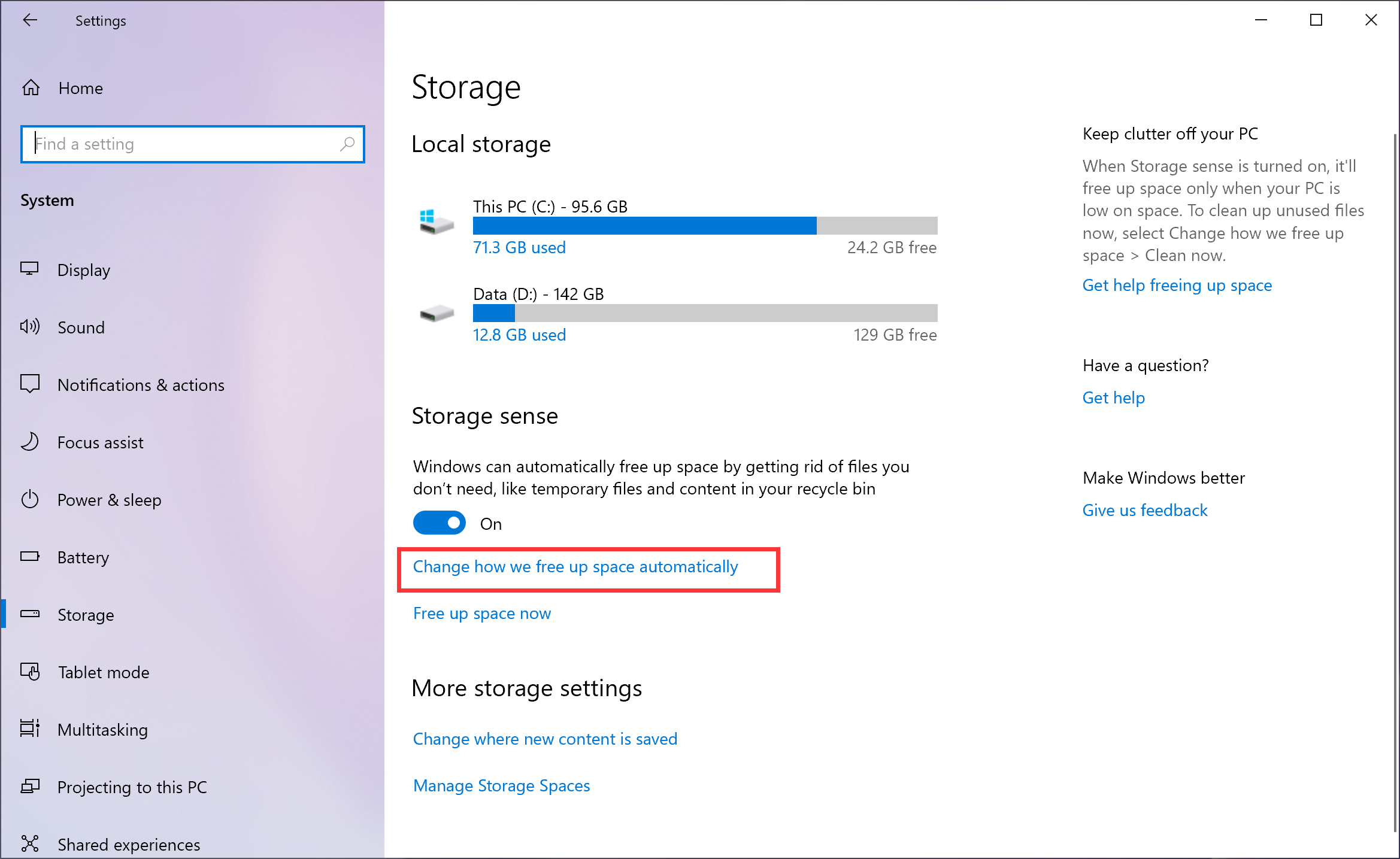
- Click Change how we free up space automatically and change corresponding settings.
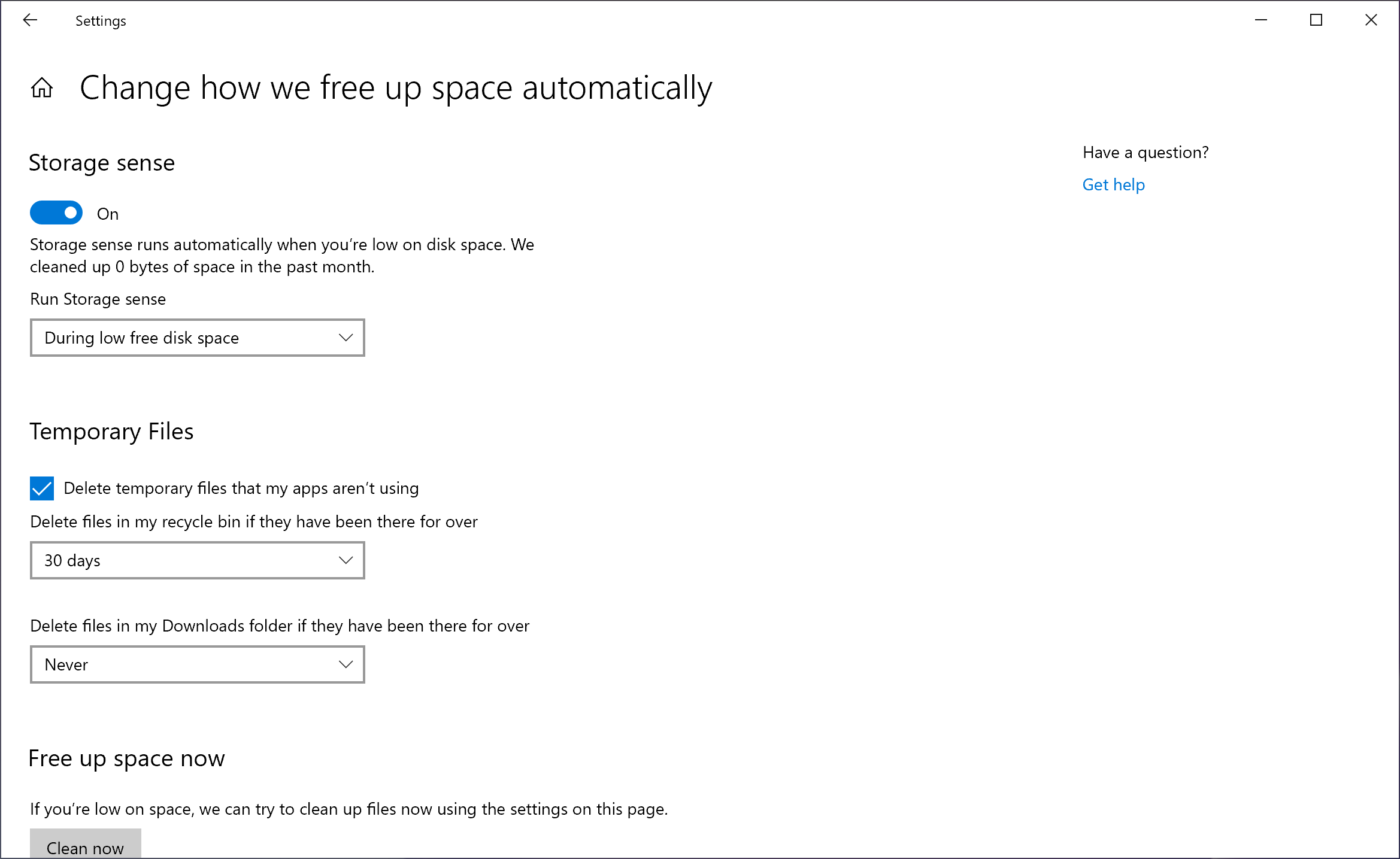

When Storage sense is enabled, Windows can automatically free up space by getting rid of files you don’t need without any file removal prompts.
微信扫描二维码分享文章
Thank you for helping us grow better!
Your response has been submitted successfully!
More Support

Hotline Support
Hotline:
1800-88-5645

Email Support


