
 More Products
 Compare







我的荣耀 开启荣耀之旅
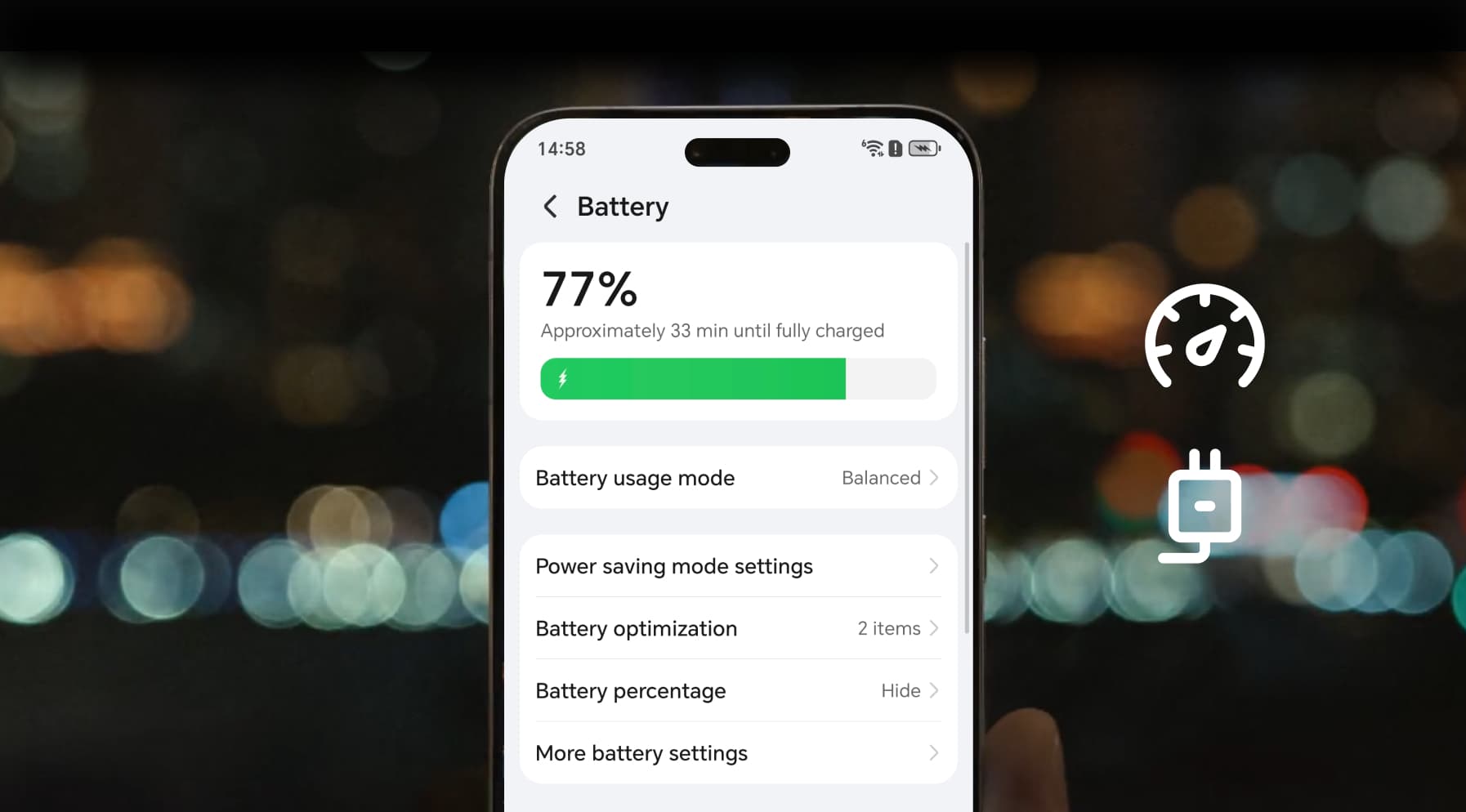
Check How Fast My Phone is Charging
Table of Contents
We’ve all been there. You plug in your phone, hoping for a quick top-up before leaving the house, but the battery barely moves. At this moment, you might wonder: Is my phone fast charging? How do I actually check how fast my phone is charging? With today’s smartphones offering fast and even ultra-fast charging, knowing your device’s speed isn’t just a curiosity—it can save you time and protect your battery health. Let’s break down the easy ways to check and the real reasons behind slow charging.
How to Check the Charging Speed of Your Phone
You don’t need specialist equipment to work out charging speed. With a few simple checks, you can see how fast your phone is charging and find out if your device is performing at full potential or lagging behind. Here are four methods, from the simplest to the most precise.
1. Check the Lock Screen or Notification Bar
The quickest way to see what’s happening is to look at your phone’s display as soon as you plug it in. Many devices reveal right away whether you’re in standard, fast, or super-fast mode.
1. Plug in your charger and cable.
2. Look at your lock screen or top notification.
● On HONOR phones, you’ll often see “SuperCharge” or “Fast Charging”.
● Other Android phones may display “Charging rapidly”.
● iPhones simply show the lightning bolt icon, so you won’t see wattage information here.
If it only says “Charging” without any “fast” or “super” label, you’re probably not charging at the highest speed available. This is the quickest way to check if your phone is fast charging.
2. Use Built-In Battery Settings
Most smartphones include hidden details in the battery menu. These figures—especially the time-to-full estimate—can help you make a rough calculation of how much power your phone is drawing.
1. Open Settings > Battery.
2. Check for an estimated “Time until full.”
3. Do a quick calculation:
● Suppose you’re at 20% battery and the phone says “60 minutes until full”. That means it will add 80% in one hour.
● If your battery is 4,000 mAh, then 80% = 3,200 mAh.
● In one hour, that equals ~3,200 mAh/hour.
● Multiply by voltage (around 3.8V on most phones): 3.2 Ah × 3.8V ≈ 12W charging speed.
It’s not pinpoint accurate, but it gives you a ballpark figure to compare against your phone’s advertised maximum.
3. Download a Charging App
If your phone doesn't display enough information by default, is there an app/tool that can reliably tell you the speed your device is changing at? The answer is yes. There are many apps that can measure current and voltage in real time, so you can calculate charging power more precisely.
1. Download AccuBattery, Ampere, or Battery Guru (Android).
2. Plug in your phone and open the app.
3. The app will show current in milliamps (mA) and sometimes voltage (V).
4. Convert to watts with this formula:
Watts = (mA ÷ 1000) × V
Example: If the app shows 2,500 mA at 4.2V, that’s 2.5A × 4.2V = 10.5W.
If your device claims to support 30W charging but you only see 10–12W, either the charger, cable, or phone settings are limiting the speed.
4. Use a USB Power Meter (Most Accurate)
For those who want numbers they can trust, a USB power meter is the gold standard. These small gadgets cost less than a takeaway but give you professional-level readings.
1. Plug the meter into your charger.
2. Connect your cable and then your phone.
3. The screen shows voltage (V) and current (A) in real time.
4. Multiply those numbers:
Watts = Volts × Amps
Example: 8.9V × 3.0A = 26.7W.
This is how reviewers and technicians confirm charging speeds. It removes the guesswork and directly lets you monitor the power going into your phone from a charger.
What Affects the Charging Speed of Your Phone
So you’ve checked and your phone is charging slower than expected. Why? Charging speed isn’t just about the charger—it’s a balancing act between hardware, software, and even the weather outside.
Charger Wattage Matters
A 5W charger is the old standard and feels painfully slow in 2026. Fast charging usually starts at 18W–25W, while many flagship Android phones go up to 80W, 100W or even higher. For example, with a 100W Wired SuperCharge, the HONOR Magic7 Pro can charge from empty to 100% in around 36 minutes using the official 100W charger. That’s a dramatic improvement compared with older 18W or 25W adapters, which often take well over an hour to achieve the same level. But remember: a 100W charger won’t magically speed up a phone that only supports 30W.
Cable Quality and Certification
Not all cables are created equal. A worn-out or cheap USB-C cable can bottleneck charging speed dramatically. Some cables only carry 2A (amps), while high-quality fast-charge cables support 5A or more. Using the original cable that came with your smartphone is usually the safest bet.
Phone Model and Battery Health
Your device itself sets the ceiling. If your phone only supports 25W charging, plugging it into a 65W charger won’t help. On top of that, lithium-ion batteries degrade over time. A phone with two years of heavy use may slow charging deliberately to preserve battery health and avoid overheating.
Software and Background Apps
Charging speed also depends on what your phone is doing. If you’re streaming video, gaming, or running background updates, much of the incoming power is diverted to the processor instead of the battery. That’s why your charging speed looks faster when the screen is off.
Temperature and Environment
Heat is the enemy of fast charging. If your phone gets too hot—say you’re charging in direct sunlight—it may throttle charging speed to prevent damage. Cold environments can also cause slower charging because lithium-ion chemistry is less efficient below 10°C.
Wireless vs Wired Charging
Wireless charging has improved with standards like Qi2, but it’s still slower compared to wired charging. A typical wireless pad delivers 7.5W–15W, while wired fast charging can push 30W, 45W, or beyond. If speed is your top concern, wired still wins.
Practical Tips to Charge Your Phone Faster and Safer
If you’re unhappy with your charging speed, we recommend trying these measures:
● Use the Original Charger and Cable: Third-party accessories often don’t match the power profile of your phone.
● Enable Airplane Mode: Cutting off background data dramatically speeds up charging, especially when travelling.
● Avoid Extreme Temperatures: Keep your phone away from direct sunlight or freezing conditions while charging.
● Close Apps or Switch Off the Screen: Less power consumed by the processor = more power into the battery.
● Invest in Certified Accessories: Look for USB-IF certified cables or manufacturer-approved chargers.
Conclusion
Learning how to check how fast your phone is charging helps you troubleshoot problems, extend battery life, and avoid frustration. From checking lock screen notifications to using a USB meter, the process is simple but enlightening. Once you know the speed, you can take practical steps—better chargers, better cables, smarter habits—to make sure your phone is always ready when you need it.
FAQs
How do I check my phone's charging speed?
You can see how fast your phone is charging by looking at on-screen notifications, estimated charging times in settings, using third-party apps, or a USB power meter for accurate wattage.
How to check if a phone has fast charging?
Most phones display a message such as “Fast Charging” or “SuperCharge” when connected to the right charger. You can also check the phone’s specs—if it lists 18W or above, it supports fast charging.
Is a 20W or 30W charger faster?
Yes, a 30W charger can charge faster than a 20W charger, but only if your phone supports it. If your phone caps at 20W, then both chargers will perform the same.
Is a 45W charger faster than a 25W?
Generally yes, but again it depends on the phone. A smartphone that only supports 25W charging won’t draw extra power from a 45W charger.
Can I use a 100W charger instead of 45W?
Yes, but your phone will only take the maximum it supports. Using a higher-wattage charger is safe if it’s certified, but don’t expect faster speeds unless your phone allows it.
Source: HONOR Club
Products Recommend

Latest Blogs


SUBSCRIPTION
I agree to receive the latest offers and information on HONOR products through email or IM (e.g. WhatsApp) provided below and advertisement on third-party platforms. I understand that I can unsubscribe anytime according to Chapter 5 of HONOR Platform Privacy Statement.
CONTACT
