



 More Products
 Compare














How to perform screen translation on an Honor phone?
| How to perform screen translation on an Honor phone? |
Problem
How to perform screen translation on an Honor phone?
Solution
- Turn on the Circle to Search shortcut switch: Go to , then turn on Circle to Search.
- Touch and hold the prompt bar or the Home button (depending on the navigation method) to bring up the Circle to Search screen.
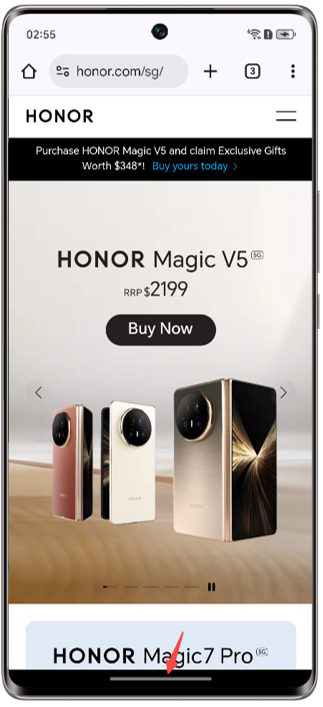
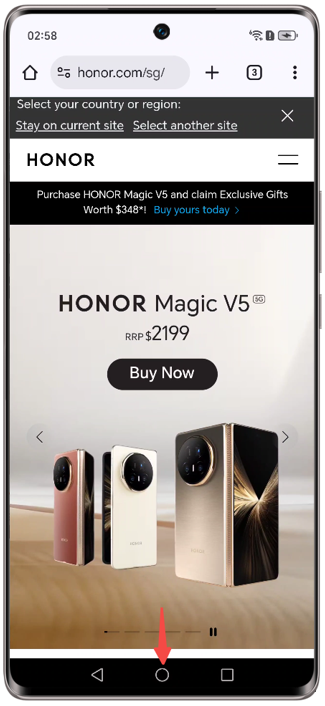
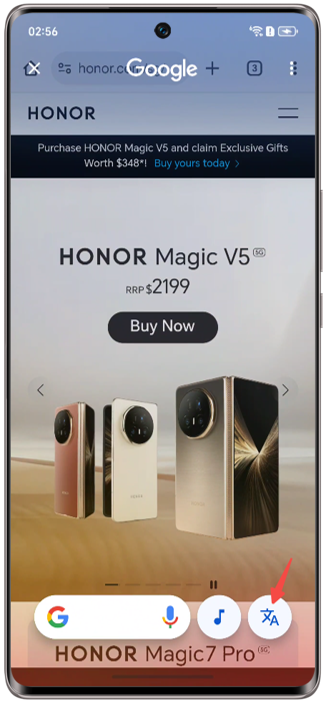
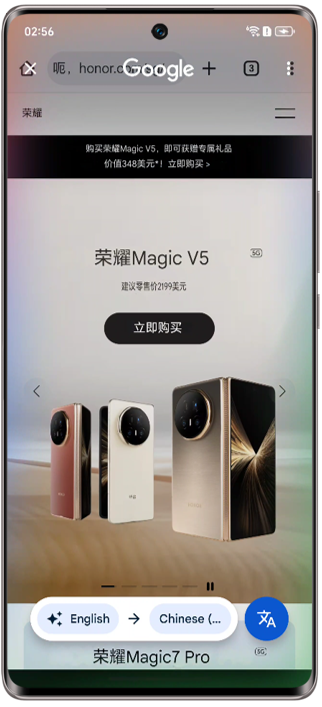
- Tap the Text translation button in the bottom right corner to translate the current screen.
微信扫描二维码分享文章
Thank you for helping us grow better!
Your response has been submitted successfully!





