



 More Products
 Compare














Unable to connect to the wireless hotspot
| Unable to connect to the wireless hotspot |
Problem
The user finds that the computer cannot connect to a wireless hotspot (such as a wireless router) or the computer disconnects from the Wi-Fi network on its own after using it for a while and cannot connect to a wireless hotspot (such as a wireless router).
Cause
There is an issue with the Wi-Fi driver and the Windows 10 system patch.
Solution
Update the Wi-Fi driver to the latest version and the Microsoft Windows 10 system patch. If your computer has not connected to a Wi-Fi network, connect it to your phone's hotspot or use the USB shared network.
1. Update the Wi-Fi driver to its latest version
Method 1: Download the latest version of the Wi-Fi driver from the official Honor website
Method 2: Update the Wi-Fi driver using PC Manager
Open PC Manager, click Drivers and Check, then install the latest version of the Wi-Fi driver.
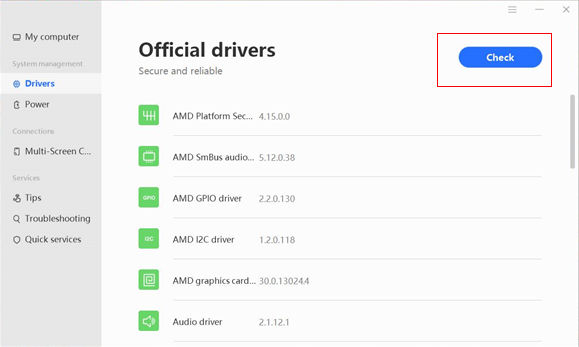

There is a possibility that the latest version of the Wi-Fi driver that can resolve this issue has not been pushed to PC Manager on your computer.
2. Update the system to the latest version and patch of Windows 10.





