



 More Products
 Compare














Can't receive emails
| Can't receive emails |
If you can't receive new emails after logging in to your email account in the pre-installed Email app, perform the following:
1 Check the mailbox password.
You may have changed your password after logging in to your email account, resulting in you being unable to receive new emails. In this case, delete your email account then add it again.
2 Turn on the Sync email switch.
Open Settings, touch Accounts or Users & accounts, then touch Email, select your account and go to the settings screen, and turn on the Sync email switch.
3 Set your email account to receive new emails synchronously on your PC.
After logging in to your email account on your PC, check the following settings:
- For Outlook users: Go to , select Leave a copy of messages on the server, and then select and set Remove from server after XX days.
- For Foxmail users: Go to and select an option based on your requirements, such as Reserve for 2 weeks.
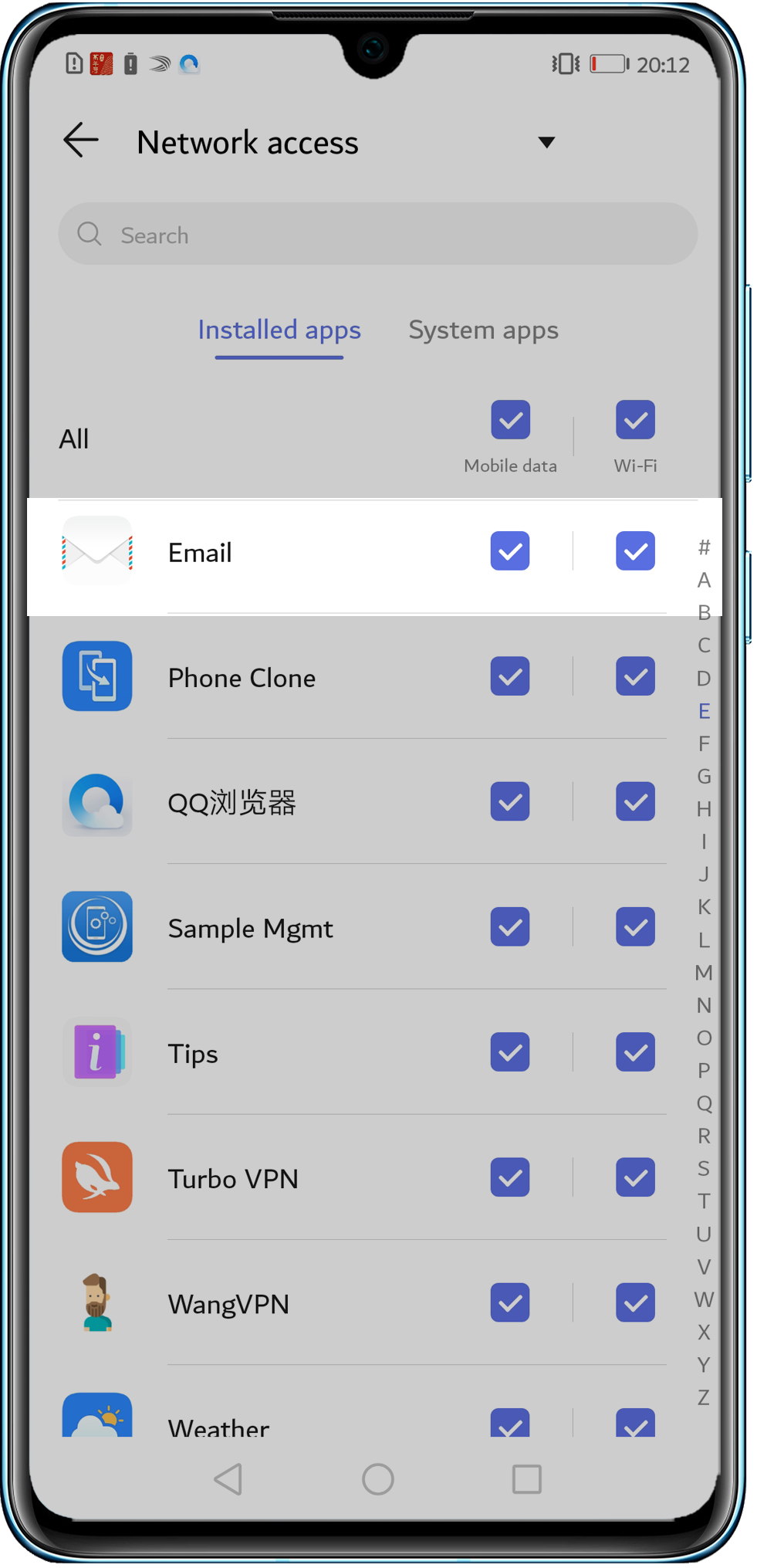
4 Check whether you can receive emails over Wi-Fi but not over mobile data.
Go to , touch Email, and select both Mobile data and Wi-Fi.
5. If the issue persists
If the issue persists, back up your data and take your device and proof of purchase to an authorized Honor Customer Service Center for assistance.





