

 More Products
 Compare









Why Does My Phone Keep On Vibrating? Easy Fixes
Table of Contents
You feel your phone vibrate, so you reach for it. But when you check, there’s nothing new. No texts, no calls, no alerts. Just… silence.
So, why does my phone keep on vibrating like this? It can happen for a few different reasons, from simple settings to small glitches. The good news is that you can usually fix it without much effort, and we’ll walk you through how.
Why Is My Phone Randomly Vibrating?
If you’re wondering, “Why does my phone randomly vibrate?” there is usually a trigger behind it. In most cases, it’s caused by notifications, settings, or minor software quirks rather than a serious problem.
Here are the most common reasons:
1. Silent or Hidden Notifications
One of the most frequent answers to “Why does my phone keep vibrating?” is notifications that don’t visibly appear on your screen. Some apps are set to vibrate without showing a banner or icon, so it can feel like your phone is buzzing for no reason. Messaging apps, social media platforms, and background services are often responsible.
2. Background Sync and App Activity
Your phone may also vibrate due to background processes, such as email syncing, cloud backups, or app updates. On Android devices, these activities can trigger subtle haptic alerts depending on your notification settings.
3. Notification Reminders or Repeats
Some phones send reminders for unread notifications. If you don’t open them, your phone may keep vibrating every few minutes as a nudge. This can feel random if you didn’t notice the original alert.
4. NFC Interference
If NFC (Near Field Communication) is switched on, your phone might vibrate when it detects nearby NFC-enabled objects, such as contactless cards, transit passes, or even another phone. This can happen when your device is in your pocket or bag and briefly comes into contact with these items, causing seemingly random buzzing.
5. Phantom Vibrations
Sometimes, the vibration isn’t real at all. Phantom vibration syndrome is when your brain thinks your phone has buzzed, usually because you’re used to frequent notifications. It’s surprisingly common, especially if your phone is often on silent or vibrate mode.
6. Haptic Feedback and Touch Settings
When you ask, “Why is my phone vibrating randomly?” features like keyboard vibration, gesture controls, or touch feedback can also be the cause. If these settings are enabled, your phone may vibrate during everyday use, making it feel random if you’re not aware they’re active.
7. Buggy Apps or Software Glitches
Occasionally, a misbehaving app or software bug can trigger repeated or unexplained vibrations. This is more likely if the issue started after installing a new app or updating your system.
8. Hardware Issues
Although less common, physical damage or internal faults can affect the vibration motor. If your device has been dropped or exposed to moisture, it may lead to irregular vibrations.
Quick Fixes to Stop Your Phone from Randomly Vibrating
Before you go digging through settings, try a few simple checks. In many cases, random vibrations come from something small and easy to fix.
1. Check your notifications
Start by pulling down your notification panel. Look for anything you may have missed. Some apps send alerts that disappear quickly or stack together, so you might feel the vibration without spotting the message straight away. It’s often something simple hiding here.
2. Restart your phone
It sounds basic, but it works. Restarting your phone clears temporary glitches and background processes that may be stuck. If the vibrations started suddenly, this is one of the fastest ways to fix it.
3. Adjust vibration and haptic settings
Head into your Settings and search for “vibration” or “haptics”. Your phone can vibrate for more than just calls and messages; it may also buzz when you type, tap, or unlock it. Turning down or switching off some of these can make a big difference.
4. Disable NFC for a while
If NFC is active, try turning it off temporarily. This will prevent your phone from scanning nearby cards or devices. If the vibrations stop, then you have identified the cause. You can choose to keep NFC off or only enable it when needed.
5. Update your apps
Outdated apps can sometimes misbehave. If an app is glitching in the background, it may keep triggering vibrations. Updating your apps is a quick way to rule that out.
Deeper Troubleshooting Steps to Stop Random Vibrations
If the quick fixes do not help, it is time to narrow the problem down. At this stage, you are trying to work out whether the vibration is being caused by one app, a setting, or the system itself.
1. Review app notification settings
Start by checking which apps are sending alerts. Search for “notification history” in your settings to see recent activity. If one app stands out, open its notification settings and adjust what it can do. You can turn off vibration for that app without affecting others.
2. Turn off notification reminders
Your phone may be set to remind you about unread notifications. This can cause repeated vibrations even when nothing new comes in. Head to Settings > Notifications > Advanced settings > Notification reminders and switch it off to stop the extra buzzing.
3. Use safe mode to test
Safe mode helps you rule out third-party apps. It temporarily disables anything you’ve downloaded. If your phone stops vibrating in safe mode, an app is likely the cause. You can then remove or update recent apps one by one.
To enter safe mode on an Android smartphone, press and hold the power button. Then press and hold Power off until the safe mode option appears and confirm to restart.
4. Update your phone software
If the issue started recently, a software bug could be behind it. Check for system updates and install any available version. Updates often fix problems with notifications, background activity, and stability.
5. Consider a factory reset
If nothing else works, a factory reset can clear deeper software issues. This returns your phone to its original state, so back up your data first. Then go to Settings > System > Reset options > Erase all data (factory reset).
6. Check for a Hardware Issue or Consider Replacement
If the vibration still does not follow any clear pattern after you have checked your apps, settings and software, the problem may be hardware-related. A worn vibration motor or another internal fault can sometimes cause unexpected buzzing that software changes will not fix. At this stage, having the phone inspected is usually the sensible next step.
However, if random vibrations are happening alongside other signs of an ageing device, such as poor battery life, sluggish performance, overheating or recurring system problems, it may also be worth considering whether a replacement would be more practical than repairing several issues separately.
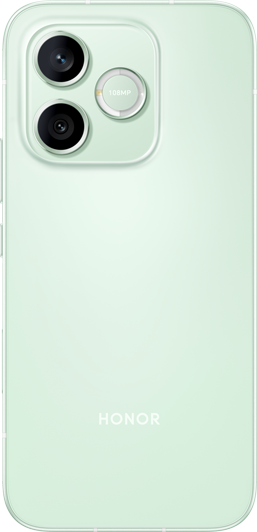
If you do decide to upgrade, the HONOR 600 Series offers two options depending on how you use your phone.
The HONOR 600 Pro is suited to users who want more performance for heavier multitasking and long-term everyday use.
Its Snapdragon® 8 Elite Mobile Platform gives apps and system tasks plenty of performance headroom, while MagicOS 10 (Based on Android 16) provides the latest software experience. A 6400mAh long-life battery also helps reduce the need for frequent charging during busy days.
The HONOR 600 is a more everyday-focused alternative. It combines a Snapdragon® 7 Gen 4 Mobile Platform with MagicOS 10 and the same 6400mAh battery, making it a practical option for calls, messaging, social apps and general daily use.
Both models are designed to handle the demands of everyday use, with IP68, IP69 and IP69K water and dust resistance plus SGS-certified drop and crush resistance. Whether it is an accidental splash or the occasional knock, this extra durability can help give you more confidence when using your phone day to day.
Conclusion
If you’re wondering, “Why does my phone keep on vibrating?” the answer is usually simpler than it seems. Most cases come down to notifications, settings, or a small app issue rather than anything serious. By working through a few quick checks and deeper fixes, you can pinpoint the cause and stop the constant buzzing. If the problem doesn’t go away, it may be time to look at hardware, but for most people, a simple tweak is all it takes.
FAQs
Is my phone hacked if it randomly vibrates?
While a randomly vibrating phone is rarely a sign of being hacked, it is a possibility you shouldn’t ignore. It is far more likely caused by hidden app notifications or your phone’s NFC sensor detecting nearby contactless cards. However, if the buzzing is accompanied by rapid battery drain, unexpected data surges, or strange background noises, your device may be compromised and requires a security check.
How to stop continuous vibration on phone?
To stop continuous vibration, begin by reviewing notification settings and disabling repeat alerts that may trigger multiple buzzes. Restart your phone to clear temporary glitches and turn off unnecessary app vibrations. Reducing haptic feedback and ensuring your software is up-to-date can also help stabilise performance and eliminate persistent vibration issues.
Why is my phone just vibrating and not ringing?
If your device vibrates without ringing, it is likely set to “Vibrate” or “Silent” mode within your sound settings. You should also check if “Do Not Disturb” is active, as this often silences ringtones while allowing haptic alerts. Occasionally, individual contact settings or specific app notification preferences might be customised to vibrate only, so it is worth reviewing your audio profiles to restore your ringtone.
Why is my phone vibrating but I have no notifications?
This can happen due to “hidden” or silent notifications from apps running in the background, which trigger vibration without showing alerts. Other causes include system glitches, accessibility settings, or connected devices like smartwatches. Reviewing app notifications and updating your phone usually helps resolve the issue.
What is a ghost vibration?
A ghost vibration, also known as “Phantom Vibration Syndrome”, is when you feel your phone vibrating even though it hasn’t actually done so. It’s a common psychological effect where the brain misinterprets sensations, especially if you frequently check your phone. It’s harmless and usually linked to habit or expectation rather than any technical problem.
Source: HONOR Club
Products Recommend

Latest Blogs
Consumer hotline
