
 More Products
 Compare








July 24, 2026
blog
What Is eSIM and Is It Worth Using? Here’s What You Need to Know
Table of Contents
You've probably seen the word eSIM pop up when setting up a new phone or browsing mobile plans. It sounds a bit technical, but it's not as complicated as it looks. So, what is eSIM, and why are phone makers starting to use it instead of the tiny plastic SIM card?
In this guide, you'll learn how eSIM works, how it compares to a physical SIM, where it genuinely makes life easier, as well as where it still has limits.
What Is an eSIM and How Does It Work?
So, what is an e-SIM? An eSIM (short for embedded SIM) is a digital SIM built directly into your phone, tablet, or smartwatch. Unlike a traditional plastic SIM card, it does not need to be inserted, removed, or replaced. Instead, you add a mobile plan by downloading it to your device.
Once it's set up, an eSIM does the same job as a physical SIM:
● It identifies your device on a mobile network, so your provider knows which account and plan you're using.
● It helps your phone connect securely to that network for calls, texts, and mobile data.
How eSIM activation usually works
Most eSIM setups follow a simple flow:
1. You buy or request an eSIM plan from a provider.
2. You get a way to install it—often a QR code, an app setup, or an on-screen activation option.
3. Your phone downloads and installs the eSIM profile over the internet (usually via Wi-Fi, sometimes mobile data).
4. You choose how to use it, such as your main number, a second line, or a data-only plan (depending on your device and plan).
What that means in everyday use
Most modern smartphones can store multiple eSIM profiles, but you can usually have only one or two active at a time. In everyday use, switching plans is as simple as tapping a setting rather than swapping out a physical card.
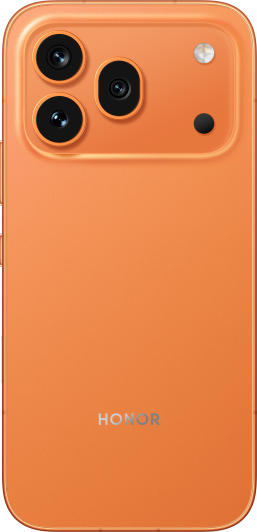
If your phone supports dual SIM, such as the HONOR Magic8 Pro, eSIM can also make it easier to run two lines side by side—for example, personal and work, or your usual number plus a travel plan.
eSIM vs Physical SIM: What's the Difference?
Both types of SIM do the same core job: they connect your device to a mobile network. If you're asking, "What is an eSIM?", the real difference comes down to how that connection is installed, moved, and managed.
| Feature | eSIM | Physical SIM |
| What it is | A digital SIM built into the device | A removable plastic SIM card |
| How you get started | Download a carrier profile (often via QR code/app/activation code) | Insert the SIM card your provider gives you |
| Switching plans/networks | Usually done in settings by adding/removing profiles | Swap one SIM card for another |
| Multiple profiles | Can store multiple profiles on one device | One profile per SIM card |
| Dual SIM flexibility | Commonly used for dual SIM (eSIM + physical, or eSIM + eSIM) | Dual SIM requires a second SIM slot |
| If your phone is lost | eSIM can't be physically removed in seconds | SIM can be removed quickly by someone with access to the device |
| Moving to a new phone | Transfer can be smooth, or a bit fiddly, depending on carrier process | Easy to move: pop the SIM out and insert it (if sizes match) |
| Compatibility | Needs an eSIM-capable device and a provider that supports eSIM | Works almost everywhere and on most phones |
Benefits of Using an eSIM
Understanding what an eSIM is makes it easier to see why many people are moving away from physical SIM cards. In everyday use, eSIM offers several practical advantages:
Quick and easy setup
With eSIM, you don't need to wait for a plastic SIM to arrive by post or find a shop to pick one up. If your provider supports it, you can activate a plan digitally and get connected within minutes.
Easier network switching
Instead of swapping cards, you can add or change eSIM plans in your phone's settings. This can make it simpler to move between providers or manage more than one number. You can also try different networks quickly to find better prices or coverage.
Better dual SIM support
Many phones support dual SIM through eSIM (either eSIM + physical SIM, or eSIM + eSIM). That makes it easier to keep a work and personal number on one device, or keep your main number while adding a separate data plan when you travel. You can often set which line is used for calls, texts, and data, and switch when needed.
Multiple profiles on one device
A lot of eSIM-capable devices let you store multiple eSIM profiles. You might keep an old plan ready as a backup, or keep different profiles for different countries if you travel often.
Fewer physical issues
Because an eSIM is built into the device, it cannot be lost or physically damaged. There is no SIM tray to break or card to misplace. This makes eSIM a more durable option for long-term use.
Slight security advantage
A physical SIM can be popped out quickly. An eSIM is built into the device, which can make it harder for someone to remove your mobile plan if the phone is lost or stolen.
Environmentally friendly
eSIM eliminates the need for plastic cards and their packaging, which helps lessen waste and carbon emissions.
Disadvantages of Using an eSIM
While eSIM has clear advantages, it also comes with a few limits. Understanding what an eSIM is also means knowing where it may not be the best fit:
Limited device support
Not all smartphones support eSIM, especially older or budget models. eSIM is normally available to newer devices or modern models.
Not every provider or plan supports eSIM (yet)
Support varies by country, network, and even plan type. Some carriers support eSIM only on certain devices, or only for pay-monthly plans. If you're travelling, the local network you want may still be physical-SIM-only.
Transferring to a new phone can take extra steps
With a physical SIM, you can often swap the card into your new device, and you're done. With eSIM, transferring usually means re-downloading or migrating the profile, and the exact steps depend on your phone and your carrier. It's getting easier, but it can still be a speed bump, especially if you're in a hurry or your old phone is broken.
Setup needs an internet connection
Because you download the profile, you typically need Wi-Fi or working mobile data during setup. That's fine most of the time, but it can be awkward in edge cases, like arriving somewhere with no Wi-Fi and no active plan yet.
Troubleshooting can feel less "hands-on"
If a physical SIM is acting up, you can remove it, reseat it, or test it in another phone. With eSIM, troubleshooting is more about settings, profiles, and carrier steps. That's not necessarily hard, but it can feel less obvious if you like simple hardware checks.
How to Use eSIM on an Android Device
Using an eSIM on Android is usually quick and straightforward. The exact wording in menus can change slightly depending on your specific model, but the overall steps are very similar on most devices.
Before you begin
● Make sure your phone supports eSIM. One easy way to check is to dial *#06# on your phone's keypad. If a pop-up shows an EID (Embedded Identity Document) number, your device should support eSIM.
● Request an eSIM from your provider and have your activation details ready. This is often a QR code, but it could also be an activation code or an in-app setup.
● Connect to Wi-Fi. You'll need an internet connection to download the eSIM profile.
Installing an eSIM on Android
Most Android phones follow a flow like this:
1. Open Settings.
2 .Go to Network & internet (sometimes called Connections) and tap SIMs or Mobile network.
3. Select Add SIM, Add mobile plan, or Set up eSIM.
4. Scan the QR code you were given, or enter the activation code manually.
5. Follow the on-screen steps to download and activate the eSIM.
Set things up the way you want
Once the eSIM is active, it's worth checking a few settings:
● Label your SIMs so you know which line is which.
● Choose which SIM to use by default for calls, texts, and mobile data.
● If you're using a travel plan, double-check data roaming before you need it.
If something doesn't work
Most issues are small and easy to fix:
● Restart your phone and try again.
● Check that your Wi-Fi connection is stable.
● If a QR code keeps failing, your provider may need to issue a new one.
Major UK Providers with eSIM
In the UK, eSIM is now widely supported by the main mobile networks. You can usually choose an eSIM when you join, or switch from a physical SIM without changing your plan. Below are the UK providers that support eSIM:
| eSIM Provider | Pay Monthly Support | PAYG Availability |
| EE | Yes | No |
| O2 | Yes | Yes |
| Three | Yes | Yes |
| Vodafone | Yes | Yes |
| Sky Mobile | Yes | No |
| Tesco Mobile | Yes | Yes |
| Honest Mobile | Yes | No |
| iD Mobile | Yes | Yes |
| Lyca Mobile | Yes | Yes |
| Giffgaff | Yes | Yes |
Conclusion
So, what is eSIM really about? At its core, it's a simpler, more flexible way to connect your device to a mobile network. For many people, eSIM removes the hassle of swapping SIM cards and makes managing multiple plans easier. It's not perfect yet, and it won't suit every phone or situation, but support is growing fast. If your device and network offer eSIM, it's worth considering, especially if you value convenience, travel often, or use more than one mobile plan.
FAQs
How do I convert my SIM to eSIM?
To switch from a physical SIM to an eSIM, first confirm that your mobile network supports it. Then use your carrier's app or website to request an eSIM swap. They usually send you an eSIM profile as a QR code. On your phone, open Settings, go to Network & internet or Connections, then choose SIMs/SIM manager and tap Add eSIM. Follow the steps on screen while connected to Wi-Fi. Once the eSIM is active, your old SIM is normally turned off.
How do I get an eSIM?
To get an eSIM, make sure your device is compatible first. You can either purchase a new plan from a provider, often through their app or website, or switch from a physical SIM using your current carrier's app. Setup usually involves scanning a QR code or following on-screen instructions, and you'll need a Wi-Fi connection to complete it.
How much do eSIMs cost?
eSIMs usually cost the same as a standard SIM plan, and most providers do not charge extra just for using an eSIM. In the UK, some local plans even offer free eSIM activation. For travel, prices vary more. Short-term data plans can start from around £1.50, while international plans often cost £10–£20 for about 10GB over 30 days. Unlimited travel plans can range from £40 to £90 or more, depending on coverage and duration.
How do I activate my eSIM?
Activating an eSIM usually involves scanning the QR code or using the activation link provided by your mobile network. On your phone, go to Settings > Network > SIM or Mobile Network options and select "Add eSIM" to follow the instructions. Once the eSIM profile is downloaded, your phone automatically connects to the network for calls, texts, and mobile data.
Can I install eSIM by myself?
Yes, most people can install an eSIM on their own. As long as your phone supports eSIM and you have the QR code or activation details from your network, the process is simple. The usual flow is Settings > Network & internet/Connections > SIMs > Add SIM/Set up eSIM, then follow the on-screen steps to scan the QR code and download the plan over Wi-Fi.
Source: HONOR Club
Products Recommend

Latest Blogs