
 More Products
 Compare






May 9, 2026
blog
Hunting for a Good Android Tablet for Drawing? Here Are the Best Picks
Table of Contents
Picking a good Android tablet for drawing shouldn’t feel like a puzzle. You want a screen that looks clean, a pen that feels right, and a device that won’t slow you down. But with so many models and mixed reviews, it’s tough to know where to start.
This guide keeps things simple. You’ll see which Android tablets stand out in 2026 and what actually matters when you sit down to sketch or paint.
Best Android Tablets for Drawing 2026
When you’re asking, “Are Android tablets good for drawing?” the honest answer is: some are, some aren’t. It mostly comes down to how natural the pen feels, how clean and responsive the screen is, and whether the battery keeps up with your ideas.
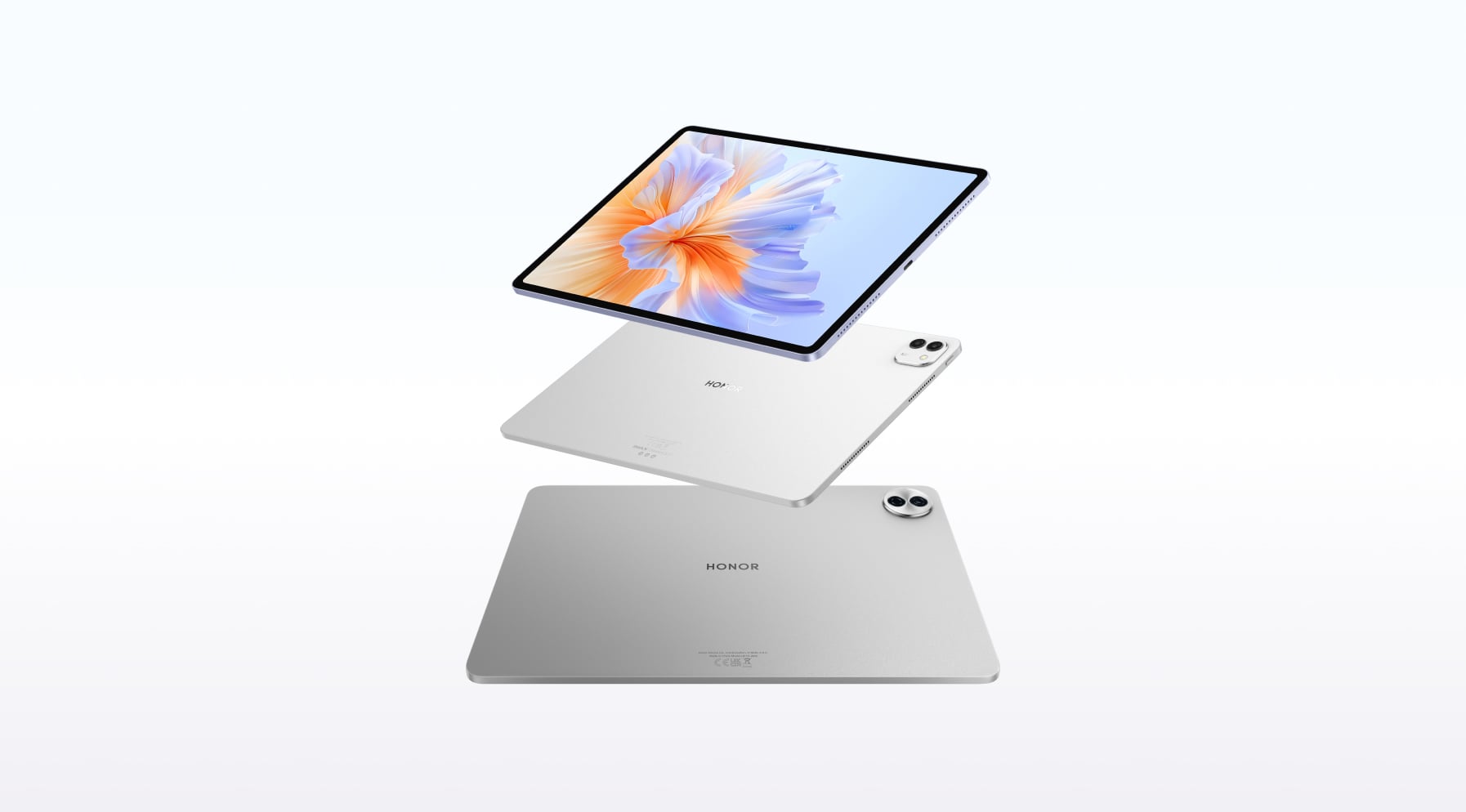
These HONOR tablets for drawing below all pair high-refresh displays with pressure-sensitive styli, so you can sketch, ink, and colour without fighting lag or glare.
HONOR MagicPad3
If your idea of the best Android tablet for drawing includes a large, bright canvas, the HONOR MagicPad 3 fits that style well. You get a gorgeous 13.3-inch 3.2K Eye Comfort display in a 3:2 aspect ratio, so storyboards, timelines and tall web pages all fit comfortably on screen. The LCD panel runs up to 165Hz with HDR support and a peak brightness around 1,000 nits, so strokes look smooth and you can still see detail in brighter rooms.
Inside, it runs MagicOS 9.0.1 on Android 15 with 16GB RAM and the Snapdragon 8 Gen 3 processor, a chipset found in flagship Android devices. That means your heavy layer stacks, reference images and multitasking all stay responsive.
Its 12,450mAh silicon-carbon battery can handle hours of sketching, and the 66W fast charge gets you back to work without a long wait. The eight-speaker spatial audio system adds a roomy, immersive feel, so streaming feels just as smooth as your drawing workflow.
The tablet comes with the HONOR Magic-Pencil 3, which boasts 4,096 pressure levels, tilt support, ultra-low latency and 0-pressure ink, so faint sketch lines and firm inking strokes both come through cleanly. It magnetically attaches to the top of the tablet and charges wirelessly; a full charge takes about 45 minutes and gives up to 10 hours of continuous writing.
Best for: Artists who want a laptop-sized canvas for serious illustration, concept art, or mixed work (drawing, editing and media) on one device.
What’s good
● Huge 13.3-inch 3.2K, 3:2 display powered by 7 Eye Comfort tech, great for full pages, split-screen reference and detailed canvases.
● Up to 165Hz refresh rate: smoother pen tracking and less ghosting when you sketch fast.
● Snapdragon 8 Gen 3 + 16GB RAM + MagicOS 9 on Android 15: enough performance for complex layers, big brushes and multitasking.
● 12,450mAh silicon-carbon battery with 66W charging: long unplugged sessions and quick top-ups between tasks.
● Eight speakers with spatial audio: strong for streaming, sound design or just background music while you work.
● Magic-Pencil 3 with 4,096-level pressure, tilt, palm-friendly design and wireless charging: closer to a traditional pen, with handy double-tap erase and slide-to-turn-page gestures in supported apps.
HONOR Pad 10
The HONOR Pad 10 aims to balance size, power and price. You get a 12.1-inch 2.5K display with a 120Hz refresh rate, DCI-P3 wide colour, and an 88% screen-to-body ratio, so colours look rich and you have plenty of space for a full drawing UI plus toolbars. Eye-comfort features like low blue light, flicker-free dimming and circadian night modes help if you spend hours sketching or studying at night.
A Snapdragon 7 Gen 3 chipset and MagicOS 9 handle everyday drawing apps, note-taking and split-screen work smoothly without the cost of a flagship chip. The 10,100mAh battery with 35W SuperCharge is sized for all-day classes or commutes, and the six-speaker setup with HONOR Spatial Audio gives you a wide soundstage for videos and music.
It’s bundled with the HONOR CHOICE TNHCHOP Pencil, which features 4,096-level pressure sensing, ultra-low perceptual latency and smart palm rejection.
That means you can rest your hand on the screen, sketch lightly for guidelines and press for bolder strokes without jagged lines or delayed ink. The stylus connects over Bluetooth, charges via USB-C and offers over eight hours of continuous writing on a full charge.
Best for: Students, hobby artists and note-takers who want a versatile Android tablet for digital art, lessons, and streaming, without stretching into flagship pricing.
What’s good:
● 12.1-inch 2.5K Display, 120Hz: big enough for side panels and references, smooth enough for handwriting and sketching.
● Eye-care features (low blue light, flicker-free, dynamic dimming): friendlier on your eyes during long sessions.
● Snapdragon 7 Gen 3 + MagicOS 9: solid mid-range performance for drawing apps, lectures and multitasking.
● 10,100mAh battery with 35W charging: reliable all-day use with quicker top-ups.
● HONOR CHOICE TNHCHOP Pencil: 4,096-level pressure, low-latency ink, double-click eraser toggle, palm rejection and over 8 hours of continuous penning.
HONOR Pad V9
Looking for something thin and easy to take anywhere? The HONOR Pad V9 weighs only 475g and is 6.1mm thick, making it comfortable in your hand and barely noticeable in your bag.
Its 11.5-inch 2.8K display runs at up to 144Hz and carries IMAX Enhanced and HDR Vivid support, so motion stays smooth and colours stay punchy when you paint or scrub through video. TÜV Rheinland certifications for low blue light, flicker-free and reflection-reduced viewing help reduce strain under mixed lighting.
Power comes from a MediaTek Dimensity 8350 Extreme Edition processor, paired with 8GB RAM and 256GB ROM. MagicOS 9 on Android 15 brings AI-backed note-taking and multitasking tools, and the 10,100mAh battery is designed for long drawing sessions. The eight-speaker system with spatial audio gives you louder, more immersive sound than most slim tablets.
The Pad V9 also supports the Magic-Pencil 3, so you get 4,096-level pressure, tilt support, ultra-low latency and magnetic wireless charging.
Best for: You if you want a responsive, high-refresh canvas with strong audio and eye-comfort features in a light and slim body.
What’s good:
● 11.5-inch 2.8K, up to 144Hz display: very smooth pen tracking and animation playback, with IMAX Enhanced and HDR Vivid support.
● Eye-comfort tuned screen: TÜV-certified low blue light, flicker-free and reflection-reduced modes for long drawing or reading sessions.
● Dimensity 8350 Extreme Edition + MagicOS 9 (Android 15): good power for multitasking, large canvases and AI note-taking tools.
● Eight-speaker audio with spatial sound: better depth and clarity for films, music and course content.
● Magic-Pencil 3 support: 4,096-level pressure, tilt, ultra-low latency, magnetic attachment and wireless charging.
What to Look for When Buying an Android Drawing Tablet
When you’re comparing options and asking, “What is the best Android tablet for drawing?”, focus on how it will feel to sketch, shade and zoom for hours at a time. The essentials to check are the screen, the pen, the power and the software.
1. Screen: size, sharpness and brightness
Your screen is your canvas, so start here.
● Size: 10–11 inches is a good everyday size if you draw on the sofa, commute, or travel. 12–13 inches or larger is better if you like a roomy canvas, side panels, and on-desk use.
● Resolution: Aim for at least 1920×1200 (Full HD-class) on a 10–11” display so lines and UI look clean. On 12–13”, a sharper panel (for example, around 2K/2.5K) keeps fine details crisp.
● Colour & contrast: For hobby use, a decent panel is fine; for client or print work, look for high sRGB coverage and reviews that mention good colour accuracy. High-end art tablets aim for close to 100% sRGB or Adobe RGB, so what you see on the screen matches final output more closely.
● Brightness and reflections: Many drawing displays sit around 200–400 nits of brightness; this is usually enough for indoor use. If you work near bright windows, a tablet closer to the top of that range (or above) will stay readable.
● Refresh rate: A higher refresh rate (for example, 90Hz, 120Hz, or more) can make fast strokes and navigation feel smoother, especially in modern art apps.
2. Stylus: pressure, tilt and latency
The pen matters just as much as the tablet.
● Active stylus support: Make sure the tablet supports a true active pen (EMR, AES, USI or similar), not just a basic capacitive stylus.
● Palm rejection: Look for proper palm rejection, so you can rest your hand on the screen without stray marks.
● Pressure sensitivity: Modern pens commonly offer 4096 or 8192 pressure levels. 4096 is already more than enough for smooth line control, and the jump to 8192 is hard to feel in normal use.
● Tilt: Tilt support lets you shade with the side of the pen, like a real pencil, and gives brushes more character.
● Low latency (lag): Measured in milliseconds (ms). Anything under 20ms is considered good; professional-grade styli aim for single-digit ms. Low latency makes the line appear instantly under the pen tip.
● Shape and buttons: A comfortable grip matters more over time than one extra spec number. One or two side buttons (often mapped to eraser, right-click or pan) save a lot of taps once you set them up.
3. Power: processor, RAM and storage
Drawing apps can be surprisingly heavy, especially with big canvases and lots of layers.
● Processor: Look for a recent, high-end mobile chip (like a Qualcomm Snapdragon 8-series or a flagship MediaTek Dimensity model), so strokes stay smooth and the app doesn’t stutter when you zoom or rotate.
● RAM: For a professional-level Android drawing tablet, aim for a minimum of 8GB of RAM. If you use complex brushes or plan on working on large canvases or over 50 layers, 12GB RAM or more is highly recommended.
● Storage: Drawing files, brush packs and reference images grow fast. Aim for at least 256GB of storage if you work with layered files or pick a device with a microSD slot so you can expand later.
4. Battery life and charging
You don’t want to babysit the battery while you’re in a flow. Look for 10,000+ mAh battery capacities or reviews that mention 8–10 hours of mixed use; that’s usually enough for a full day with breaks. Fast charging (60W+) is very handy if you often top up between classes, meetings or train rides.
5. Software, updates and workflow
A good android tablet for drawing is only as useful as the apps you can run.
● Check that your preferred drawing apps are available on Android and support pressure and tilt on your pen.
● Look for a reasonably up-to-date Android version, so you keep getting security patches and new app features.
● Think about file formats (PNG, JPG, PSD, etc.) and how you hand work off to a laptop, client, or printer, via cloud storage, USB-C drives, or direct transfer.
Conclusion
Finding a good Android tablet for drawing comes down to how you work, not just the numbers on a spec sheet. If you want a big, immersive canvas, a compact sketch-anywhere device, or something balanced for study and art, there’s an option that fits. Focus on the screen, the pen feel, and the power you need for your style. Once those pieces line up, the right tablet makes drawing smoother, faster and far more enjoyable, wherever you choose to create.
FAQs
Which Android tablet is good for drawing?
If you want an Android tablet that feels natural for drawing, the HONOR MagicPad3 is a strong option. Its 13.3-inch 3.2K Eye Comfort display and fast 165Hz refresh rate give you a big, clean workspace with fluid pen tracking. Powered by the Snapdragon 8 Gen 3, it stays responsive even with large canvases. Paired with the HONOR Magic-Pencil 3, you get accurate pressure control, reliable tilt response and a pen that feels steady for both sketching and detailed work.
What is the best budget Android pen tablet?
For a budget-friendly pen tablet, the HONOR Pad 10 is a sensible pick. You get a 12.1-inch 2.5K, 120Hz screen, a 7 Gen 3 Snapdragon chipset, plus a large 10,100mAh battery, so it suits long study and sketching sessions. Paired with the HONOR CHOICE TNHCHOP Pencil, you have 4,096 pressure levels and low-latency ink for notes and art.
What is the best drawing tablet for beginners?
If you’re starting out, you want something budget-friendly and easy to handle with a clear screen and a forgiving pen. The HONOR Pad 10 works well here: the 12.1-inch 2.5K Eye Comfort display is kind to your eyes, and the CHOICE TNHCHOP Pencil’s pressure sensitivity makes simple sketches, notes and practice exercises feel natural.
What is the #1 drawing app for Android?
There isn’t one definitive #1 drawing app for Android, as it depends on what you need. Krita stands out as the best free, open-source option with professional-grade tools, while Infinite Painter offers a smooth, Procreate-like experience for a small cost. Other great picks include Clip Studio Paint for advanced features and Autodesk Sketchbook for beginners who want an easy-to-use drawing app.
Do all tablets support pen?
No, not every tablet supports an active, pressure-sensitive pen. Some only work with simple capacitive styluses that behave like a fingertip, so you won’t get pressure, tilt or palm rejection. If you’re buying a tablet for drawing, make sure it’s built for an active stylus, which is often proprietary. For example, the HONOR MagicPad3 works with the HONOR Magic-Pencil 3, giving you proper pressure levels, tilt control and a writing feel that’s much closer to real pen and paper.
Source: HONOR Club
Products Recommend
