


 المزيد من المنتجات
 قارن
قارن



我的荣耀 开启荣耀之旅



 غير موافق على الشروط
 تسجيل الخروج


-
- + متابعة
-
- المنشورات
- الأشخاص الذين تتابعهم
- متابعون
- طاقة



?How to Set Phone Pictures as Honor MagicWatch 2 Watch Face


 تعليق :
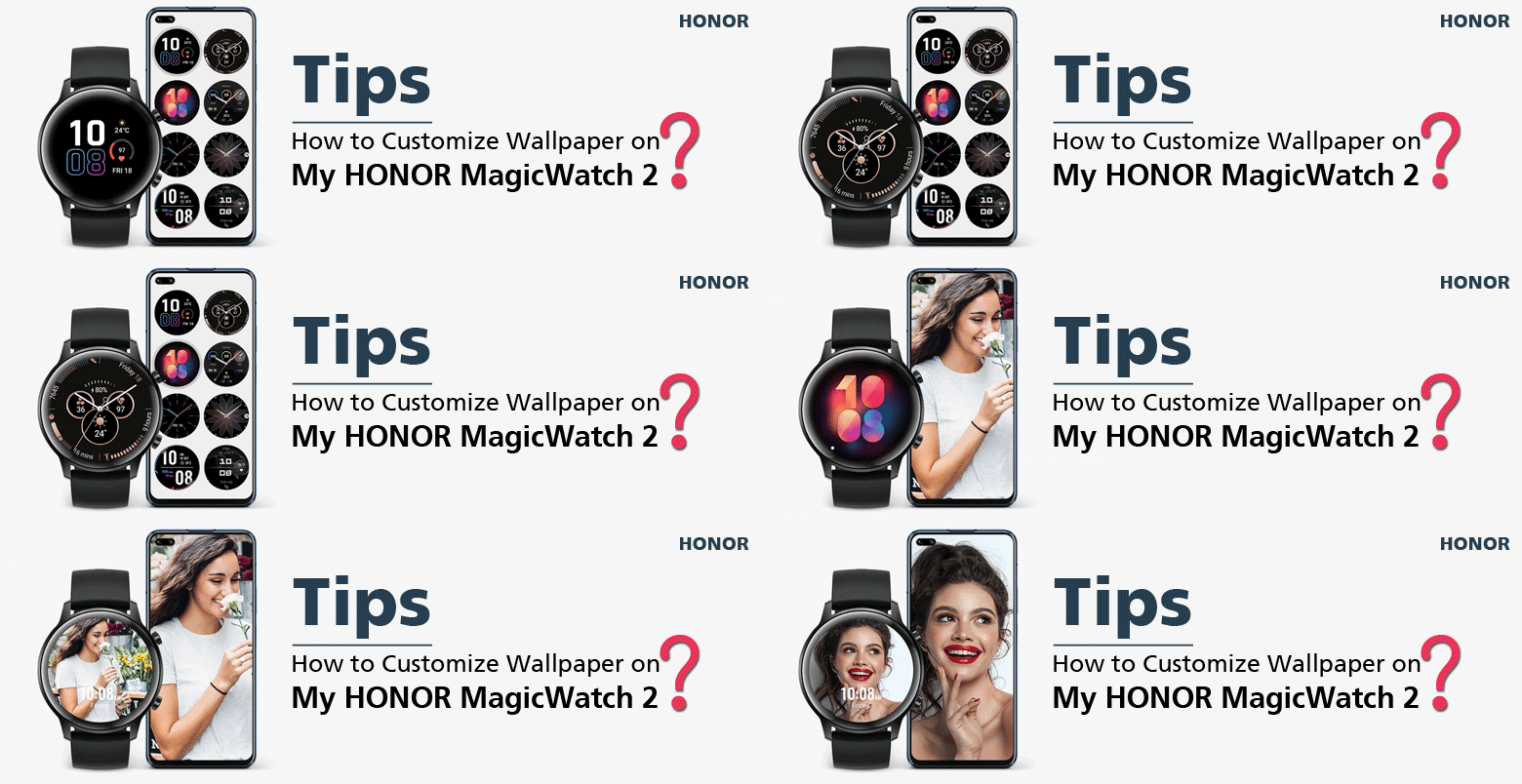
As we all know, the HONOR MagicWatch 2 (HBE-B19) has a built-in watch dial market, and offering a variety of watch themes for everyone to choose from. However, does the HONOR MagicWatch 2 support watch face customization? Can I set my favorite ?picture as the wallpaper background of the HONOR MagicWatch 2? If possible, what should Ido
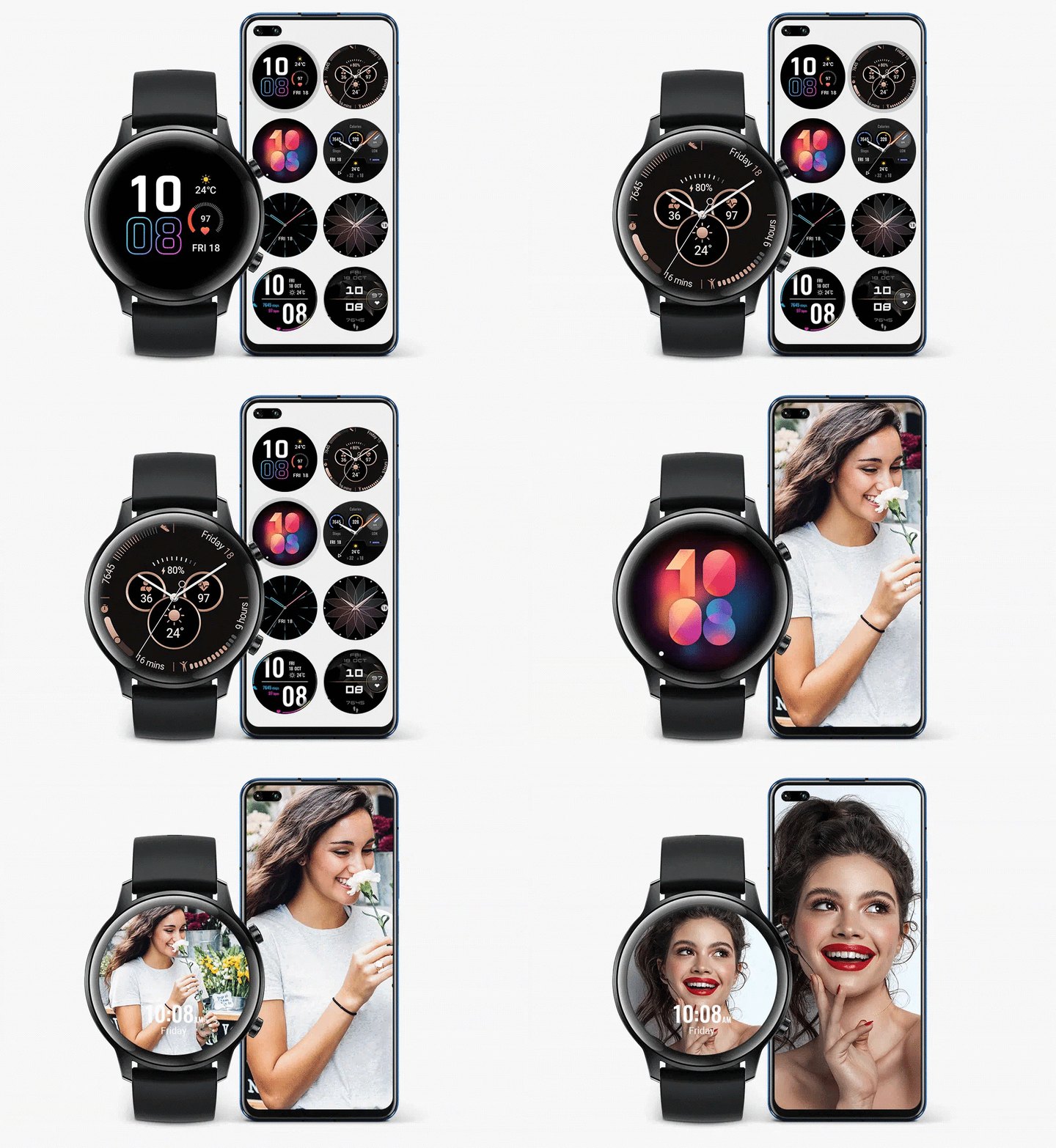
?How to DIY HONOR MagicWatch 2 Watch Face
In fact, in addition to a variety of watch faces that can be switched freely, you can also upload your own photos to customize it. More creative watch faces are waiting for you to define
:You can perform the steps below to DIY your HONOR MagicWatch 2 watch face
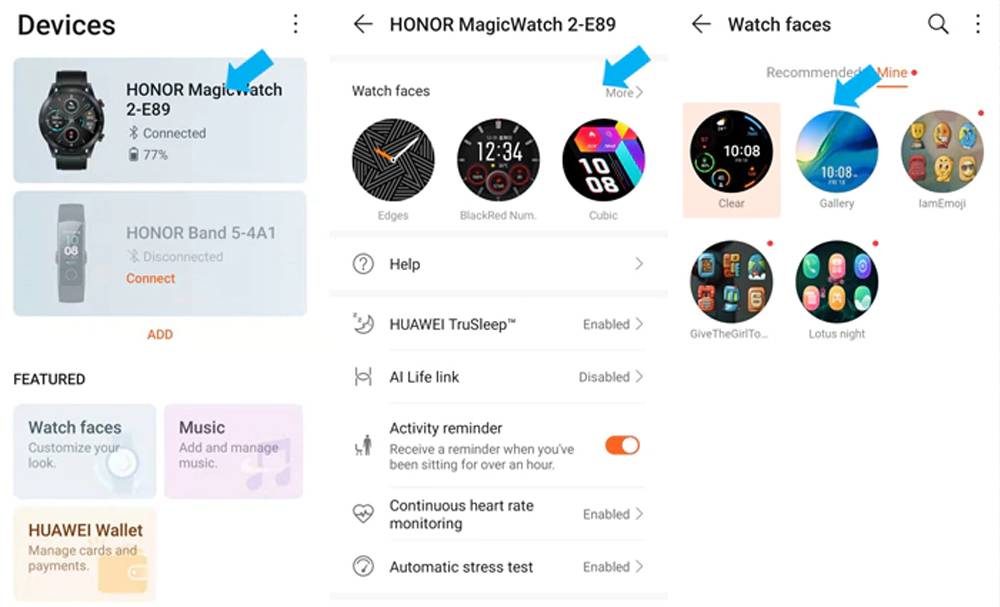
Step 1: Open the honor Health app, touch “Devices” and then choose “HONOR MagicWatch 2
Step 2: In the Watch faces section, go to “More > Mine > Gallery
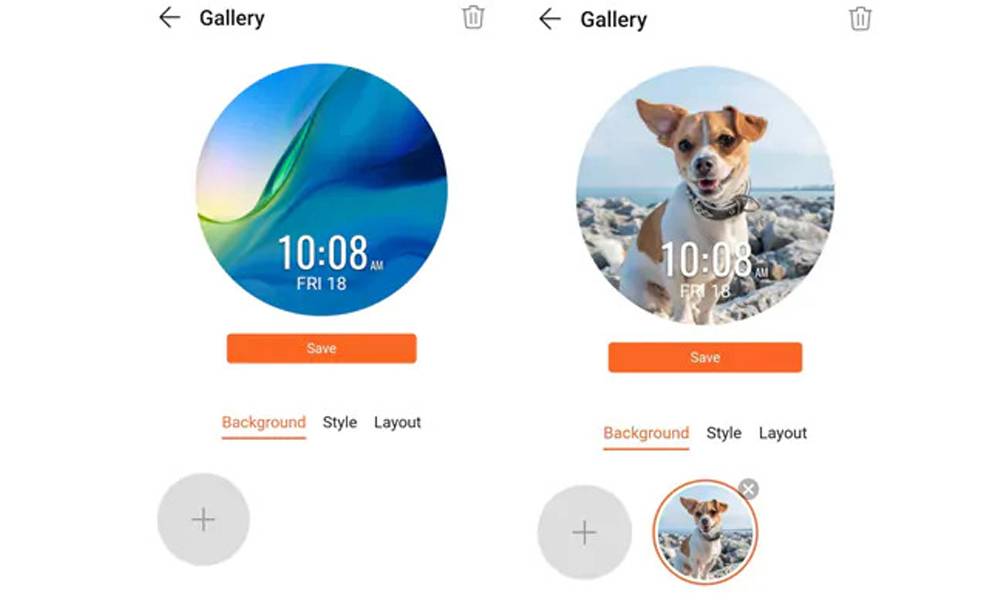
Step 3: Touch “+” to add a picture, then press “Save”. That image is now your new watch face
Step 4: You can add your own pictures , which the watch face will cycle through continuously
:Notes
●This watch face custom feature is only supported on Android phones. If you're an iPhone user, you'll need to connect the watch to an Android phone first to set watch faces before pairing it with your iPhone
●Update your honor Health app to Version 10.0.0.633 or later, and your watch OS to 1.0.1.16 or later
●This feature does not support live photos, and you can only use static images. There are no restrictions on the format of images
If you have purchased HONOR MagicWatch 2 and are still facing problem after using these tips
Do not hesitate to contact us. Just leave a comment below the topic. We will try our best to deal with your problem as soon as possible. We are always happy to help.















As we all know, the HONOR MagicWatch 2 (HBE-B19) has a built-in watch dial market, and offering a variety of watch themes for everyone to choose from. However, does the HONOR MagicWatch 2 support watch face customization? Can I set my favorite ?picture as the wallpaper background of the HONOR MagicWatch 2? If possible, what should Ido
?How to DIY HONOR MagicWatch 2 Watch Face
In fact, in addition to a variety of watch faces that can be switched freely, you can also upload your own photos to customize it. More creative watch faces are waiting for you to define
:You can perform the steps below to DIY your HONOR MagicWatch 2 watch face
Step 1: Open the honor Health app, touch “Devices” and then choose “HONOR MagicWatch 2
Step 2: In the Watch faces section, go to “More > Mine > Gallery
Step 3: Touch “+” to add a picture, then press “Save”. That image is now your new watch face
Step 4: You can add your own pictures , which the watch face will cycle through continuously
:Notes
●This watch face custom feature is only supported on Android phones. If you're an iPhone user, you'll need to connect the watch to an Android phone first to set watch faces before pairing it with your iPhone
●Update your honor Health app to Version 10.0.0.633 or later, and your watch OS to 1.0.1.16 or later
●This feature does not support live photos, and you can only use static images. There are no restrictions on the format of images
If you have purchased HONOR MagicWatch 2 and are still facing problem after using these tips
Do not hesitate to contact us. Just leave a comment below the topic. We will try our best to deal with your problem as soon as possible. We are always happy to help.