

 المزيد من المنتجات
 قارن
قارن





























我的荣耀 开启荣耀之旅



 غير موافق على الشروط
 تسجيل الخروج


-
- + متابعة
-
- المنشورات
- الأشخاص الذين تتابعهم
- متابعون
- طاقة



How to Pair Honor MagicWatch 2 with your iPhone or Android smartphone


 تعليق :
HI FANS HONOR
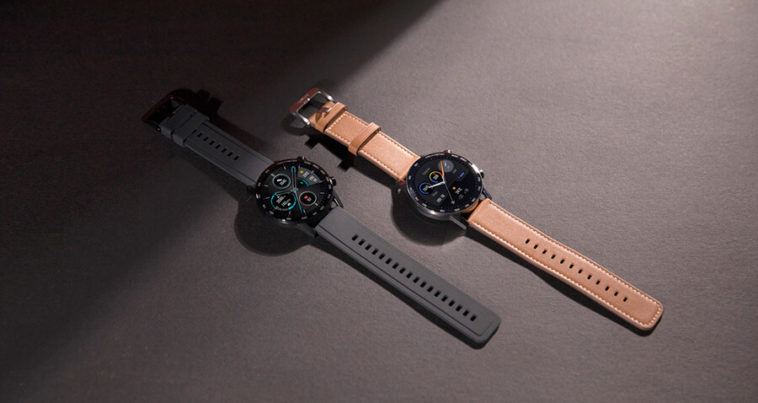
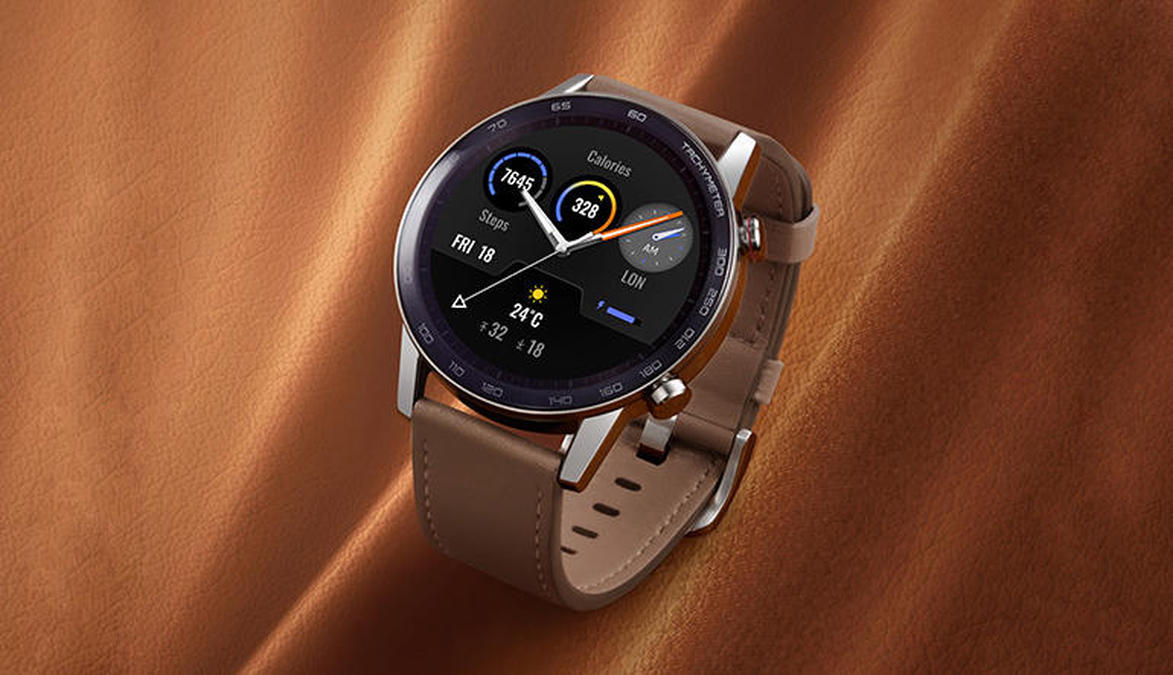
The Honor MagicWatch 2 comes in two sizes – 42mm and 46mm. The 42mm Magic Watch 2 has a 1.2-inch OLED screen with 390 x 390 pixels resolution while the 46m version has a 1.4-inch OLED unit with 454 x 454 pixels resolution. It is powered by Kirin A1 chipset and it is capable of providing up to 14 days of battery life.
The smartwatch offers 4GB of internal storage of which 2GB alone can be used for music storage. It supports 15 goal-based fitness modes and comes with a number of health tracking features. It is water-resistance up to 50 meters and offers customized clock faces. The device also monitors heart rate 24/7 and alerts the user when it goes up or down normal levels.
The Honor MagicWatch 2 also lets users make Bluetooth calls on the go with the help of a built-in speaker and mic. It includes built-in apps like Weather, Alarm, Timer, Find My Phone, and more.
Android Mobiles:
1Download and install the honor Health app on your device.
2Launch the app and give the necessary permissions.
3Select My > My Device > Add a device. Here you need to choose Watch and select Honor MagicWatch.
4Your smartphone automatically searches for the Magic Watch 2. Once found, tap on it to continue.
4A pairing request appears on the MagicWatch 2 display. Tap on “√” symbol to complete the pairing. process.
6Done.
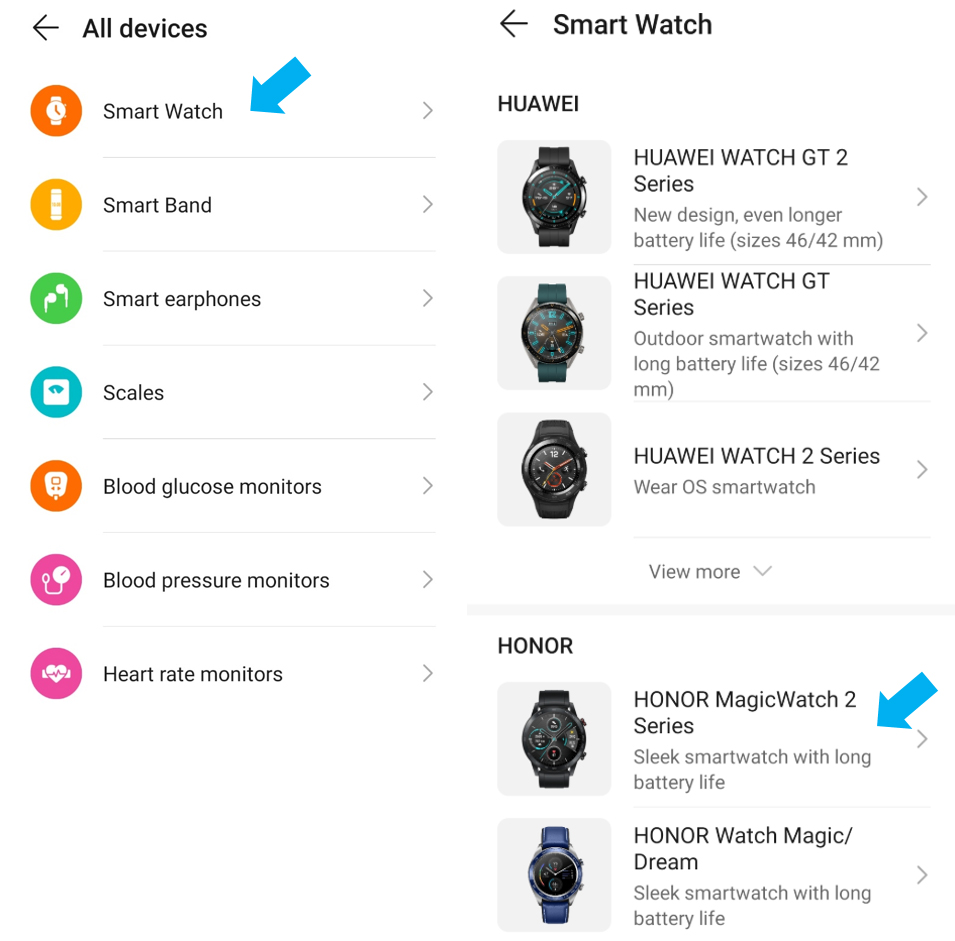
iOS Mobiles:
1Download and install the honor Health app.
2Open the app and tap on the ‘+’ symbol located at the top right corner.
3Select Smartwatch and then Honor MagicWatch 2.
4App automatically searches for the Bluetooth device name of the watch and lists it.
BUY NOW
https://www.hihonor.com/sa-en/product/honor-watch-2
https://www.hihonor.com/ae-en/product/honor-watch-2
ALNAHEL















لينك الموضوع بالغة العربية
HI FANS HONOR
The Honor MagicWatch 2 comes in two sizes – 42mm and 46mm. The 42mm Magic Watch 2 has a 1.2-inch OLED screen with 390 x 390 pixels resolution while the 46m version has a 1.4-inch OLED unit with 454 x 454 pixels resolution. It is powered by Kirin A1 chipset and it is capable of providing up to 14 days of battery life.
The smartwatch offers 4GB of internal storage of which 2GB alone can be used for music storage. It supports 15 goal-based fitness modes and comes with a number of health tracking features. It is water-resistance up to 50 meters and offers customized clock faces. The device also monitors heart rate 24/7 and alerts the user when it goes up or down normal levels.
The Honor MagicWatch 2 also lets users make Bluetooth calls on the go with the help of a built-in speaker and mic. It includes built-in apps like Weather, Alarm, Timer, Find My Phone, and more.
Android Mobiles:
1Download and install the honor Health app on your device.
2Launch the app and give the necessary permissions.
3Select My > My Device > Add a device. Here you need to choose Watch and select Honor MagicWatch.
4Your smartphone automatically searches for the Magic Watch 2. Once found, tap on it to continue.
4A pairing request appears on the MagicWatch 2 display. Tap on “√” symbol to complete the pairing. process.
6Done.
iOS Mobiles:
1Download and install the honor Health app.
2Open the app and tap on the ‘+’ symbol located at the top right corner.
3Select Smartwatch and then Honor MagicWatch 2.
4App automatically searches for the Bluetooth device name of the watch and lists it.
BUY NOW
https://www.hihonor.com/sa-en/product/honor-watch-2
https://www.hihonor.com/ae-en/product/honor-watch-2
ALNAHEL