



 More Products
 Compare













































我的荣耀 开启荣耀之旅



 Disagree Terms
 Log out




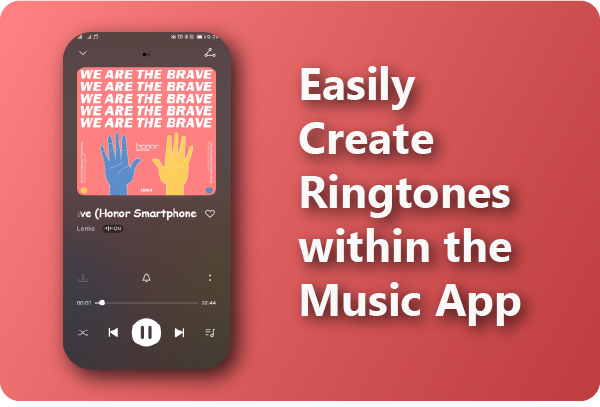
[Tips & Tricks] Easily Create Ringtones within the Music App


 Last reply :
Hey everyone,
I stumbled across a nice tutorial made by Ihtesham Abid from the Global Community that I’d like to share with you.
It’s a tutorial on how to create a ringtone straight from the Music App!
The built-in Music App on your HONOR phone has a bundle of special features. One of the special features is that you can create a ringtone within the music app. So, there is no need to install any third party app, because the music app gets this job done super easily.
Now, let's learn the process step by step:
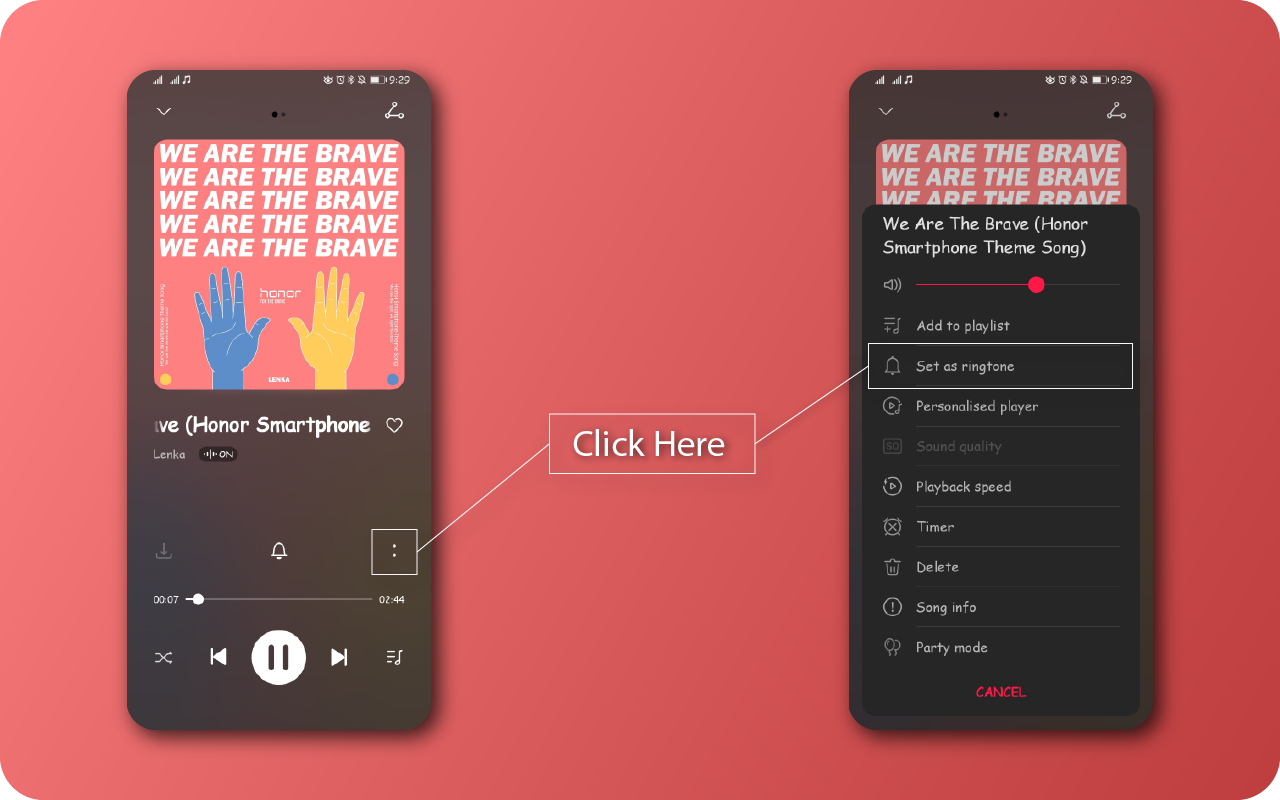
Open the Music app, Play some music, click on the two dots and select Set as ringtone.
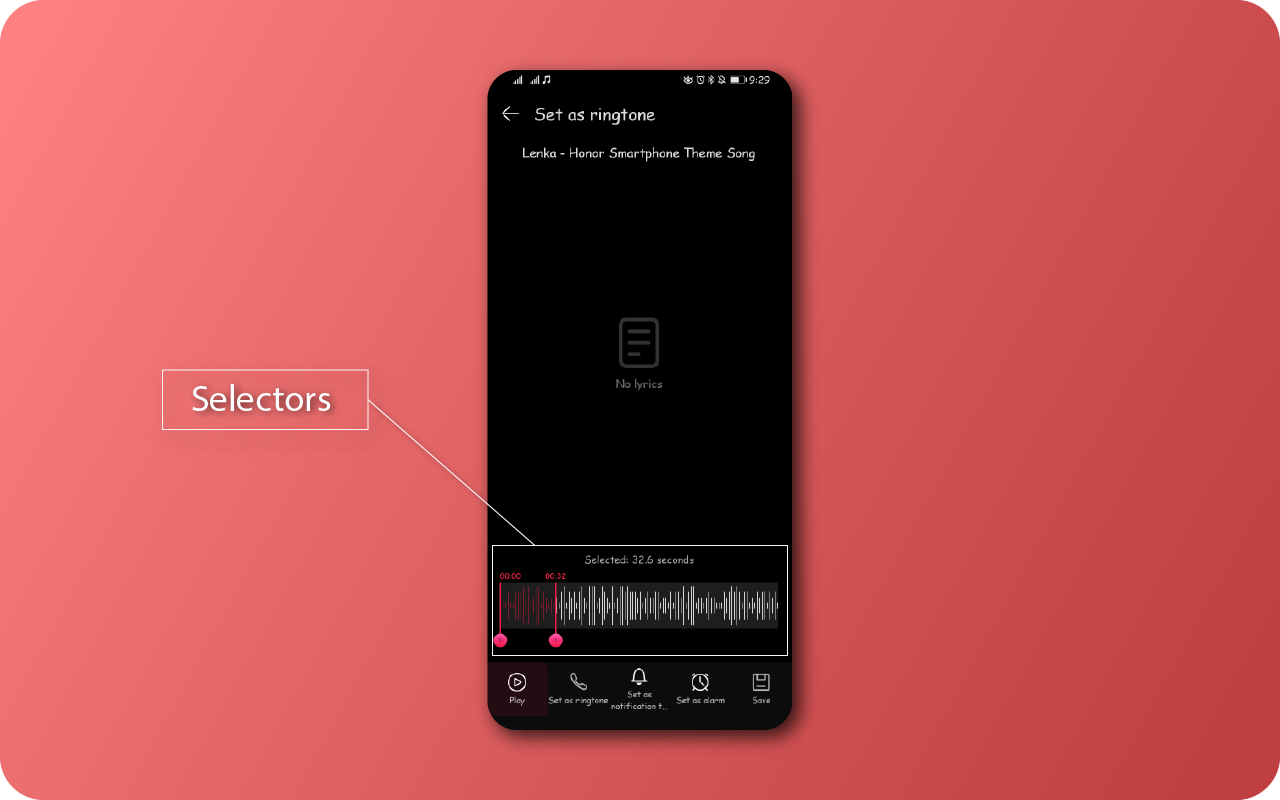
Here you can adjust the length of the ringtone by adjusting the sliders as shown below:
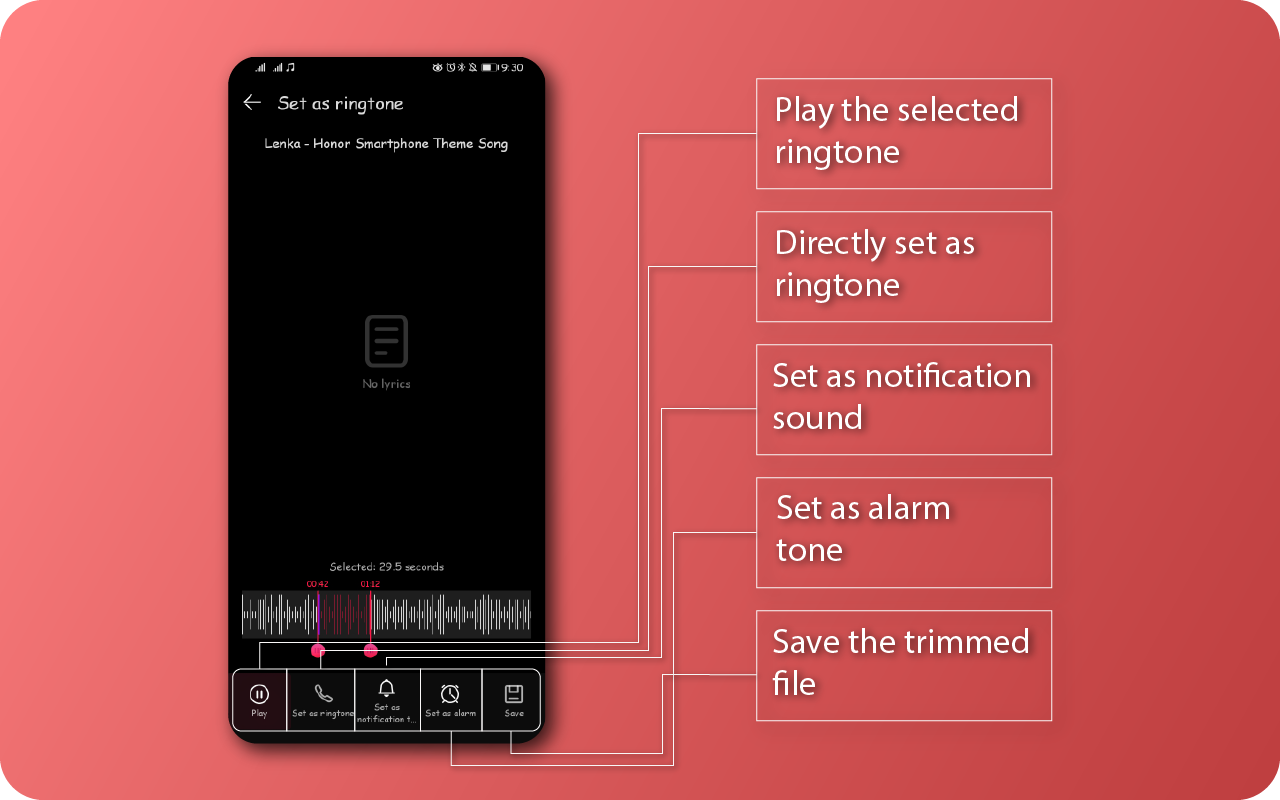
After you’ve selected the right position and the right length for the ringtone, there are a few options like play the selected ringtone, directly set as ringtone, set as notification sound, set as alarm or you may save the trimmed file.
That's all! You are now ready to create awesome ringtones from your favourite music files stored on your device. Enjoy!
Credits to: Ihtesham Abid


- Posts
- Following
- Followers
- Energy
-

Revolt
-
+ Follow

-
- 131 Posts
- 23 Following
- 249 Followers
- 8516 Energy






- Posts
- photo
- video

Hey everyone,
I stumbled across a nice tutorial made by Ihtesham Abid from the Global Community that I’d like to share with you.
It’s a tutorial on how to create a ringtone straight from the Music App!
The built-in Music App on your HONOR phone has a bundle of special features. One of the special features is that you can create a ringtone within the music app. So, there is no need to install any third party app, because the music app gets this job done super easily.
Now, let's learn the process step by step:
Open the Music app, Play some music, click on the two dots and select Set as ringtone.
Here you can adjust the length of the ringtone by adjusting the sliders as shown below:
After you’ve selected the right position and the right length for the ringtone, there are a few options like play the selected ringtone, directly set as ringtone, set as notification sound, set as alarm or you may save the trimmed file.
That's all! You are now ready to create awesome ringtones from your favourite music files stored on your device. Enjoy!
Credits to: Ihtesham Abid