

 More Products
 Compare















Wallpaper
| Wallpaper |
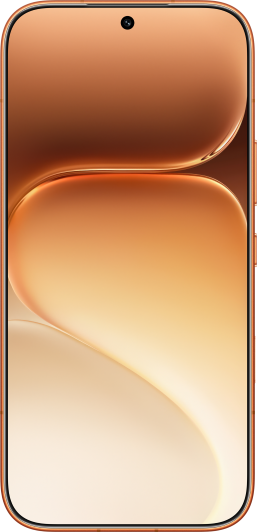
Personalized and adaptable lock screen wallpaper, allowing free display of various elements. You can customize lock screen wallpaper, such as adding depth effect. The moment the screen is on brings you a huge visual impact. You can create your own wonderful lock screen.

Some products do not support depth effect, Please refer to the actual situation.
Lock screen editing
You can access the lock screen settings page in any of the following ways:
Pinch with two fingers on the lock screen (after unlocking device), go to the settings page of My styles, tap Custom and go to the settings page of Lock screen.
With the screen unlocked, pinch with two fingers on the home screen, tap Wallpaper and style, then slide left or right to switch to settings page of Lock screen.
Customize lock screen style
On the settings page of Lock screen, you can:
- Tap Lock screen style:
Select preset wallpapers.
Select images in Select photo as wallpaper.
Tap MORE to enter Themes app, you can view more free or paid wallpapers.
Preset lock screen wallpapers may vary with device models and versions. Please refer to the actual situation.
Select a wallpaper or template, then tap Change image:
Select your favorite image from Gallery to replace the person, pet, or landscape in the current lock screen wallpaper. Pinch with two fingers to adjust the image's display size. Move the image with two fingers to adjust its display area.
After confirming, tap Done.
Only some lock screen wallpapers support image replacement. Please refer to the actual situation.
On the settings page of Lock screen, tap the blank area to enter full-screen adjustment for a better preview of the lock screen effect.
Set personalized wallpaper
On the Lock screen settings screen, set the wallpaper you want, tap Decoration, you can:
Swap the wallpaper Pattern.
Swap the wallpaper Template color.
Select your favorite image to replace the main body of the current lock screen wallpaper.
You can also tap the clock on lock screen preview interface, or customize text styles, such as font and color.
Not all lock screen wallpapers support Decoration. Please refer to the actual situation.
View My lockscreens history
Go to . In the My lockscreens section, you can view the lock screen history and set the lock screen wallpaper. You can also tap More and follow the on-screen instructions to select the wallpaper you are interested in.
微信扫描二维码分享文章
More Support


